Simpler BAS Explained: What Goes in G1, 1A and 1B
Under $10 million GST turnover, your BAS asks for three GST figures: G1, 1A and 1B. What each means, a worked quarter, and the choice that changes them.
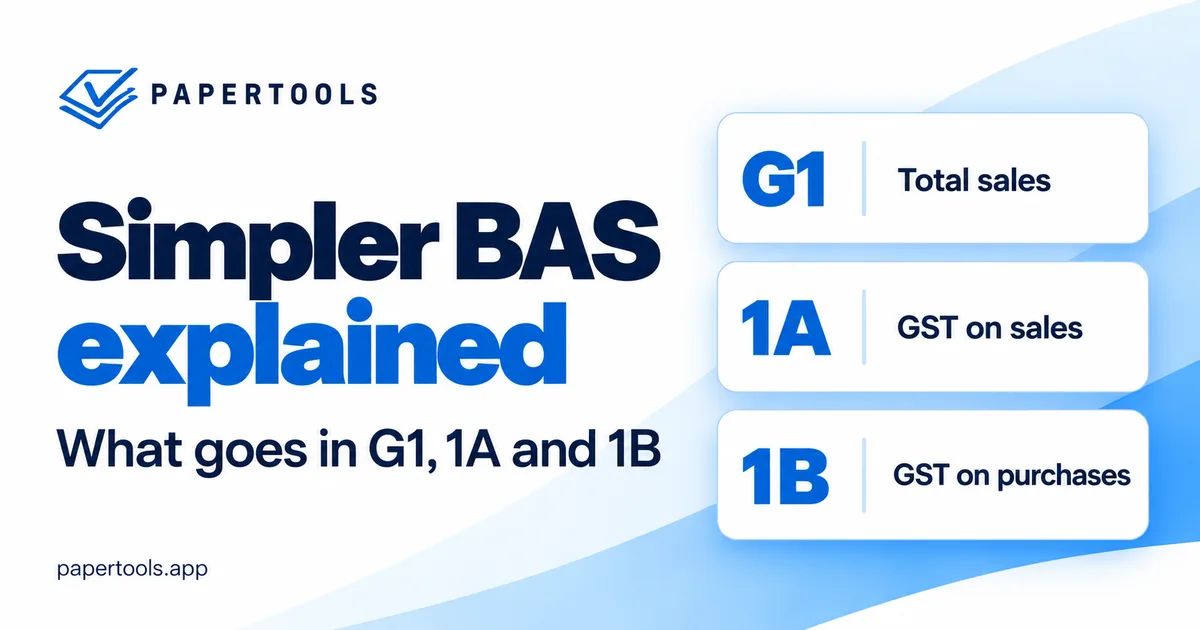
If you're registered for GST in Australia and your GST turnover is under $10 million, the GST part of your business activity statement asks for three figures: G1 for total sales, 1A for the GST on those sales, and 1B for the GST you can claim on business purchases. The ATO calls this Simpler BAS, and it's the default for small businesses. Take 1B away from 1A and you have what you owe for the period, or what comes back to you if your purchases outweighed your sales.
The arithmetic really is that simple. The hard part is everything around it: what counts as a sale, which purchases you can actually claim, whether an unpaid invoice belongs in this quarter, and which due date is really yours. This guide works through each of those, then follows one real quarter from invoices to the final figure. It covers the GST labels only. PAYG withholding and PAYG instalments have labels of their own, and businesses paying GST by instalments report differently.
What each label actually asks for
G1 — Total sales. The total of the sales you made in the period, including the GST. It includes GST-free sales, which catches people out, and it can also include input-taxed sales and the sale of business assets, such as an old work vehicle. It leaves out money that isn't a sale at all: funds you put into the business yourself, loans, and transfers between your own accounts.
1A — GST on sales. The GST included in your taxable sales. At the standard 10% rate, that's one-eleventh of any GST-inclusive price, so a $1,100 job carries $100 at 1A. A GST-free sale adds to G1 and nothing to 1A.
1B — GST on purchases. The GST credits you're entitled to claim on what you bought for the business, and entitled is the word that matters. You need a valid tax invoice for any purchase over $82.50 including GST, and the supplier has to have actually charged GST, so buying from someone who isn't registered gives you nothing to claim. Where something is partly private, like a phone or a vehicle, only the business share counts. Purchases that relate to making input-taxed sales, such as residential rent, generally carry no credit at all.
The ATO wants whole dollars at each label, so drop the cents when you copy your figures across.
One quarter, worked through
Take a sole-trader electrician over July to September. She invoices $13,200 in the quarter, all taxable work at 10%. Every invoice is paid within the quarter except one, for $3,300, still outstanding on 30 September. She buys and pays for $2,420 of materials and a $330 tool, all from GST-registered suppliers with proper tax invoices, and nothing from an earlier quarter is still open. She also puts a $180 personal purchase through the business card by mistake.
Her labels read G1 $13,200, 1A $1,200 (one-eleventh of $13,200) and 1B $250 (one-eleventh of the $2,750 she spent on materials and the tool). She owes $950 for the quarter.
The personal purchase earns no GST credit and has no place on the BAS, but it still belongs in her books, recorded as drawings: money she took out of the business for herself.
The unpaid $3,300 invoice is in there too, contributing $300 of GST she hasn't yet collected from her customer. Whether that's right depends on a choice she made when she registered.
Cash or accruals: the choice that moves your figures
There are two ways to account for GST, and they produce different figures from exactly the same books.
On the accruals basis, which the ATO calls non-cash, a sale belongs to the period in which you issue the invoice or receive any payment for it, whichever comes first, and purchases work the same way from the other side. That's what the worked example used. The $3,300 invoice went out in September, so its $300 of GST belongs to this quarter, paid or not. It also means a deposit taken before you invoice can pull GST into an earlier period than the invoice itself.
On the cash basis, a sale counts when the money arrives and a purchase when you pay for it. For our electrician, the unpaid invoice drops out of the quarter entirely. G1 falls to $9,900, 1A to $900, 1B stays at $250 because she paid all her suppliers in time, and she owes $650 rather than $950. The $300 simply moves to whichever quarter the customer finally pays. Businesses with an aggregated turnover under $10 million can choose either method.
Neither is more correct. Cash means you never pay GST before your customer has paid you, which matters when your invoices run to 30 days or more. Accruals keeps your BAS tied to the invoices you issued and makes it easier to reconcile against a sales report. On accruals, a taxable invoice still sitting unpaid in your aging report from a period you've already lodged is GST you've reported and not yet collected, which is worth remembering when a customer drifts past 60 days. What matters is that your figures follow the method you're registered for. If your records and your BAS ever disagree, the method is the first thing to check.
When it's due depends on how you lodge
Quarterly lodgers work to the 28th of the month after the quarter ends: 28 October, 28 April and 28 July, with the October to December quarter given until 28 February. Lodge online yourself and the ATO generally adds two weeks to the first, third and fourth quarters, though not the December one, which already has its extra month. Lodge through a registered tax or BAS agent and, if you're eligible under the agent lodgment program, those three quarters usually move to 25 November, 26 May and 25 August, while December generally stays at 28 February.
Monthly lodgers are due on the 21st of the following month and don't get the online extension. Annual GST reporting is available to businesses voluntarily registered below the $75,000 registration threshold. If a due date lands on a weekend or public holiday, it moves to the next business day.
Whatever your situation, the date printed on your activity statement in ATO online services is the one that counts.
Four checks before you lodge
Most BAS mistakes aren't arithmetic. Your software can only report what's in it, so the real check is whether your records reflect what actually happened in the period.
An invoice you sent but left as a draft, or raised somewhere else entirely, is a sale your figures don't show, and so is a deposit received before the invoice. Either way, G1 and 1A come out short. A purchase entered but not approved, or a receipt still sitting in your inbox, is a 1B credit you aren't claiming. A bank line with no matching record usually means something happened that your books haven't caught up with. And once you've lodged, the period has to stay put: an invoice edited or back-dated into a lodged quarter changes figures you've already given the ATO.
How Papertools lays it out
Papertools keeps real double-entry books, and when your workspace's country is Australia, the Tax summary report sets out each period's GST in your BAS's own labels: G1 total sales including GST, 1A GST on sales and 1B GST on purchases, ready to copy across when you lodge. Periods run as one-tap chips set by How often you file in Settings → Tax, so the figures on screen match the period on your activity statement.
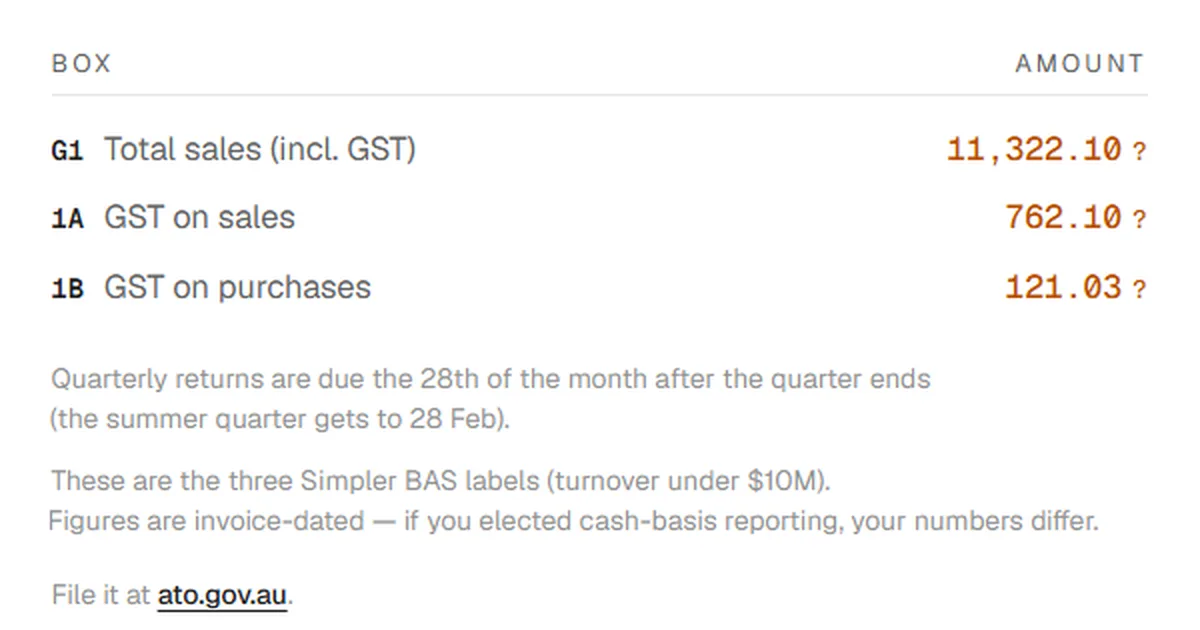
Two other answers in Settings → Tax matter for your BAS. We're registered to charge tax should be on, and for most GST-registered businesses so should We can claim back the tax our vendors charge us, which keeps the GST on your purchases out of your costs. Turning it on doesn't make every purchase claimable; the rules for 1B above still apply.
The report states its basis on the card itself: figures are invoice-dated, on the accruals basis. Beneath the labels it shows what built each figure, with GST collected and GST paid grouped by rate and a count of documents behind every line. That's where you check a surprising 1B before you trust it.
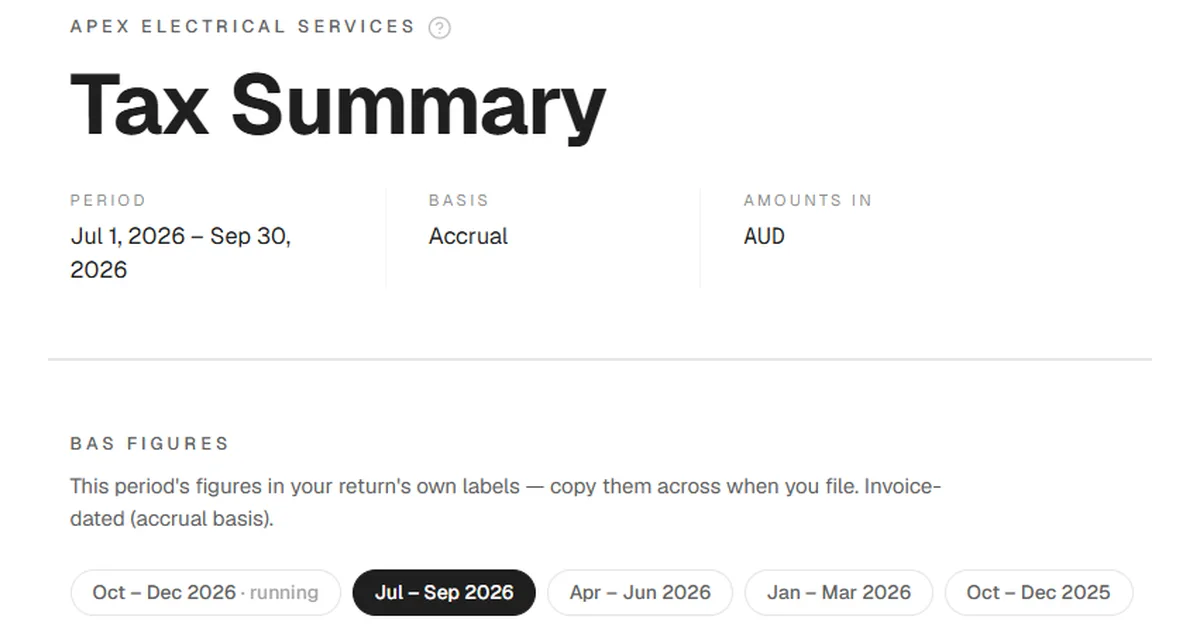
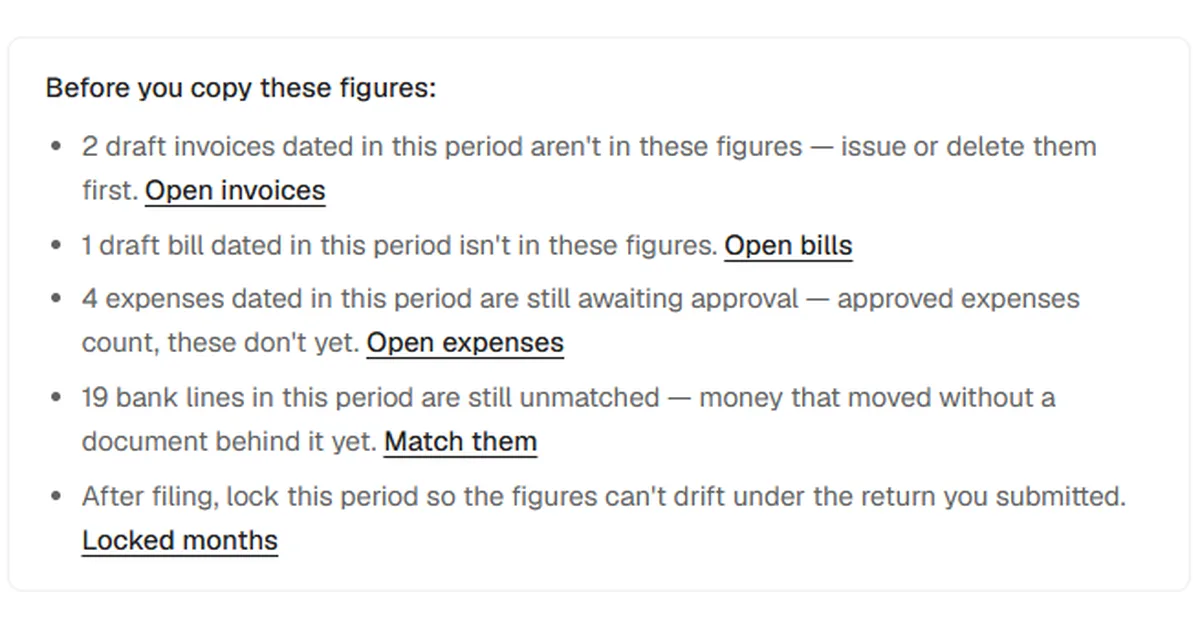
The card also runs the checks above for you, showing a line only when there's something to act on: drafts dated in the period, expenses waiting for approval, unmatched bank lines. Each one links straight to the fix. Once you've lodged, it prompts you to lock the period so the figures can't drift underneath the return you submitted.
Paper-Ai, the assistant built into Papertools, knows the return by its local name, so asking "how's my BAS looking?" gets an answer drawn from your own workspace. Papertools prepares the figures and nothing more. You still lodge through ATO online services or your agent, exactly as you do now. The Help Center guide to the Tax summary walks through every part of the report.
What this won't fix
Papertools' BAS figures are invoice-dated. If you're registered to account for GST on a cash basis, they'll differ from what you report, and the difference will be the invoices and bills still unpaid at the end of the period, so don't copy them across unadjusted. If you take deposits before you invoice, check which period their GST belongs to rather than relying on the invoice date alone.
The report covers the three Simpler BAS GST labels. It doesn't produce PAYG withholding or instalment figures, fuel tax credits or anything else your activity statement may carry, and it doesn't cover full BAS reporting for businesses with a GST turnover of $10 million or more.
And the figures are only as good as the coding underneath them. A taxable purchase marked GST-free understates 1B and leaves credits unclaimed; a private expense recorded as a business one overstates it. The by-rate breakdown makes both easier to spot, but it can't decide them for you. When a treatment is genuinely unclear, that's a question for the ATO or your tax agent, not your software.
Where to go next
- Accounting software for Australia — how Papertools handles Australian GST, BAS periods and filing windows
- How to Read an Aging Report — on accruals, unpaid taxable invoices from lodged periods are GST you've already reported
- Your tax return figures, ready to copy — the step-by-step guide to the Tax summary report
- Quarterly GST reporting at the ATO — the official source for the labels and reporting options