How to Read an Aging Report
The total outstanding is the least useful number on the page. What the buckets mean, why they count from the due date, and the three things worth checking every week.
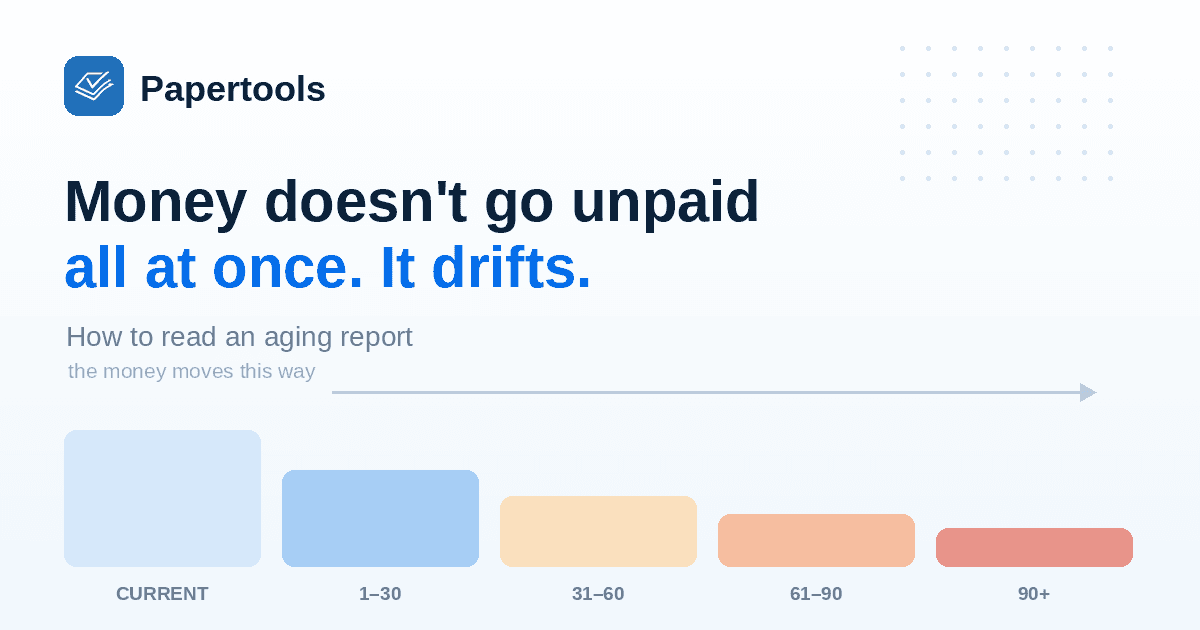
Every unpaid invoice you have is sitting somewhere on a clock. An aging report is the page that shows you where.
It answers one question in one screen: who owes you money, and how long have they been holding it. Most owners glance at the total outstanding and stop there. The total is the least useful number on the page.
The buckets count from the due date
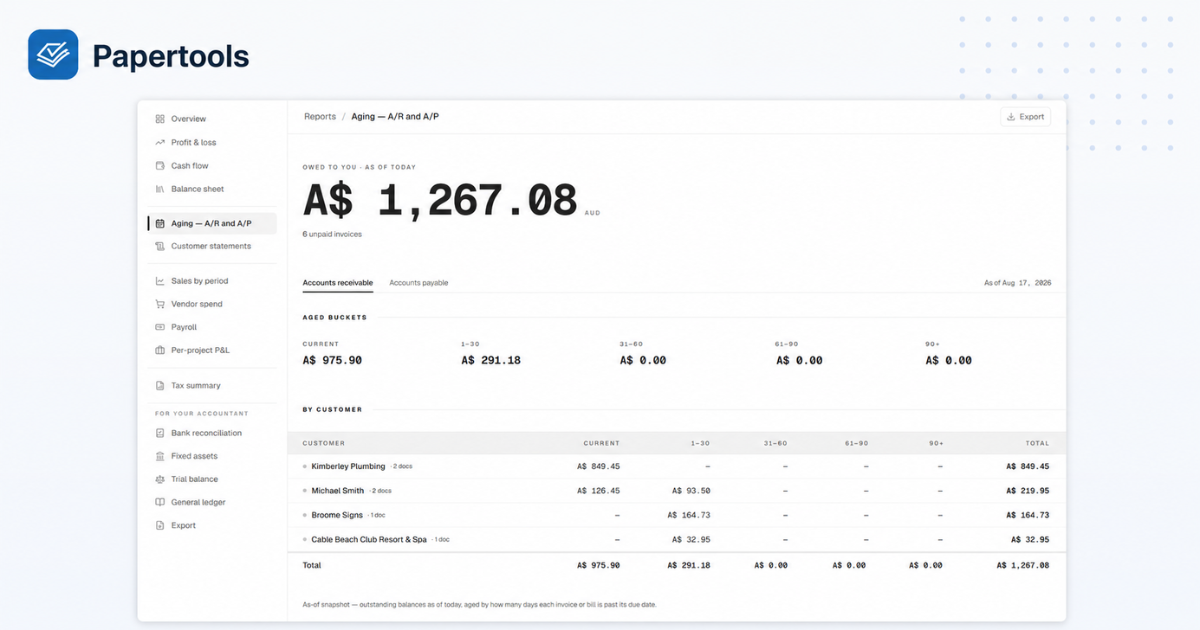
An aging report sorts what you're owed by how far past its due date each invoice has drifted. The standard columns are Current, 1–30 days, 31–60, 61–90, and 90+.
This is where people misread it. The buckets count from the due date, not the invoice date. An invoice you sent three weeks ago on Net 30 terms is still Current — nobody is late. The same invoice on Net 7 is two weeks overdue and sits in 1–30. Two invoices of the same age can land in different columns, and that's the report working correctly.
Underneath the buckets, the same money is broken out by customer. That second half is where the report earns its keep.
What each column is telling you
Current needs nothing from you. This is work you've done and billed where the customer still has time. A healthy business has most of its receivables sitting here.
1–30 is reminder territory. Almost everything in this column is an oversight rather than a decision, and almost all of it gets paid once someone is reminded. If invoices routinely appear here, the fix isn't chasing harder — it's a courtesy reminder that fires before the due date.
31–60 means something failed. A reminder went unanswered, or the invoice never entered the customer's system in the first place. Stop emailing at this point and call.
61–90 is a different category of problem. Two months past due usually means the customer is choosing which suppliers to pay, and you're not in the group being paid. This is where pausing work has more effect than another message.
90+ is where you stop assuming. Money sitting here is statistically unlikely to arrive on its own, and the question changes from how to chase it to what to do with the invoice itself.
Read it by customer, not by column
Three things are worth checking every time, and none of them show up in the total.
Concentration. If one customer is most of your receivables, your cash flow depends on that one relationship regardless of how current their invoices look. That's a risk worth knowing about while everything is still healthy.
Drift. Compare this week to last. A balance that moves from Current into 1–30 and then into 31–60 is telling you something the snapshot alone can't — you're not being paid, you're being deferred.
One customer in two buckets. This is the pattern most owners miss. When a customer has money in Current and money in 1–30 at the same time, they're still sending you work while quietly falling behind on paying for it. Better to have that conversation before you take the next job than after.
The same report, the other way round
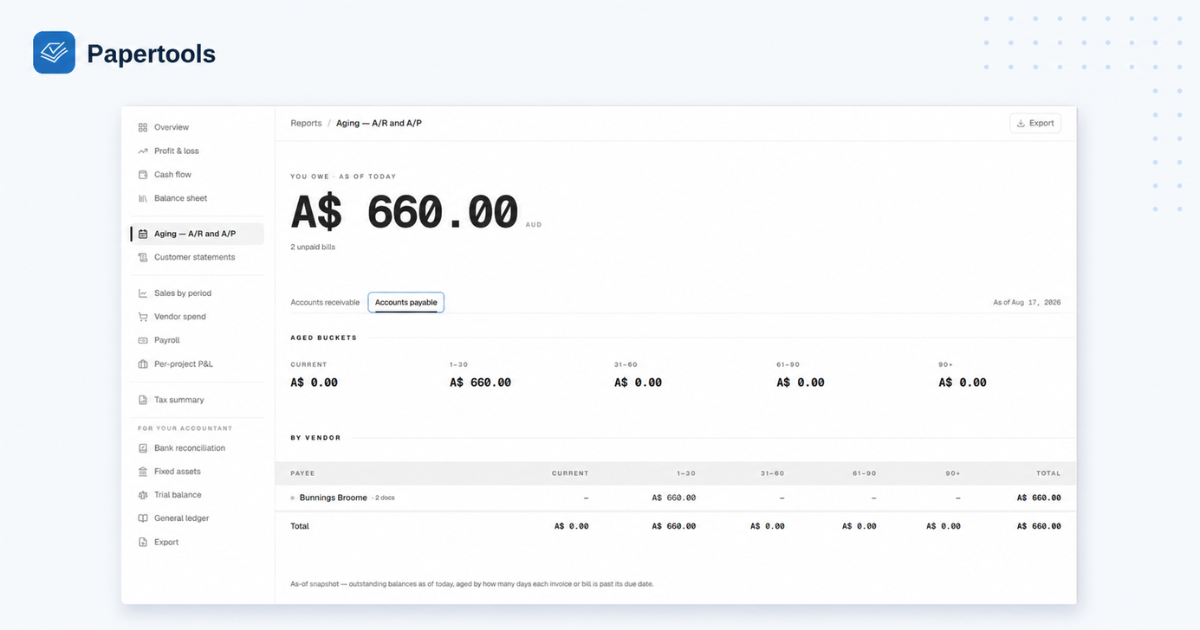
Aging works in both directions. Accounts receivable is what customers owe you; accounts payable is what you owe suppliers, in the same buckets.
Reading them side by side is how you find out whether a cash flow problem is yours or your customers'. Heavy A/R and light A/P means you're financing other people's businesses. The reverse means the pressure is on your end.
How Papertools handles it
The aging report reads straight from your ledger, so it moves the moment anything else does. Record a payment and the invoice leaves the bucket. Write one off and it drops out of receivables entirely. There's nothing to rebuild and nothing to reconcile.
Every report carries an "as of" date, because an aging report is a snapshot rather than a period. The same invoice belongs to a different bucket depending on which day you look, and the date on the page tells you which day you're looking at.
The headline figure also sits on your Overview, so the receivables number is in front of you without opening the report at all.
Because Papertools runs on double-entry accounting underneath, that figure is your actual receivables position rather than a running total in a spreadsheet. Essential is free forever and covers 10 invoices and receipts a month, which is enough to run real invoices through and watch the report move.
What this won't fix
An aging report tells you where money is. It doesn't collect any of it.
It won't tell you why a customer is late, which is the thing you actually need to know — only a conversation does that. It won't distinguish between a customer with a cash flow problem and one with an approval stuck on someone's desk, and those need completely different responses. And it can't show drift if you only look at it once; the report becomes useful when it becomes a habit, which for most businesses means once a week rather than once a quarter.
One thing the buckets don't show: if you account for GST or VAT on an accrual basis, a taxable invoice sitting in them may already have been reported to your tax office before your customer paid it. In Australia, that's the difference between cash and non-cash BAS reporting, worked through with a real quarter in Simpler BAS Explained: What Goes in G1, 1A and 1B.
Where to go next
- How to Get Clients to Pay Invoices on Time — the process that keeps your buckets on the left
- What to Do When a Client Won't Pay an Invoice — when something reaches 90+ and stays there
- How to Write a Late Payment Reminder Email (4 Templates) — what to send to everything in 1–30
- Simpler BAS Explained: What Goes in G1, 1A and 1B — how unpaid invoices affect the GST you report
- Customer statements and aging — running the report in Papertools
- Record a manual or partial payment — keeping the buckets accurate