How to Number Invoices (Sequences, Restarting, and Gaps)
Invoice numbers only need to be sequential and unique. Here's how to pick a scheme, whether you can restart at 1 each year, and what to do when a voided invoice leaves a gap.
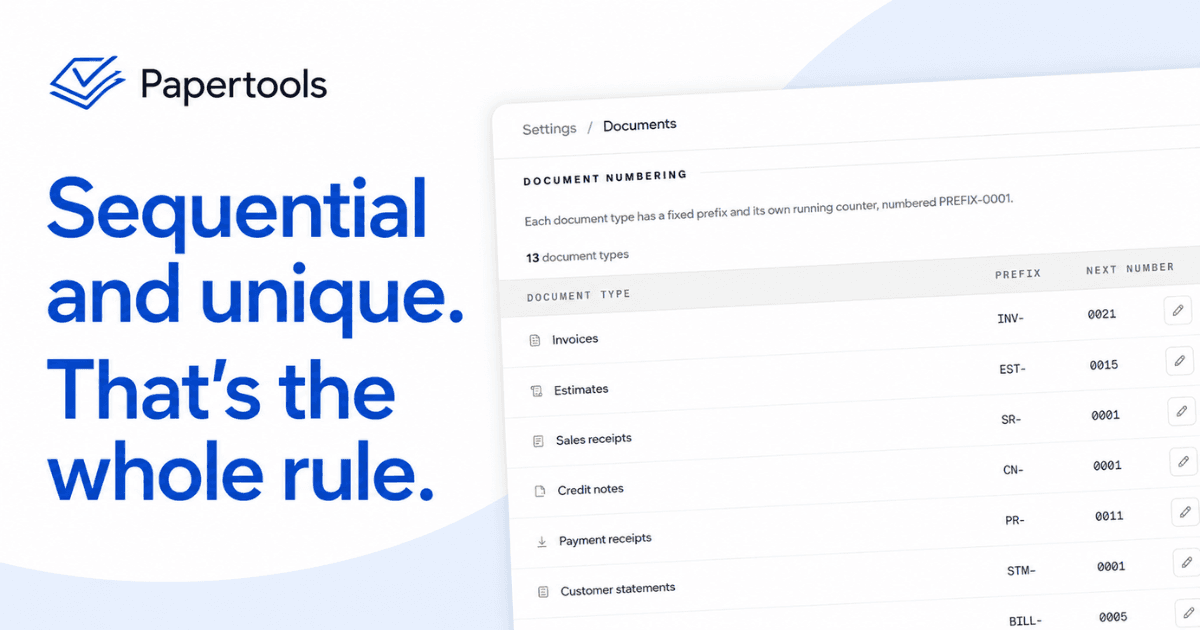
Every invoice you send needs a number, and almost nobody thinks about the system before they send the first one. They type 1, or they type the date, or they use the customer's name and a letter. Two years later there are three overlapping schemes in the same folder, two invoices share a number, and nobody can tell which one the customer actually paid.
The scheme itself barely matters. What matters is picking one that stays unique, stays in order, and never has to be argued about later.
What the number is actually for
An invoice number is the handle everything else grabs onto. The customer quotes it in the payment reference. Your bank statement shows it against the deposit. Your customer statement lists it against the balance. When a client says they already paid, the number is what settles the question in thirty seconds instead of an afternoon.
That is also why the number has to survive contact with other people. Your customer's accounts payable clerk will file your invoice by its number. If two of your invoices carry the same one, or if the number changes between the emailed PDF and your own records, you have created work for someone who controls when you get paid.
The one rule that matters
Sequential and unique. Each invoice gets the next number in the sequence, and no number is ever used twice.
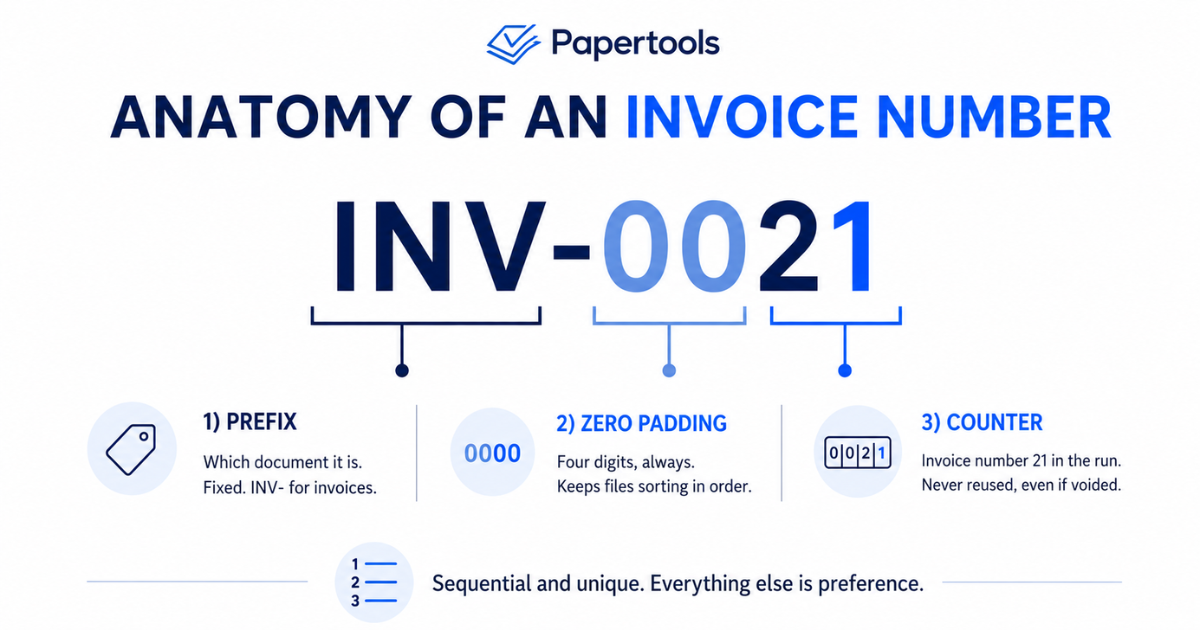
Start at 0001. Some owners open at 1000 so it looks like they have been trading longer, and it fools nobody who has ever received an invoice. The number tells a client nothing about your size, and starting high only makes your own records harder to reason about later.
Everything else is preference. A prefix like INV- or Q- makes the document type obvious at a glance and stops an invoice number being confused with a quote number. Zero-padding to four digits, so 0001 rather than 1, keeps everything sorting correctly in a file list and looks less like your first week in business. Neither is required, both are free.
Three schemes that work
Plain sequential — 0001, 0002, 0003, with or without a prefix. Simplest to run, impossible to get wrong, and it never needs a decision at year end. This is the one to pick unless you have a specific reason not to.
Year-prefixed — 2026-0001, 2026-0002. Useful when you want to know the year from the number alone without opening the document, and it makes restarting the counter each January clean rather than confusing.
Customer-coded — ACME-0001, ACME-0002. Only worth it if you invoice a small number of large clients who each want their own run. It falls apart quickly past a dozen customers and makes your total volume harder to see.
What to avoid: the date alone, because two invoices on the same day collide. Random numbers, because nobody can tell if one is missing. And restarting from 1 for each new customer while also using a plain sequence elsewhere, which produces duplicates almost immediately.
Can you restart at 1 each year?
Yes, and plenty of businesses do. The catch is that a bare 0001 in January is now the second or third invoice in your records to carry that number, so restarting only works if the year is part of the number. 2026-0001 and 2027-0001 are distinct. Two invoices both numbered 0001 are not.
Record-keeping rules differ by country, and some require an unbroken sequence within a period. Your accountant can confirm what applies where your business is registered. If you are not sure, a continuous sequence that never restarts is the safe default and costs you nothing.
Gaps, voids, and canceled invoices
Gaps happen. You start an invoice and abandon it, a job falls through, a document gets voided after it went out with the wrong amount. The sequence ends up with a hole in it.
A gap is fine as long as you can explain it. What is not fine is reusing the number to close the hole. The moment 0042 refers to a voided invoice in your records and a live one in your customer's inbox, your books and their books disagree, and the disagreement surfaces at the worst possible time.
Void, correct, and move on. If the amount was wrong on an invoice the customer already has, the clean fix is a credit note against the original rather than a quiet edit — the original number stays, the correction gets its own number, and the trail reads correctly to anyone who follows it later.
How Papertools handles it
Every document type has its own fixed prefix and its own running counter, numbered PREFIX-0001. Invoices run on INV-, estimates on EST-, sales receipts on SR-, credit notes on CN-, bills on BILL-, and so on across thirteen document types, so an estimate number can never be mistaken for an invoice number. Zero-padding is automatic.
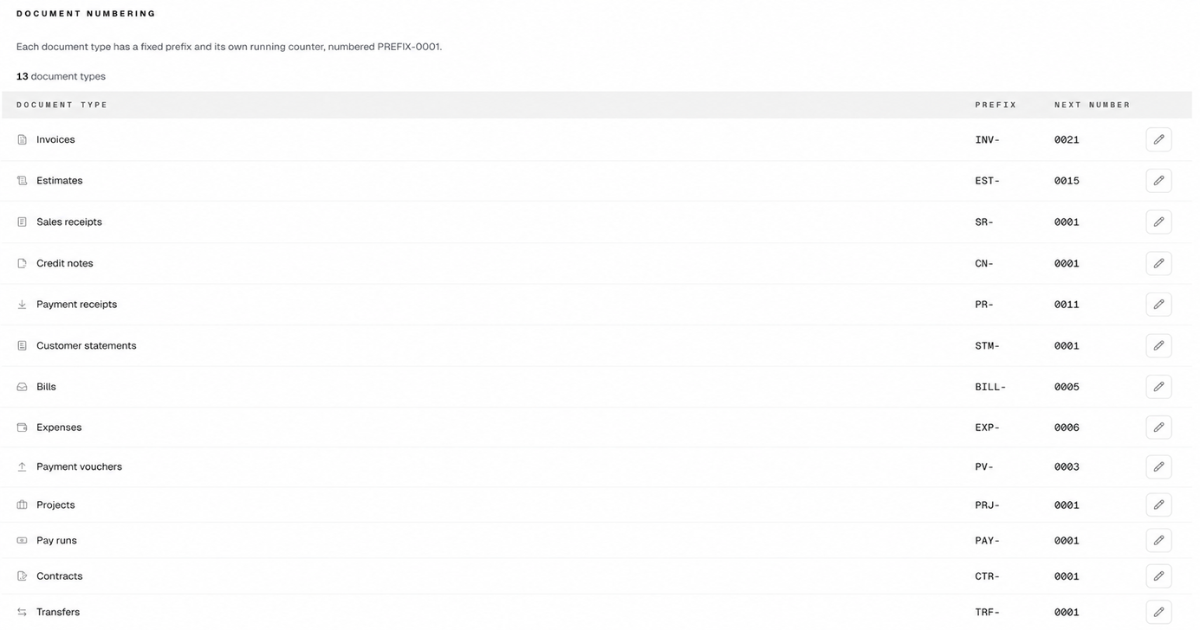
The next number for each type is editable, which is what you need when you migrate from another system mid-year and want to continue your existing sequence instead of dropping back to 0001. It only moves forward. Set it to a number you have already issued and the app refuses, tells you the lowest number it will take, and explains why.
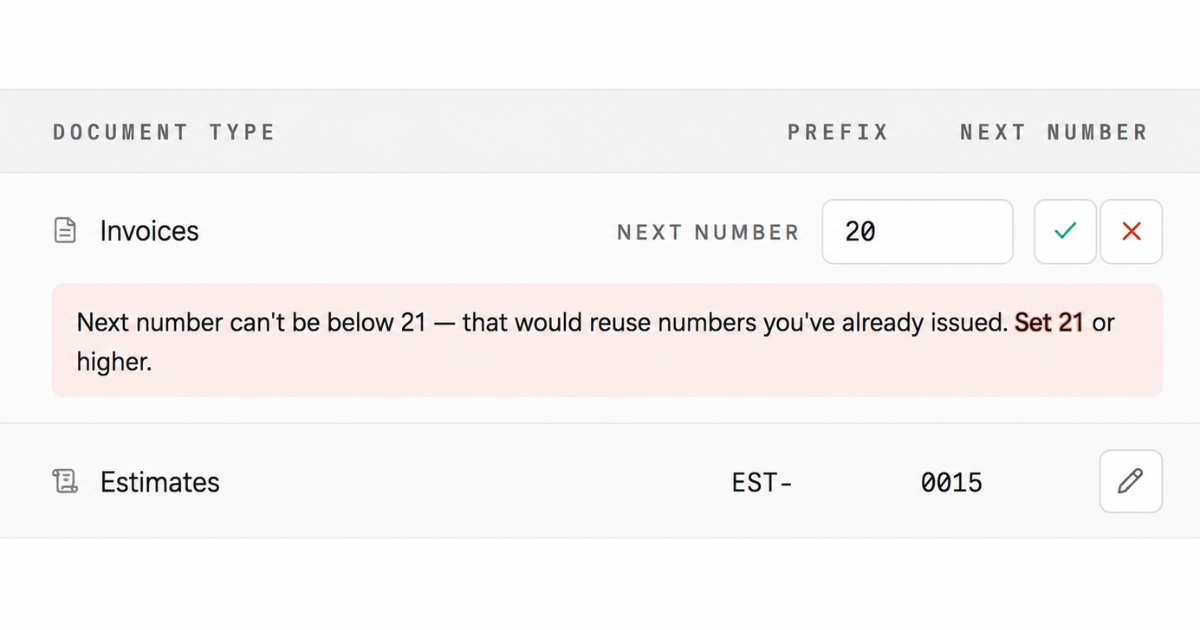
That is a deliberate position rather than a missing feature. One continuous sequence per document type, no annual restart, no way to double-issue a number by accident at eleven at night. The counter can be corrected; it cannot be walked backward into a duplicate.
Invoices are numbered when they are sent, not when they are drafted, so abandoned drafts do not eat numbers. Voiding works the way it should: the document is voided, and its number stays locked and cannot be reused. The gap is preserved because the gap is the honest record.
Setting this up does not require a paid plan. The free tier is free permanently, with no card and no trial countdown, which is the point for anyone sending their first invoice.
What this won't fix
A numbering system does not make anyone pay faster. If invoices are going unpaid, the problem is upstream in your terms and your follow-up, not your file naming.
If you specifically want a counter that resets every January, Papertools will not do it — prefixes are fixed and the sequence runs continuously. That is the right default for most owners, but it is a real constraint and worth knowing before you set up rather than after.
It also will not clean up history. If you already have duplicates or three overlapping schemes, the fix is to draw a line: pick the scheme, set the counter above the highest number you have ever used, and start there. Renumbering documents a customer already has is worse than the mess you started with.
Where to go next
The number is one line on a document that has to get several other things right. If you are building your first invoice from scratch, start with what to include on an invoice, then decide which payment terms to put on it. To set your own prefixes and counters in Papertools, the step-by-step is in Set your numbering and payment terms.