How to Write an Invoice (What to Include and What to Leave Off)
Most invoices that get paid late aren't disputed — they're unclear. The eight things every invoice needs, what to add when it applies, and what to leave off entirely.
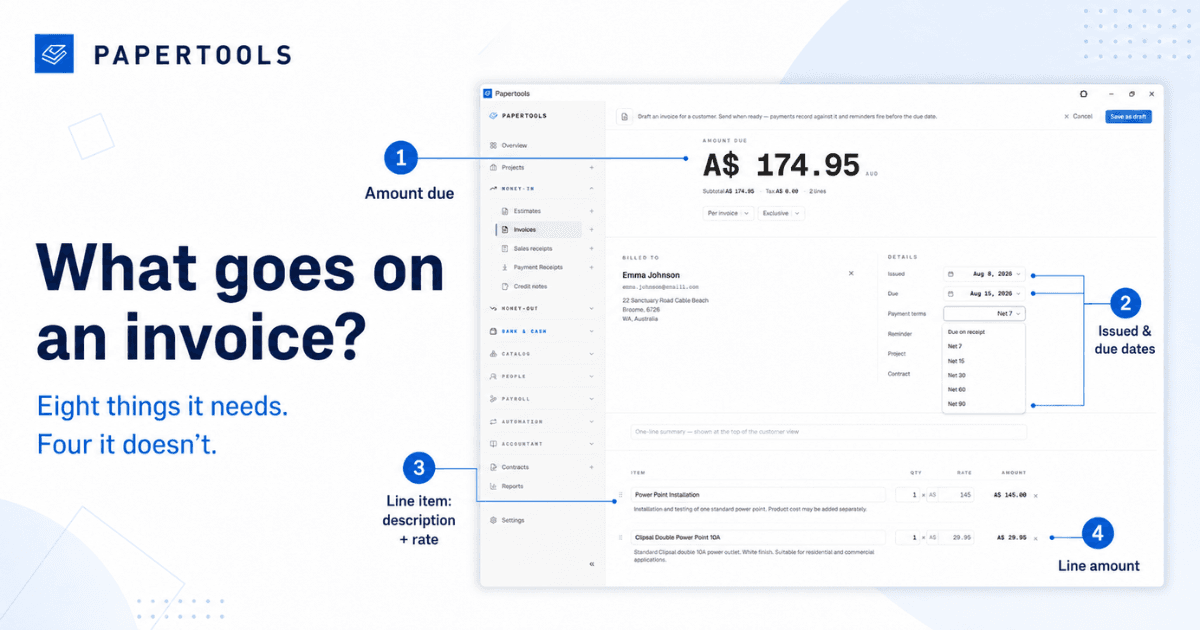
An invoice is a request for payment that has to survive someone else's process. Yours might be read by the person who hired you, or by a bookkeeper who wasn't there, or by an accounts payable system that rejects anything missing a reference number.
Most invoices that get paid late aren't disputed. They're unclear. Something is missing, something is ambiguous, and the invoice sits in an inbox until someone has time to work it out. Everything below exists to remove that pause.
The eight things every invoice needs
The word "Invoice." It sounds obvious, and it's the most common omission on a first invoice. A document headed with your business name and a total is a quote, a receipt, or a statement, depending on who's reading it. Say what it is.
A unique invoice number. Sequential, never reused, never skipped. This is how you and your customer refer to the same document six months from now, and it's the first thing an accountant looks for. INV-0001 onward is enough — the format matters far less than never having two invoices with the same number.
Your business details. Trading name, legal name if they differ, address, email, phone. If your business is registered for tax, your registration number usually belongs here too — check what your own jurisdiction requires, because it varies and it's the one field that can invalidate an invoice.
Their details, correctly. Address the invoice to the legal entity that's paying, not the trading name on the front of the building. "Smith Plumbing" and the registered company that actually holds the bank account may be the same business to you and two different entities to their bookkeeper. Getting this wrong is a guaranteed delay.
An issue date and a due date. Both, as real calendar dates. Not "Net 15" on its own — do the arithmetic for them. A due date of March 14 is a deadline; "payment terms: 15 days" is a puzzle.
Itemized lines. Description, quantity, rate, amount. One line per thing you did. This is the part that gets approved or questioned, so it deserves more thought than the rest of the invoice combined.
Subtotal, tax, total. Show them separately. If you're registered for sales tax, VAT or GST, the invoice generally needs to show the amount of tax and your registration number — again, the specifics depend on where you operate.
How to pay. Bank details, payment link, or both, on the invoice itself. Never make someone reply to ask how to pay you.
What to add when it applies
A purchase order or reference number. If you invoice a business with a finance department, ask for their PO number before you invoice. A missing PO is the single most common reason an invoice is quietly rejected rather than queried — it doesn't fail loudly, it just never gets scheduled.
A deposit already paid. Show it as a line, with the balance due underneath. Never send a second invoice for the full amount and expect the customer to remember what they've paid.
A one-line summary of the job. "Electrical panel upgrade, 14 Maple Street" tells an approver what they're paying for before they read a single line item.
What to leave off
Long terms and conditions. Terms belong on the quote, agreed before the work started. A wall of small print on the invoice is agreed to by nobody and read by nobody.
Apologies. "Sorry to send this through" and "no rush at all" both tell the reader the due date is negotiable. It isn't.
Your internal codes. Job numbers, SKUs, and abbreviations that mean something in your system and nothing to your customer. If they can't tell what a line is, they'll ask — and asking takes a week.
Decoration. A clean layout, your logo, and your accent color are enough. Nothing on an invoice should compete with the total and the due date.
Line items are the part worth thinking about
Write them in the customer's language, not yours.
"Labor — 6 hrs @ $95" is honest and invites a conversation about whether it really took six hours. "Electrical panel upgrade including new circuit breaker and testing — $570" is the same money and describes an outcome they agreed to buy. You are not hiding anything; you're describing the work the way the customer experienced it.
Split materials from labor when the customer is price-sensitive, and combine them when they're not. Match the wording to the quote they accepted, so the two documents can be read side by side without anyone having to reconcile them.
And keep each line to one idea. Five clear lines beat one paragraph that has to be parsed.
The mistakes that actually delay payment
The wrong legal entity. A missing PO number. No due date, or a due date expressed as a term. An invoice that doesn't match the quote, line for line. A total that doesn't say what currency it's in when the customer is overseas.
None of these are disputes. All of them cost a week.
What this looks like in Papertools
Everything above is the same handful of fields, filled in the same way, on every invoice you ever send. That's a job for software rather than memory.
In Papertools, your business details, logo, accent color and tax registration live in the workspace and appear on every document automatically. Invoice numbers are assigned in sequence when you send — drafts don't consume numbers, so nothing goes missing from the run. Your default payment terms produce a real due date on every invoice, and you can override it on the ones that need something different.
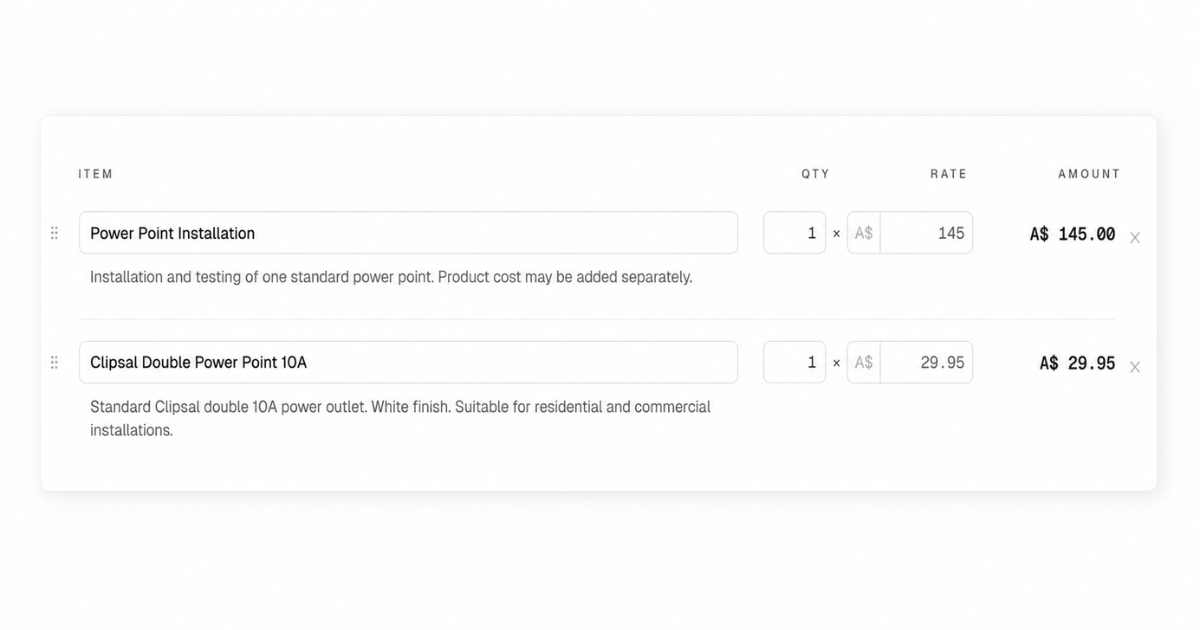
Customers and their correct legal details are stored once and picked from a list. Products and services live in your catalog with descriptions and rates already written, so line items stay consistent instead of being retyped and reworded on every job. You define your own tax rates and identifiers for the country your workspace operates in — sales tax, VAT, GST or whatever your jurisdiction calls it — and tax can be applied per invoice or per line, inclusive or exclusive.
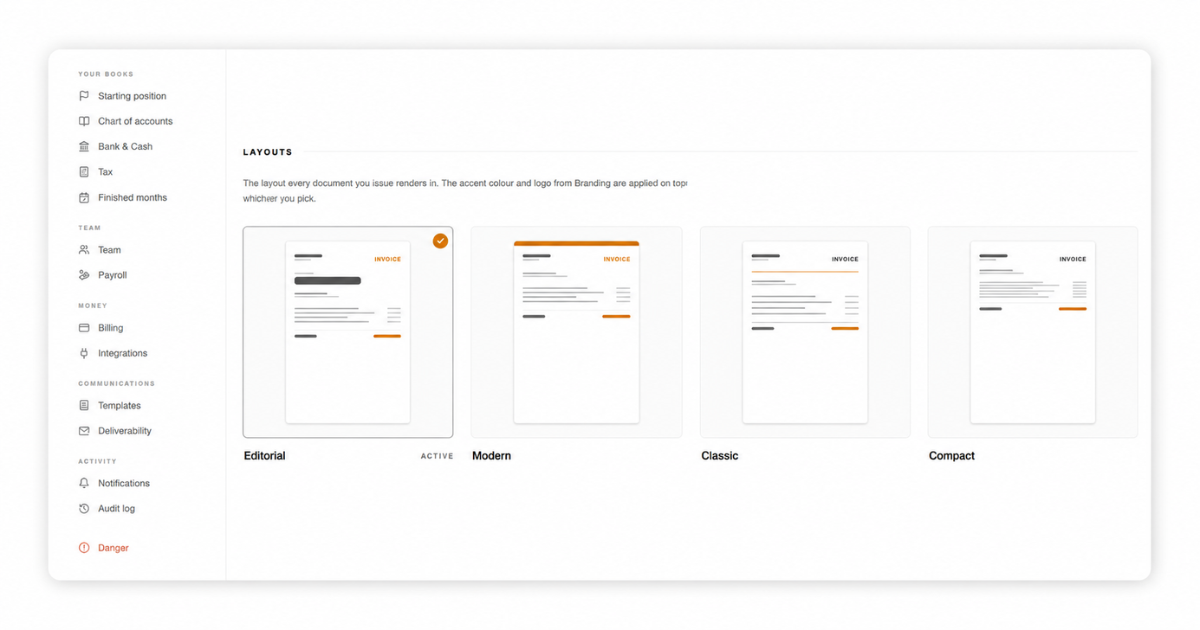
The finished invoice renders in one of four layouts, and goes out as a branded PDF by email or WhatsApp, or as a private link the customer opens without creating an account. With Stripe connected, it carries a pay-online link so paying takes seconds rather than a bank transfer they'll do later.
Essential is free forever with no credit card and no trial countdown — ten invoices and receipts a month, which is enough to send your first invoices properly without spending anything.
What this won't fix
A correct invoice is necessary and not sufficient.
It won't make a customer pay who has no money, and it won't move a large corporate client whose payment run happens monthly no matter what your due date says. It won't recover work that was never agreed in writing. And it isn't tax advice — what your invoice must legally show depends on where you operate and what you're registered for, and your accountant is the person to confirm that.
What a clear invoice does is remove every reason to delay that isn't about money. In most small businesses, that's most of them.
Where to go next
- How to Get Clients to Pay Invoices on Time — the process that starts once the invoice is sent
- Invoice Payment Terms: Should You Use Net 7, 15, or 30? — choosing the due date that goes on it
- Estimate, Invoice, or Receipt? Which Document to Send and When — which of the three you actually need
- How to Number Invoices (Sequences, Restarting, and Gaps) — picking a numbering scheme that holds up
- Set your numbering and payment terms — get the sequence and the dates right once
- Let customers pay online — add a pay link to every invoice you send
- What a Free Accounting Plan Should Include (and When It's a Dead End) — where to send those invoices from without paying for it