Proper Books Without Becoming a Bookkeeper
Small business software makes you pick: an invoice app that keeps no books, or an accounting suite built for accountants. Papertools runs on real double-entry accounting with none of the vocabulary.
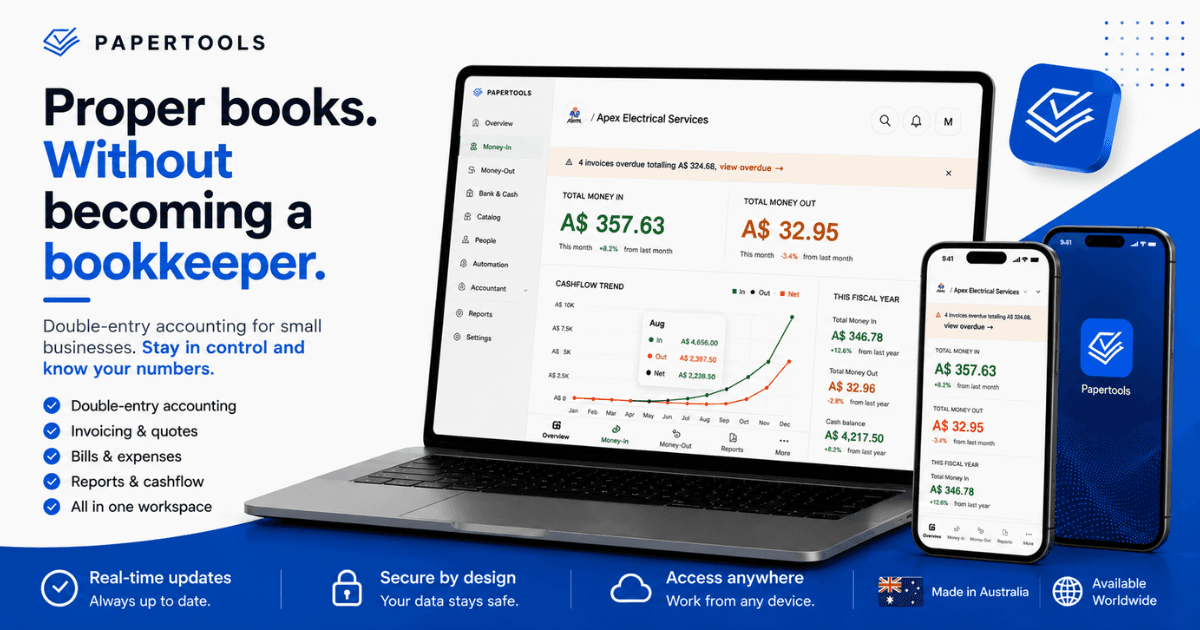
Running a small business already takes enough expertise. You win the customers, price the work, order the materials, manage the people, deliver the job, and chase the money. Nobody starts a business because they wanted a second career in bookkeeping.
And yet somewhere between the first invoice and the first tax year, every owner runs into the same wall: the paperwork isn't optional, and the software doesn't help. That's the problem Papertools exists to solve.
The two bad options
Small business software has settled into two shapes, and both leave you short.
The first is the invoice app. It looks good, it sends a tidy PDF, and it takes four minutes to learn. It also doesn't keep books. It records what you billed, not what happened — so at the end of the year you hand your accountant a folder of PDFs and a bank export, and they spend billable hours turning that into accounts before they can tell you anything useful.
The second is the full accounting suite. It keeps proper books, and it assumes you already speak the language. You're asked to configure a chart of accounts before you've sent an invoice, to understand what a journal is before you can correct a mistake, and to navigate a system built for the person who does this professionally rather than the person doing it at nine at night.
So owners choose between software that's easy and useless, or software that's capable and hostile. Most pick the easy one and pay for it later.
What we built instead
Papertools runs on double-entry accounting. You don't have to think in debits and credits to use it.
Those two sentences are the whole product. The books underneath are real — the same structure an accountant would build — and the surface is designed for the person running the business, not the person auditing it. You send an invoice, record a payment, log an expense, run a pay run, and the ledger entries happen because that is what the software is for.
Which means you open Papertools and simply see where the business stands, without having built anything to make that true.
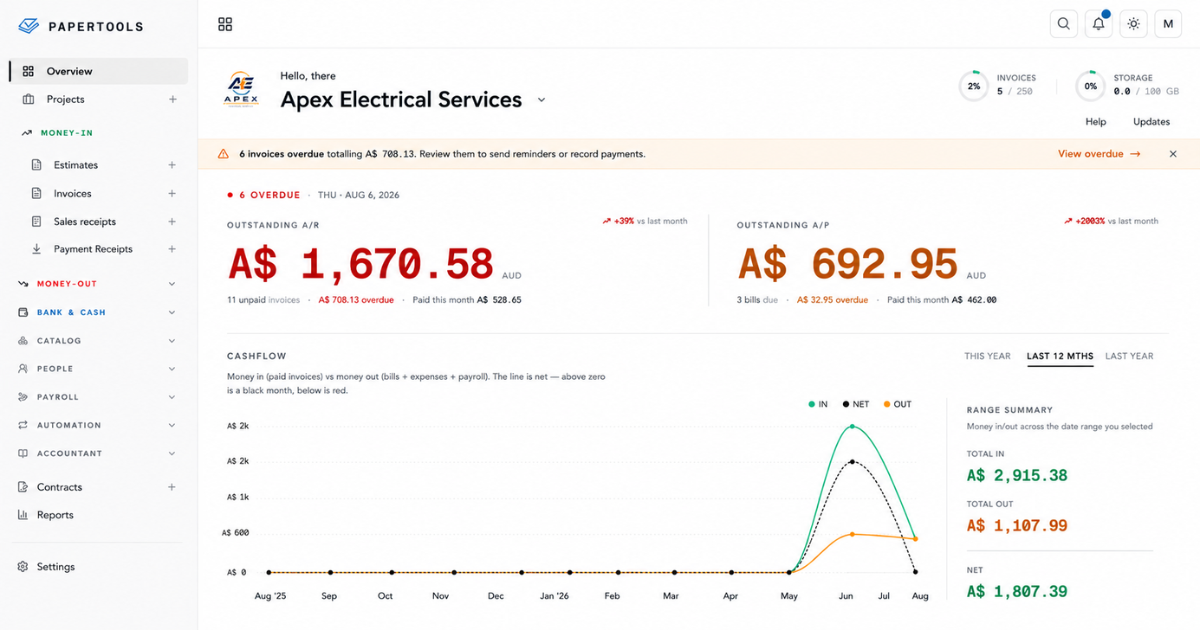
Money owed to you, money you owe, what's overdue and by how much, and how cash has actually moved over twelve months. Nothing on that screen was typed in. All of it is a by-product of invoices sent and payments recorded.
What double-entry actually buys you
Double-entry is the four-hundred-year-old idea that every transaction touches two places at once. When a customer pays an invoice, the money doesn't simply appear — your bank balance rises and what you're owed falls, by the same amount, in the same moment. Every entry has a matching counter-entry, which is why the books either balance or visibly don't.
Single-entry is a list of amounts. It tells you what moved. Double-entry tells you what moved, where it came from, and where it went. Three practical things follow, and all three matter more than the terminology suggests.
Your reports are derived, not assembled. A profit and loss statement built on double-entry is a consequence of transactions you already recorded. Nothing is retyped and nothing is estimated. When your dashboard says you're owed a number, that number came from the same ledger your balance sheet came from, which is why the two can't quietly drift apart.
Mistakes surface instead of hiding. In a list of amounts, a missing payment looks like nothing at all. In a double-entry system it leaves a hole with a shape — an invoice that never closed, a bank line that never matched. The system doesn't fix it for you, but it stops the error from becoming your year-end problem.
Your accountant starts where their judgment is worth paying for. Hand over a spreadsheet and the first several hours go into reconstruction. Hand over a trial balance, a general ledger, and a clean period export, and they begin at the questions that actually need an accountant.
That handover is a menu item, not a project.
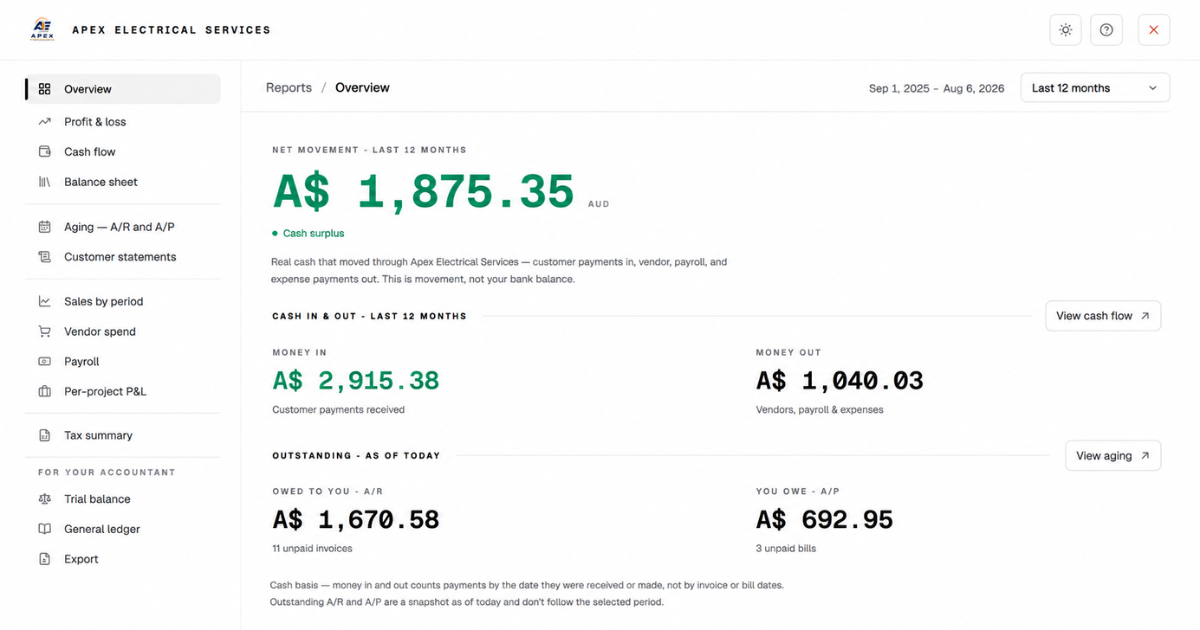
The reports you read and the reports your accountant reads sit in the same list, built from the same ledger. There is no separate export process and no reconciliation between the two, because there is only one set of books.
Simple doesn't mean less
Simplifying software usually means removing capability. We took the other route: keep the capability, remove the setup and the vocabulary.
Every Papertools workspace starts with a complete chart of accounts already built, in the language accountants use. You can add to it. Most owners never need to. When you create a workspace you choose the country your business operates in, and your currency and tax defaults follow from that — one question instead of a configuration screen.
Your business didn't begin the day you signed up, so Papertools asks what was already true. What was in the accounts, what was owed, what you'd put in yourself. Answer those and your reports start from reality rather than from zero.
Then there's the part most software gets backwards. If a module isn't part of how you work, switch it off.
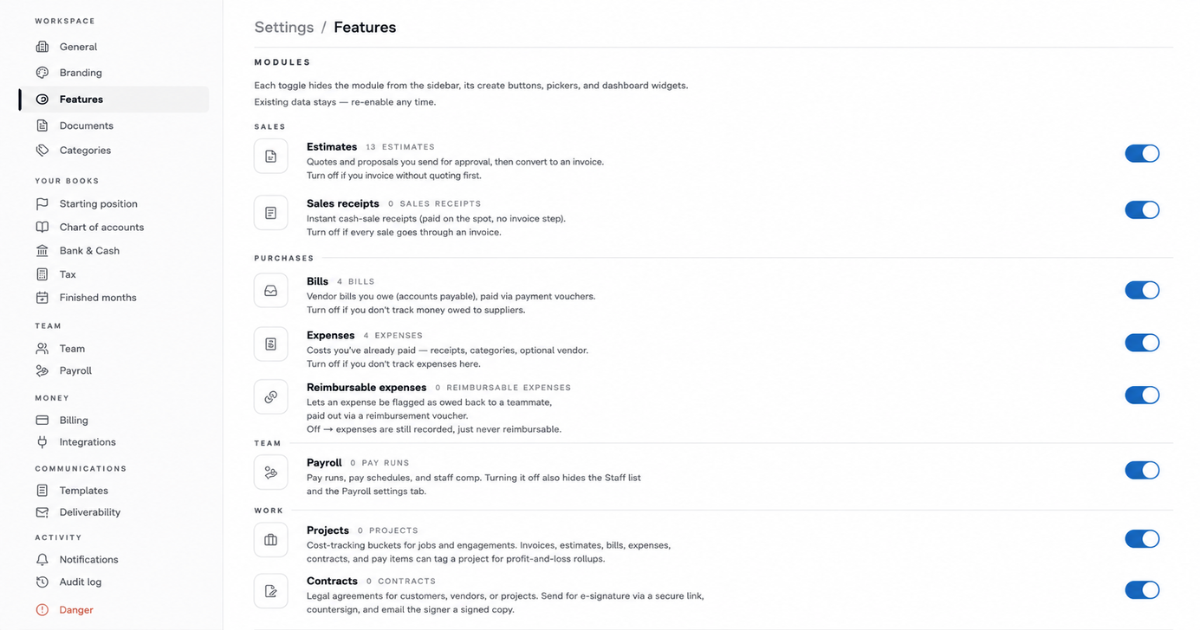
Turn estimates off if you never quote. Turn payroll off if you have no staff. The module disappears from the sidebar, the create buttons, the pickers and the dashboard — and your data stays exactly where it is, ready for the day you switch it back on.
Manual journals exist for the rare occasion something genuinely needs one, and they live in the Accountant section where they belong rather than in your way. When a month is done, you can finish it and stop it moving.
One workspace, the whole paper trail
Most small business paperwork goes wrong because it lives in five places. The quote is in email, the invoice is in an app, the receipt is in a shoebox, the payroll is in a spreadsheet, and none of them know about each other.
In Papertools a quote becomes an invoice in one click after the customer accepts it online, so the two can never disagree. The invoice goes out as a branded PDF by email or WhatsApp, or as a private link the customer opens without creating an account. With Stripe connected, every sent invoice carries a pay-online link that puts money straight into your own Stripe account, with no platform fee from us. Overdue invoices get chased automatically on a schedule you set once, and you can pause the chase for a customer you're already talking to.
The same workspace holds the bills you owe, the expenses you've paid, your catalog, your customers and vendors, your staff and pay runs, your contracts, and your projects — so you can see what a job actually earned rather than what it invoiced. Recurring invoices and recurring bills run on their own. Bank lines get matched against what you recorded.
And it's yours to take. A complete copy of your workspace, every record, as CSVs, whenever you want it.
Where the line sits
Papertools keeps your books. It does not file your taxes, lodge your BAS, or tell you how a particular transaction should be treated. Those belong to your accountant, and we have no intention of pretending otherwise — an owner-friendly interface doesn't make anyone qualified to sign off on their own tax position.
What we can do is make sure that when you hand your year over, it's a set of books rather than a shoebox. That's a smaller promise than most accounting software makes. We'd rather make it and keep it.
Where we are
Papertools is in its first edition. It installs to your home screen or dock like a native app without going near an app store, and it works the same on a phone at a job site as it does on a laptop at a desk.
The direction from here is deeper rather than wider. We'd rather do this set of things properly than add a long list of things we do badly.
The free plan is the honest way to judge that. Start a workspace, run a real month through it, and export the lot. If the books hold up, you'll know. If they don't, you've lost nothing.
None of this depends on paying for it, either. A free plan can include the whole bookkeeping foundation — the ledger, the journals, the reports your accountant asks for — with only the volume metered.
Where to go next
- Create your workspace — the country you choose sets your currency and tax defaults
- See the bigger picture — what your dashboard and reports do once you're invoicing
- Profit & loss, cash flow, and more — every report, built automatically from your documents
- Hand a clean export to your accountant — a period-scoped, accountant-ready bundle
- How to Get Clients to Pay Invoices on Time — the practical side of the same ledger
- What a Free Accounting Plan Should Include (and When It's a Dead End) — what a free plan should give you, and where the real dead ends are