How to Get Clients to Pay Invoices on Time
Late invoices are usually a process problem, not a client problem. Here's the payment terms, invoice setup, and reminder schedule that get small business invoices paid on time.
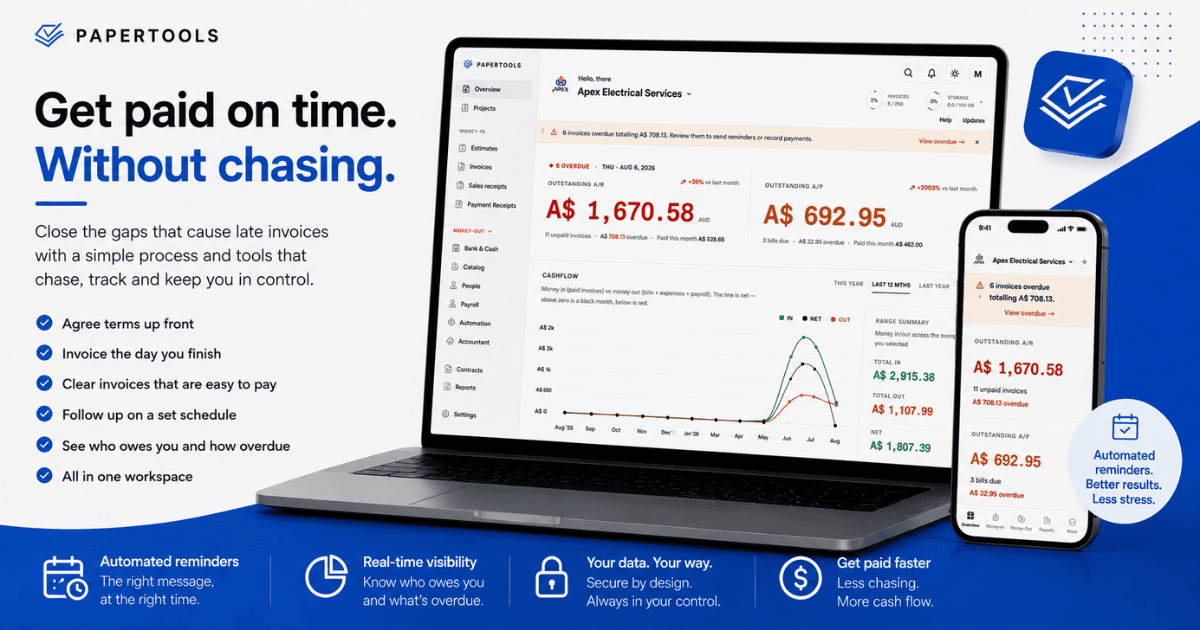
Most late invoices are not the result of a client deciding not to pay you. They are the result of a gap somewhere in your process: terms that were never agreed in writing, an invoice that sat in your drafts for nine days, a due date buried in jargon, or a follow-up that never happened because chasing money feels rude. Each of those gaps is fixable, and fixing them costs nothing.
This article covers the full sequence that gets invoices paid: what to agree before the work starts, how to build an invoice that is impossible to misread, and exactly when to follow up. Work through it once and it becomes the default for every job you take on afterward.
Agree the payment terms before the work starts
The single biggest predictor of whether you get paid on time is whether the client knew your terms before they said yes. Terms that first appear on the invoice are terms the client never agreed to, which is why they get ignored.
Put your payment terms on the quote, in the same place every time. State the number of days, the deposit requirement if there is one, and what happens if payment is late. For most small businesses, 7 or 14 days works better than 30 — you are not a bank, and the longer window rarely wins you work. Reserve 30 days for larger clients whose accounts payable cycle genuinely runs monthly.
For any job above a threshold you set yourself, take a deposit. A 30% to 50% deposit does two things at once: it covers your materials and your time, and it tells you early whether this client actually pays. A client who stalls on a deposit will stall on the final invoice.
Send the invoice the day the work is finished
Every day between finishing the job and sending the invoice is a day added to your payment terms, and it is a day you gave away for free. It also weakens your position: an invoice that arrives two weeks after the work reads as low priority, and the client treats it accordingly.
Invoicing on the day of completion has a second benefit. The work is fresh for both of you. Line items match what the client remembers, questions get answered in one message instead of three, and disputes that would have taken a month to surface get resolved immediately.
If sending same-day is unrealistic because you are on tools until 6pm, set a fixed invoicing slot — Friday afternoon, every week, without exception. A predictable weekly rhythm beats an ambitious daily one you abandon in a busy month.
Build an invoice that is impossible to misread
An invoice that raises a question sits in someone's inbox until they have time to ask it. Remove every question in advance.
Show the due date as an actual calendar date, not "Net 14." Your client should not have to do arithmetic to know when you expect the money. Include a unique invoice number, and include any purchase order or reference number the client's accounts payable system requires — if you invoice a business with a finance department, a missing PO number is the most common reason an invoice is quietly rejected. Itemize the work in the client's language rather than yours, and address the invoice to the correct legal entity, not the trading name on the front of the building.
Then make paying take less than a minute. Bank transfer details go directly on the invoice. If you accept cards, include the payment link. Never require the client to log in, create an account, or reply to request payment details.
Follow up on a schedule, not on a feeling
The reason most owners chase late invoices badly is that they wait until they feel annoyed enough to send something, then send something that sounds annoyed. A fixed schedule removes the emotion and gets better results.
Use this ladder:
- Three days before the due date. A short, friendly note: invoice number, amount, due Friday, payment details repeated. This single message prevents more late payments than everything after it combined, because most late payments are genuine oversights.
- One day after the due date. Factual and brief. State that the invoice is now overdue, restate the amount, ask when payment will be made.
- Seven days overdue. Firmer. Restate the agreed terms, reference the earlier messages, and ask for a specific payment date rather than a general reassurance.
- Fourteen days overdue. Pick up the phone. Written follow-ups are easy to ignore; a call is not. Confirm whatever they commit to by email the same day, so there is a record.
Ask for a date at every stage. "When will this be paid?" produces a commitment you can hold someone to. "Just checking in" produces nothing.
When it goes past thirty days
At thirty days, stop treating it as a follow-up problem. Pause any further work for that client and say so plainly — continuing to work while unpaid is how a small debt becomes a large one. If a late fee was in your written terms, apply it now; if it was not, you cannot introduce it retroactively.
Beyond that, your options are a formal written demand, a small claims process, or a collections service. All three are slow and none are pleasant, which is the strongest argument for taking deposits and invoicing on time in the first place.
Where Papertools fits
Everything above is process, and process is exactly what software should be holding for you. Papertools was built around this sequence rather than bolted onto it.
Your default payment terms and document numbering are set once and applied to every new invoice, so the terms the client agreed to are the terms that appear on the bill. Estimates convert to invoices in one click after the customer accepts online, which means the quote and the invoice never disagree. Invoices go out as a branded PDF by email or WhatsApp, or as a private link the customer opens in a browser without creating an account — and with Stripe connected, every sent invoice carries a pay-online link that puts money straight into your own Stripe account with no platform fee from Papertools.
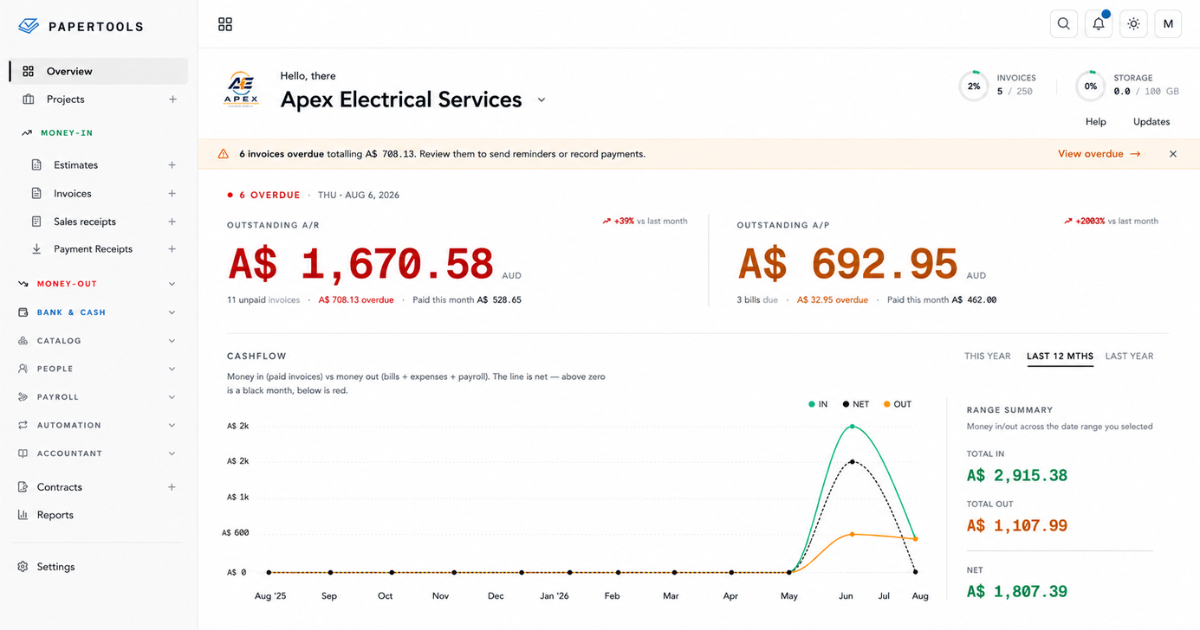
The reminder ladder above runs itself. Papertools chases overdue invoices automatically on a cadence you set once, and you can pause it for a specific customer when a conversation is already underway. Partial payments record against the invoice so the balance stays accurate, and the aging report and customer statements show exactly who owes you and how far past due they are.
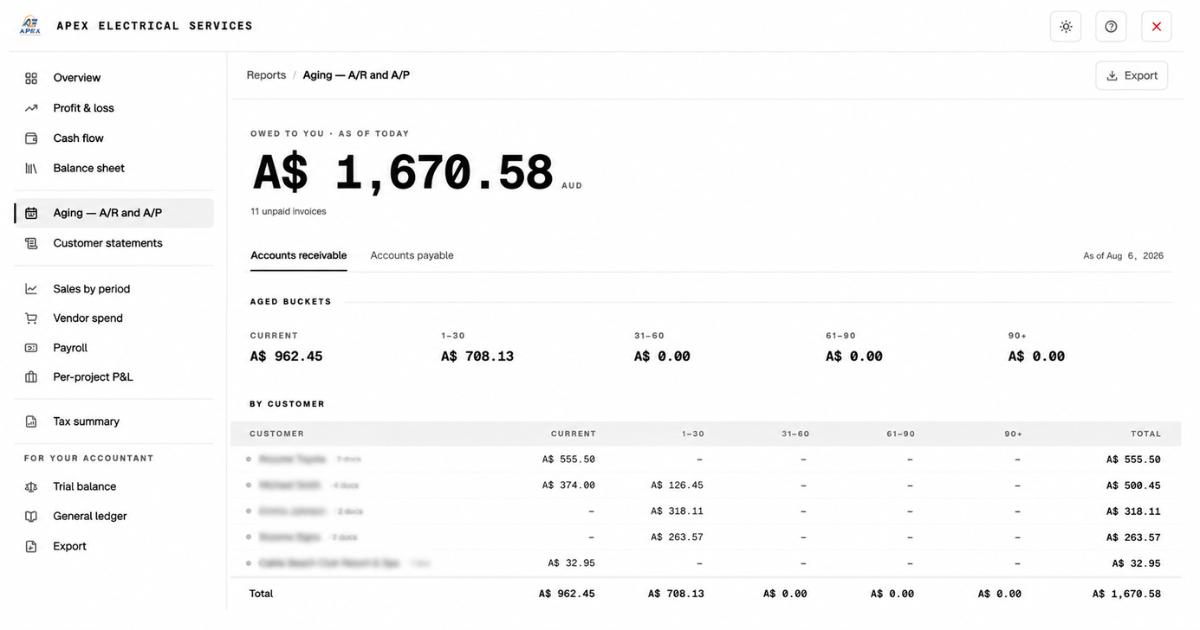
Because Papertools runs on double-entry accounting underneath, every invoice, payment, and deposit lands in your books as it happens. Your receivables position is a real number, not an estimate you rebuild in a spreadsheet on Sunday night.
Essential is free forever and covers 10 invoices and receipts a month, which is enough to run this entire process end to end before you pay anything.
What this won't fix
A tighter process gets you paid by clients who can pay. It does not solve everything.
It will not recover money from a client who is insolvent — for that, the deposit you took at the start is your only real protection, and what happens to the invoice next becomes a bookkeeping decision rather than a collections one. It will not fix a cash flow problem caused by underpricing, because collecting a too-small invoice on time still leaves you short. It will not override the accounts payable calendar of a large corporate client who runs a fixed monthly payment run regardless of your terms; with those clients, the win is getting into the current run rather than the next one. And it will not help you enforce anything you cannot evidence, which is the whole argument for written quotes and accepted terms.
Papertools also does not provide tax advice or handle statutory filings. Your accountant remains responsible for those.
Where to go next
- Set your numbering and payment terms — apply your terms to every invoice automatically
- Send payment reminders — set the chase cadence once
- Record a manual or partial payment — keep every balance accurate
- Customer statements and aging — see who owes you and how overdue they are
- Let customers pay online — add a pay link to every invoice you send
- How to Read an Aging Report — seeing who owes you and how far past due
- Proper Books Without Becoming a Bookkeeper — what sits underneath every invoice you send
- What to Do When a Client Won't Pay an Invoice — when chasing has run out and you have to decide what happens to the invoice
- What a Free Accounting Plan Should Include (and When It's a Dead End) — the books underneath all of it, free to start