What a Free Accounting Plan Should Include (and When It's a Dead End)
Free accounting software is easy to find. A free plan you can grow out of without migrating is not. How to tell a real limit from a dead end — and what a complete free foundation actually looks like.
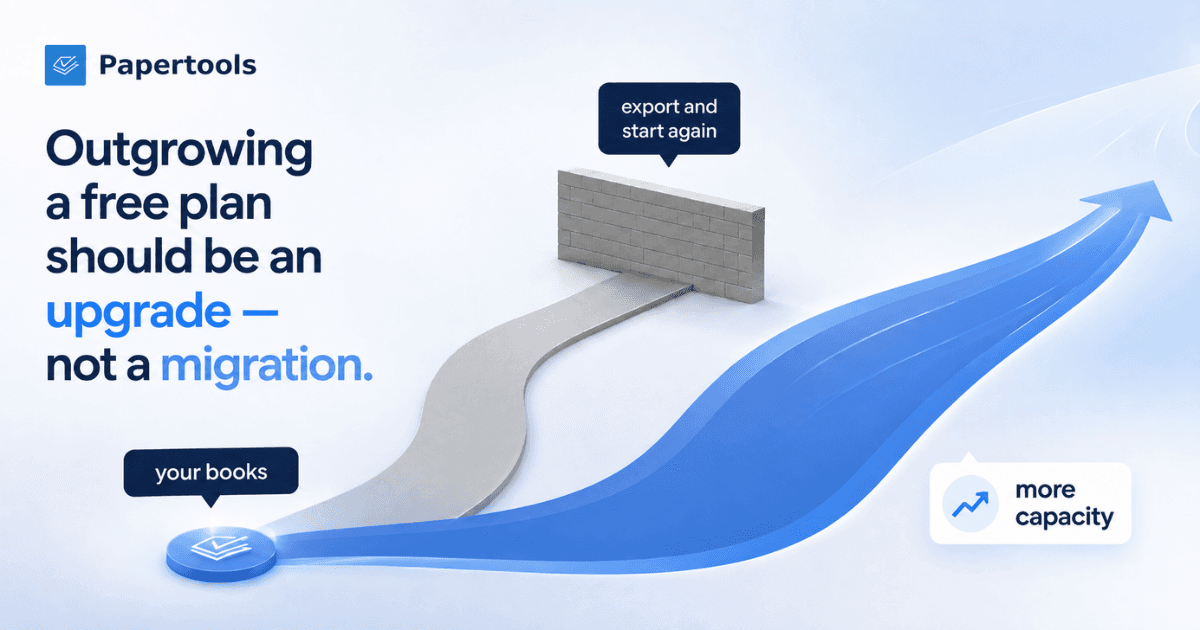
The problem with a free accounting plan isn't the day you sign up. It's the day you outgrow it.
For many growing businesses, that day comes. You send more invoices than last year, or you take someone on, or your accountant asks for a report you've never heard of. What happens next splits cleanly in two. Either you pay more and carry on with the same records, or you export what you can, sign up somewhere else, and rebuild.
One of those is an upgrade. The other is a migration — time, disruption and duplicated work, usually arriving at exactly the wrong moment, because the point at which you outgrow your accounting software is generally the point at which the business is busiest.
Almost everyone choosing free software compares what's included today. The more useful question is what happens at the edge.
A limit is not a problem. A dead end is.
A limit is a number. Ten invoices a month. Fifty customers. When you hit one, you know precisely what happened and precisely what it costs to fix. The software still works the same way — you just need more of it. That's a price increase, and a price increase is an ordinary business event.
A dead end is different. A dead end is when the thing you now need isn't available anywhere in the product you chose, or when the records you've already built aren't structured in a way the next plan can extend. You didn't hit a number. You hit the boundary of what the software can become.
In practice that means no real ledger underneath, no usable journals, no trial balance, no accountant-ready export — and no paid tier that turns what you've already entered into any of those things. At that point paying more doesn't solve it. You migrate.
Which is why you shouldn't stop reading at the free column. Follow the thing you'll eventually need across the paid plans, and ask whether upgrading expands the same system or whether the capability simply isn't there at any price.
What we chose to put in the foundation
Here's ours, so the distinction has something real attached to it.
Papertools Essential is free forever — no trial, no countdown, no credit card. What it includes is the bookkeeping foundation itself, not a preview of it.
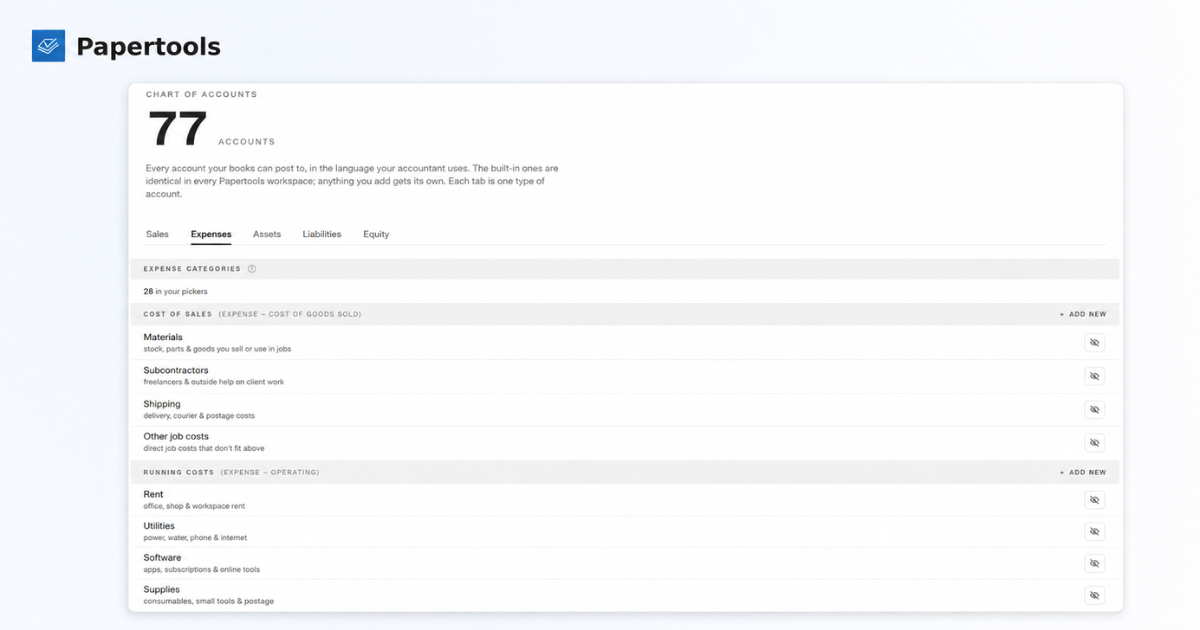
Every workspace starts with a complete chart of accounts, and it's the same one on Essential as on any paid plan. The transactions that affect your books — invoices, bills, expenses, payments, transfers, pay runs and journals — feed the double-entry records underneath as you go. You never have to look at a debit or a credit yourself. Those records feed the general ledger, trial balance and reports your accountant will want to review.
Journals are there in both forms. Manual journals if you want to write the entry yourself. Quick journal if you don't: it asks what happened in plain words — bought a vehicle, sold or scrapped something the business owned, put your own money into the business, took money out for yourself — and writes the numbered double-entry underneath. Each one produces a real journal entry you can open, read, and void if you change your mind.
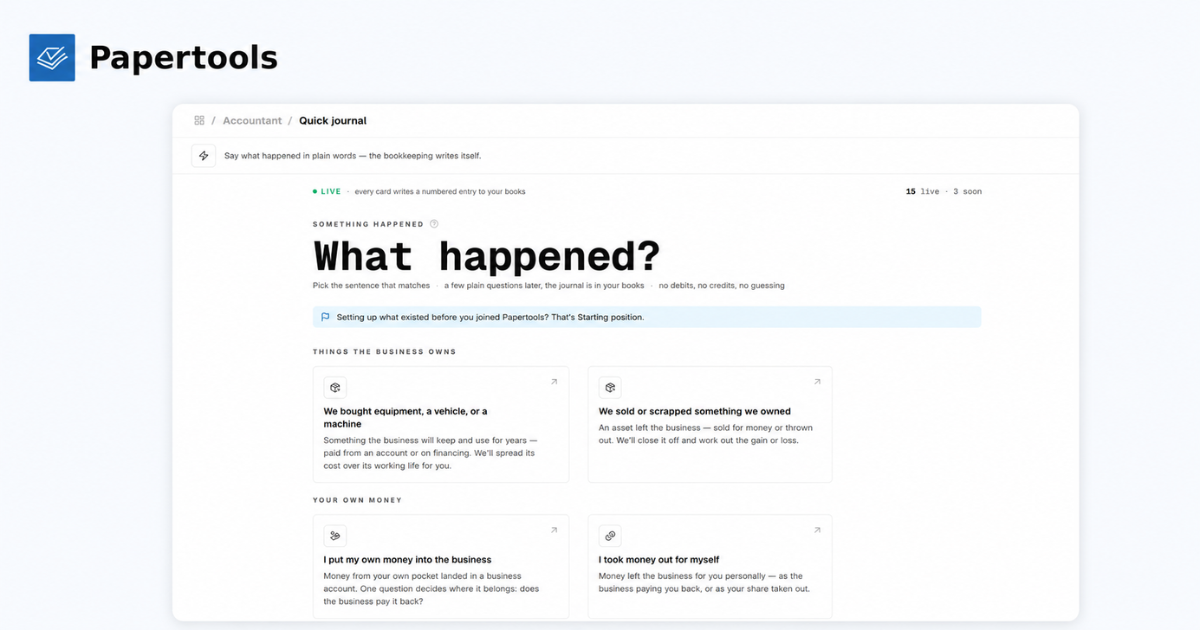
If you're arriving from a spreadsheet or from software you've outgrown, Starting position brings your real opening position across: what was in the accounts, what you owed on loans, what you own, what customers already owed you. Answer what applies, skip what doesn't. Your reports begin from the truth rather than from zero.
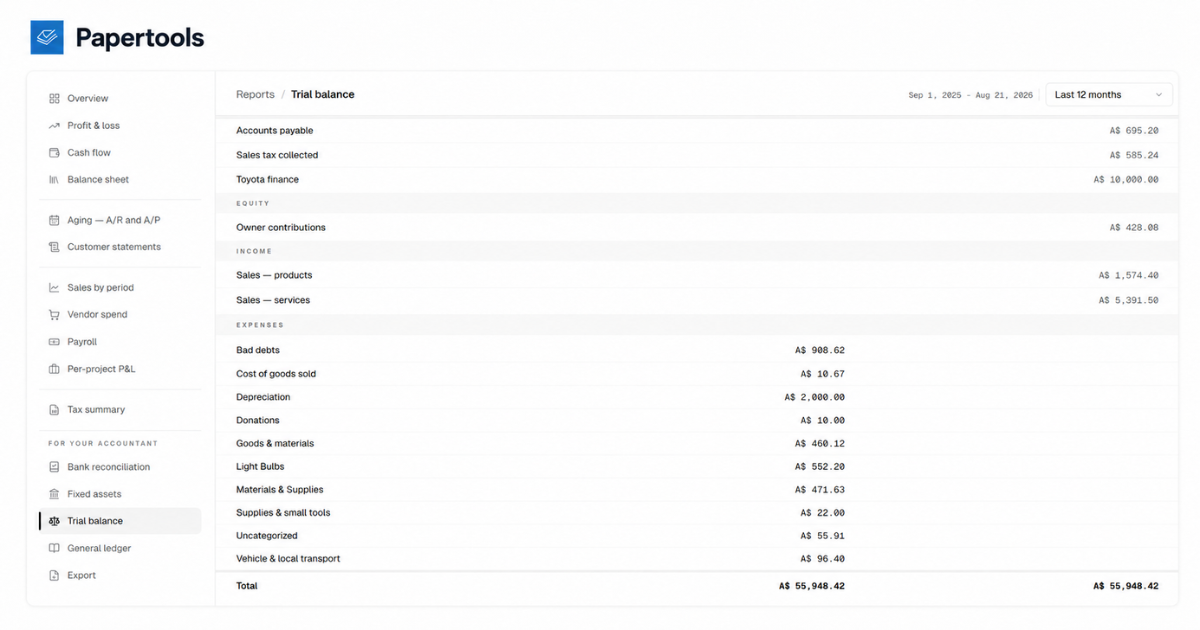
Essential includes the reporting and accountant tools too. Profit and loss, cash flow, balance sheet, aging for receivables and payables, customer statements, sales by period, vendor spend, per-project profitability, tax summary. And the ones your accountant asks for by name: general ledger, trial balance, bank reconciliation, fixed assets, and an accountant-ready CSV export — documented before you sign up, not after.
Payroll is on the free plan as well. Manual pay runs and payslips are included, and labor can be tagged to a project, so you can see what a job actually cost against what you charged for it.
What we count instead
Ten invoices and sales receipts a month. Only the first send counts — drafting, editing, deleting and resending are free. Bills, estimates, expenses, payment vouchers and payment receipts are unlimited.
Alongside that: fifty customers, five gigabytes, and one year of active history, with older records archiving themselves and returning if you upgrade.
What you don't get for free
Publishing this list is the point of the article, so here it is in full.
Automation is paid — recurring invoices, recurring bills and pay schedules. So is bulk send, and so is sending customer statements on demand, though the statement and aging reports themselves are included. Free documents carry your own logo, but they also carry a "Powered by papertools.app" line and send from the standard via.papertools.app domain rather than the premium mail.papertools.app one; removing both is paid.
Business is $25 a month, or $250 a year — 250 invoices and sales receipts monthly, 1,000 customers, five team members, 100 GB, priority support. Enterprise is $50 a month, or $500 a year, with unlimited invoices, customers and members, and fair-use storage.
When you upgrade, the records stay exactly where they are. Capacity increases, retention opens back up, and the automation and workflow features become available. Nothing is exported, nothing is rebuilt, and nothing you've already entered has to be entered again.
We'd rather tell you where the limits are than let you find the catch later.
Three checks to run on anything
Take these to whatever you're evaluating, including us.
Is there a real ledger under it? Look for a chart of accounts, journal entries, a trial balance, a general ledger. If those words appear nowhere in the product, it's producing documents and totals, not books. That's survivable for a while. It stops being survivable the first time you have to explain where a number came from — and it's the difference between an invoice tool and software that actually keeps your books.
Is the foundation there, or only the surface? Every free plan holds something back, and that's fair — capacity limits and paid automation are normal, ours included. The question isn't whether anything is gated. It's whether the free plan is already building the same underlying business records you'll keep using later. If the ledger, the core records and the export are there from day one, upgrading widens the workflow. If they're not, upgrading means starting the books over.
Where does your data live if you leave? Everyone says you can export. Ask what you actually get — a list of invoices, or something an accountant can work from. Find the export page before you sign up. If you can't find one, that's your answer.
What this won't fix
A free plan doesn't make the bookkeeping happen. If receipts stay in the glovebox and invoices go out from a notes app, no software recovers that.
It doesn't replace your accountant, and it doesn't provide tax advice or file returns on your behalf. Payroll here produces pay runs and payslips; it does not pay your staff from your bank account, and pay records don't discharge whatever reporting obligations apply where your business is registered. That work stays with you and your accountant.
Automatic reminders can't make a customer pay, either. Papertools will run the reminder cadence and show you exactly what's overdue and by how long, but a customer who won't pay is a different problem, and sometimes a problem that needs help beyond software.
And if you send a hundred invoices a month, the free plan is the wrong plan for you. That isn't a flaw. That's the limit doing its job honestly.
Where to go next
- How to Get Clients to Pay Invoices on Time
- How to Write an Invoice (What to Include and What to Leave Off)
- How to Read an Aging Report
- Export your data
A good free plan doesn't have to give you everything. It has to give you a foundation you can keep.
Starting free should mean starting properly.