How to Write a Late Payment Reminder Email (4 Templates)
Four reminder emails covering the full sequence, from a friendly heads-up three days before the due date to a final notice at fourteen days overdue. Copy, adjust, send.
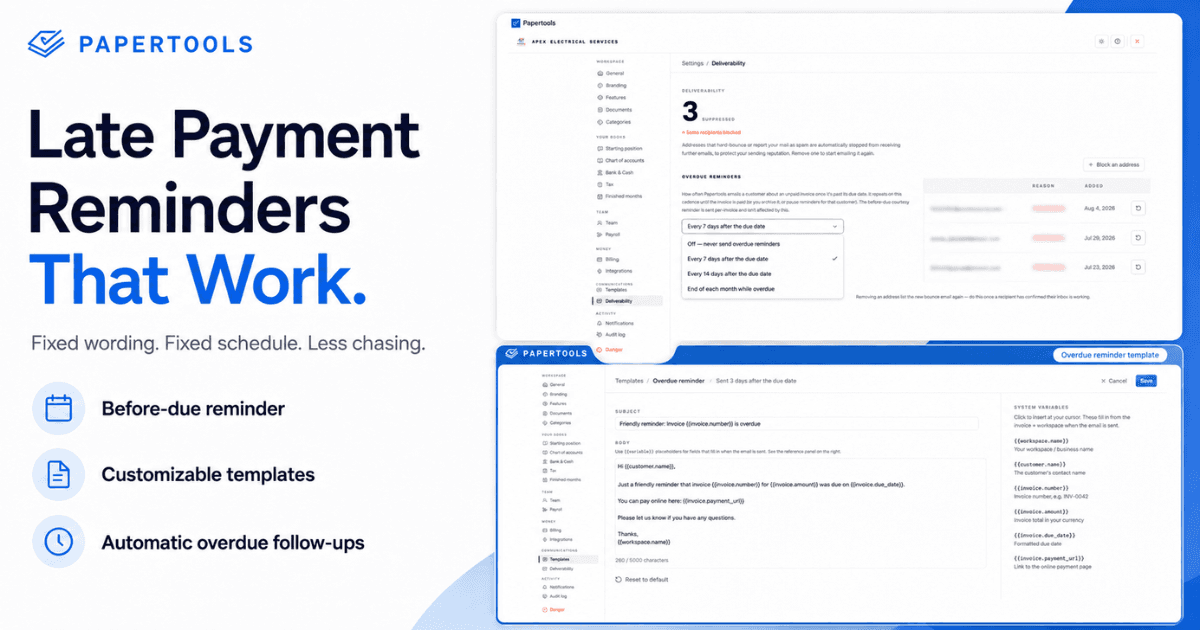
A late payment reminder works when it removes every excuse not to pay and gives the client one specific thing to do. It fails when it apologizes for existing.
Most owners write these badly for the same reason: they wait until they're annoyed, then send something that reads as annoyed. Fixed wording sent on a fixed schedule solves both problems at once. Below are four emails covering the full sequence, from a friendly heads-up to a final notice.
Four rules that make any reminder work
Put the invoice number and amount in the subject line. Finance teams sort by subject. "Following up" gets buried; "Invoice 0042 — $1,250 due Friday" gets actioned.
State facts, not feelings. The invoice is overdue, the amount is X, payment was due on Y. No "sorry to bother you," no "I know you're busy." Neither earns goodwill and both signal the deadline is negotiable.
Ask for a date every single time. "When can I expect payment?" produces a commitment. "Just checking in" produces nothing.
Keep it under six lines. Long emails read as pleading. Short ones read as routine.
Template 1 — Three days before the due date
This is the one that prevents the most late payments, because most late payments are genuine oversights rather than decisions.
Subject: Invoice 0042 — $1,250 due Friday, March 14
Hi [Name],
Quick reminder that invoice 0042 for $1,250 is due this Friday, March 14.
Payment details are on the invoice, or you can pay online here: [link]
Let me know if anything needs adjusting before then.
Thanks, [Your name]
Template 2 — One day overdue
Subject: Invoice 0042 — $1,250 now overdue
Hi [Name],
Invoice 0042 for $1,250 was due yesterday, March 14, and is showing as unpaid.
Could you confirm the date it will be paid? If it's already gone through, let me know and I'll check my end.
Payment link: [link]
Thanks, [Your name]
That last line matters. Offering the possibility that they've already paid keeps it friction-free while still asking for a date.
Template 3 — Seven days overdue
Subject: Invoice 0042 — $1,250, 7 days overdue
Hi [Name],
Invoice 0042 for $1,250 is now seven days past its due date of March 14. I sent reminders on the 11th and the 15th.
Our agreed terms were 14 days from invoice date. Can you give me a specific date for payment this week?
If there's a problem with the invoice or an approval it's waiting on, tell me what it is and I'll sort it out.
Thanks, [Your name]
Referencing the earlier messages and the agreed terms is what changes the register here. You're no longer reminding — you're documenting.
Template 4 — Fourteen days overdue
Subject: Invoice 0042 — $1,250, payment required
Hi [Name],
Invoice 0042 for $1,250 is now 14 days overdue. I've followed up three times without a response.
I need payment or a confirmed payment date by [specific date]. Until this is settled I'll be pausing any further work on [job/account].
Call me on [number] if it's easier to talk it through.
[Your name]
Send this one, then call. Written follow-ups are easy to ignore and a phone call is not. Whatever they commit to on the phone, confirm it by email the same day so there's a record.
When there's still no reply
Silence after four contacts is information. Stop sending emails and change the channel — call the person who signed off the work, not the accounts inbox. If a late fee was in your written terms, apply it now. If it wasn't, you can't add one retroactively. And if the silence holds past that point, the question shifts from how to chase to what to do with the invoice itself.
Letting the software send them
Writing good reminders is the easy half. Remembering to send four of them, per invoice, across every client, is the half that breaks down in a busy month.
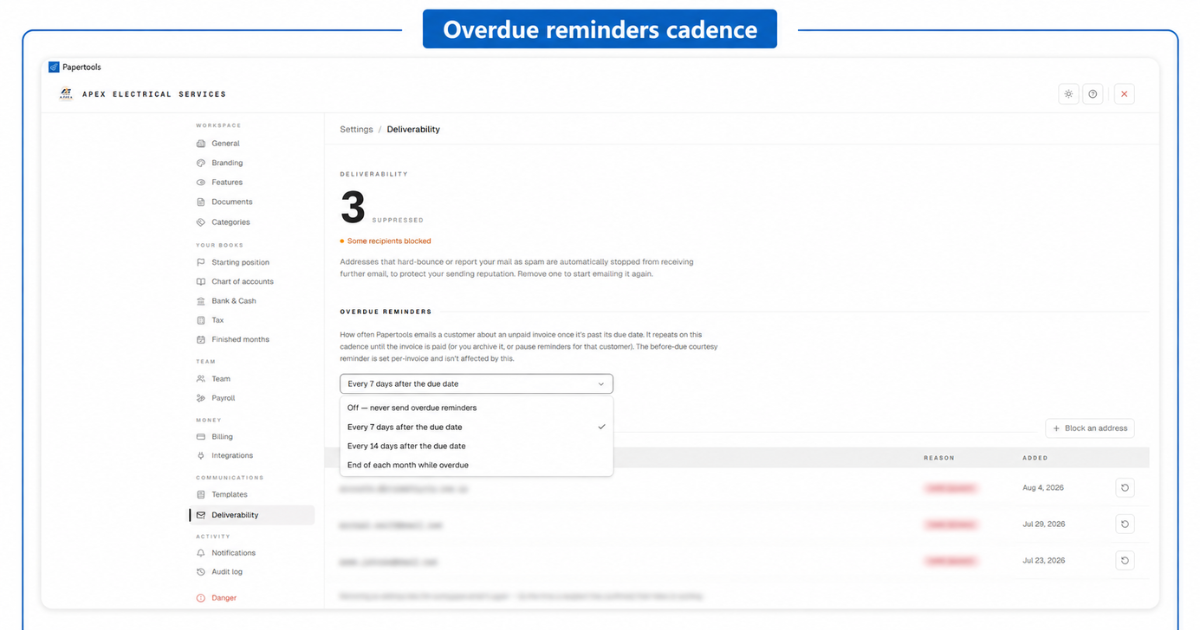
Papertools splits this the same way the sequence above does. The courtesy reminder before the due date is set on the invoice itself — anywhere from one to fourteen days ahead, or off. The chase after the due date is a workspace setting you configure once: every seven days, every fourteen days, or at the end of each month while the invoice stays overdue. It repeats on that cadence until the invoice is paid, and it pauses for a specific customer when you're already in conversation with them.
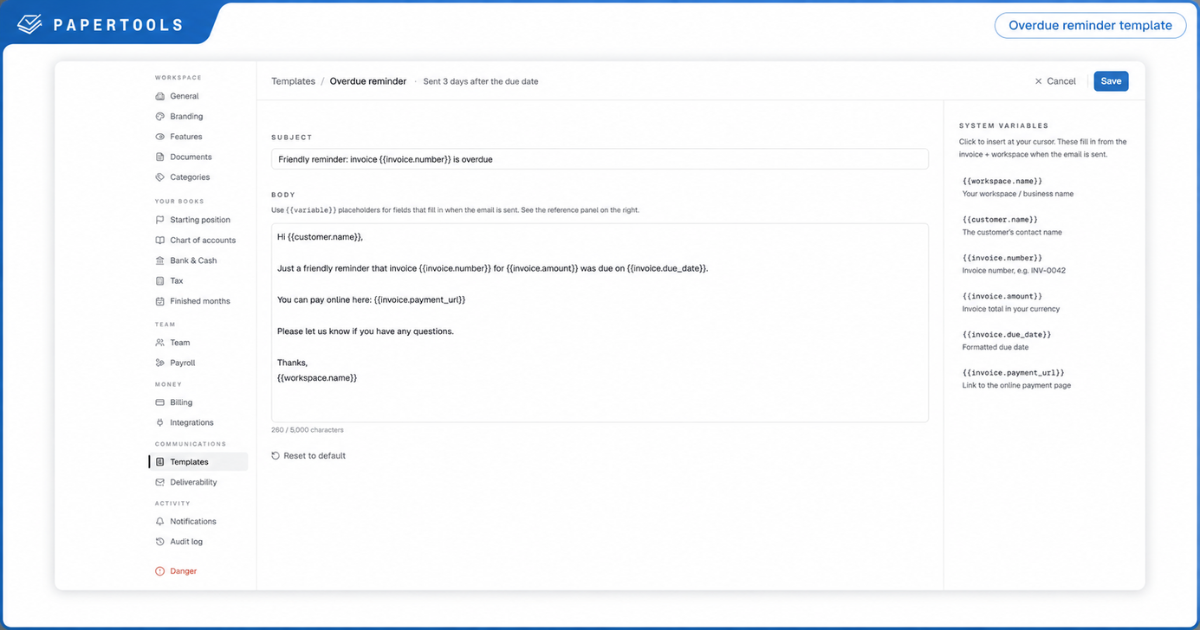
Every email Papertools sends on your behalf is an editable template. The invoice number, amount, due date, customer name and payment link fill themselves in from the invoice, and the rest of the wording is yours. Which means the templates above aren't a workaround for what the software can't do — paste whichever ones you prefer straight into the Payment reminder and Overdue reminder templates, and Papertools sends them in your words, on schedule, without you writing another one.
Payments recorded against the invoice stop the sequence immediately, including partial payments, so nobody gets chased for money they've already sent. Addresses that hard-bounce are suppressed automatically, which keeps a dead inbox on one customer's account from damaging delivery to everyone else.
What this won't fix
Reminder emails collect from clients who can pay and have simply not gotten to it. That's most of them, and it's why the sequence is worth running.
They won't move a large corporate client whose accounts payable department runs a fixed monthly payment cycle — with those, the win is getting into the current run rather than the next one. They won't recover anything from a client who is insolvent. And they carry no weight at all if your terms were never agreed in writing, which is the argument for putting them on the quote rather than the invoice.
Where to go next
- How to Get Clients to Pay Invoices on Time — the full process these emails sit inside
- What to Do When a Client Won't Pay an Invoice — void, credit, or write off when chasing has run out
- Send payment reminders — set the cadence once and leave it
- Record a manual or partial payment — stop the chase the moment money arrives
- Customer statements and aging — see who owes you and how far past due