VAT3 Return Explained: What Goes in T1, T2, T3 and T4
Ireland's VAT3 return, box by box. What goes in T1, T2, T3 and T4, a real two-month period worked through to the euro, and when it's due on ROS.
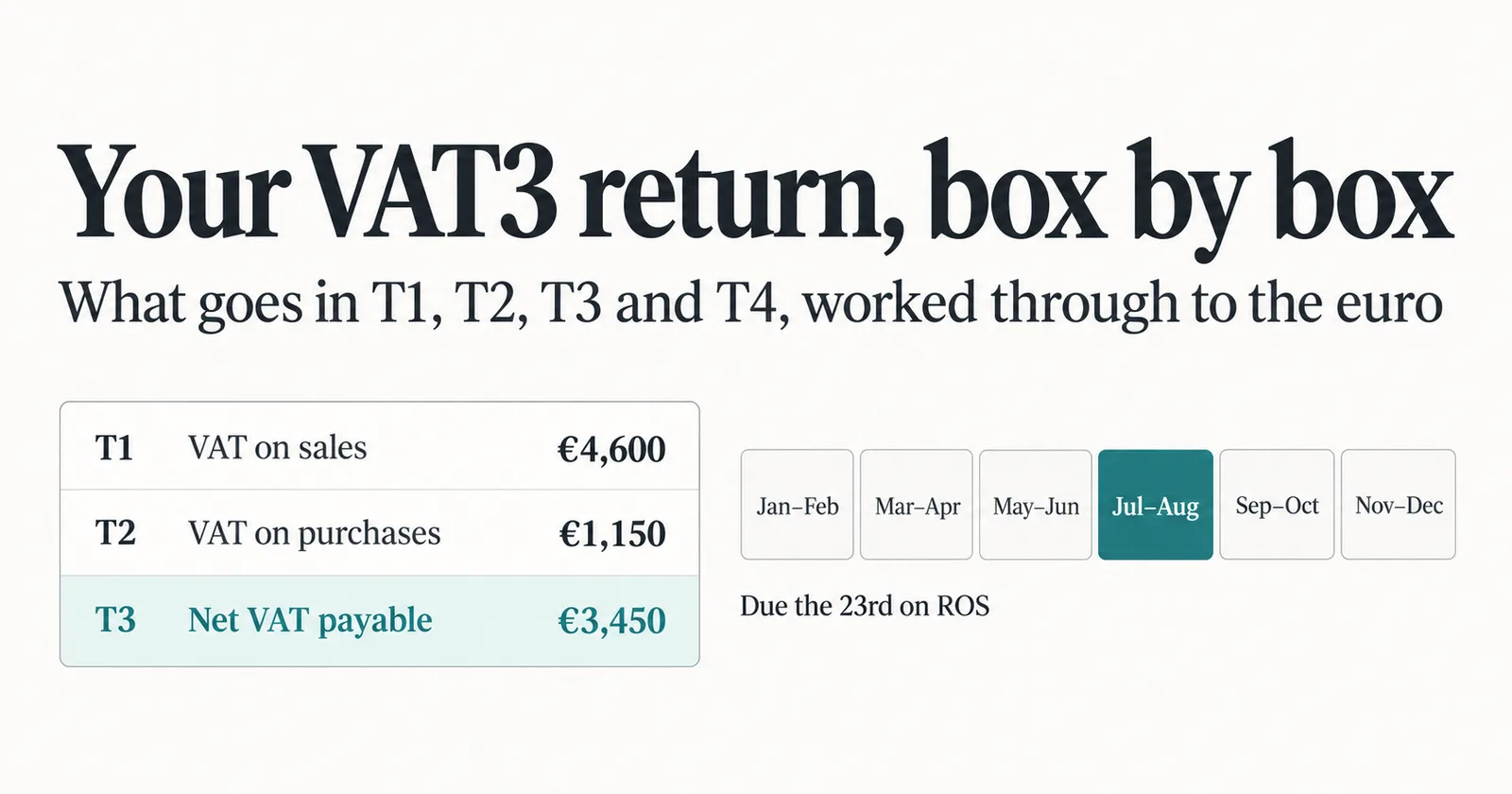
If you're registered for VAT in Ireland, every two months you file a VAT3 return with Revenue, and four boxes carry almost all of the weight: T1, T2, T3 and T4. Get those right and the return is straightforward. This guide explains what goes in each box, works through a real two-month period to the euro, and covers the due dates, the boxes most small businesses leave at zero, and the two ways of accounting for VAT that change which invoices count.
What the VAT3 return is
The VAT3 is the return every VAT-registered business in Ireland files to report the VAT it charged and the VAT it can reclaim for a taxable period. The standard period is two months: January–February, March–April, May–June, July–August, September–October and November–December. Revenue can authorise other frequencies, such as monthly for larger businesses or four-monthly, six-monthly or annual for smaller liabilities, but bi-monthly is where most businesses start.
You file it through ROS, Revenue's online service, and pay at the same time. Alongside the VAT3, bi-monthly filers also submit an annual Return of Trading Details, which summarizes the year's sales and purchases by VAT rate.
The four boxes that do the work
T1 — VAT on sales. The VAT you charged on your sales in the period, at whatever rates applied: 23%, 13.5%, 9% and so on.
T2 — VAT on purchases. The VAT you're entitled to reclaim on business costs in the period, backed by valid VAT invoices from your suppliers.
T3 — VAT payable. If T1 is bigger than T2, the difference goes in T3. That's what you pay Revenue.
T4 — VAT repayable. If T2 is bigger than T1, the difference goes in T4. That's what Revenue repays you.
Only one of T3 and T4 has a figure in any period; the other is zero.
The boxes most small businesses leave at zero
The rest of the return covers cross-border trade:
E1 is the value of goods you supplied to VAT-registered customers in other EU countries, and E2 is the value of goods you acquired from suppliers in other EU countries. ES1 and ES2 do the same for services. PA1 is the value of goods imported from outside the EU under postponed accounting.
These are values, not VAT amounts, and for a business that trades only within Ireland they're all zero. One rule catches people out: enter 0, never the word "nil", in any box you're not using. A period with no VAT at all still needs a return, with zero in T1, T2, T3 and T4.
One period, worked through
Take a video production studio in Cork over July and August. It invoices €20,000 of work in the period, all at the standard 23% rate, so it charges €4,600 of VAT. It buys a camera lens and lighting kit, a year's editing software and two days of studio hire, €5,000 in total from VAT-registered suppliers with proper VAT invoices, and pays €1,150 of VAT on them.
Its VAT3 reads:
T1: €4,600 T2: €1,150 T3: €3,450 T4: €0
E1, E2, ES1, ES2 and PA1 are all 0. The studio owes Revenue €3,450 for July–August.
Invoice basis or moneys received basis
Those figures follow the dates on the studio's invoices, not the dates its clients paid. That's the invoice basis, the default. If a client hasn't paid by 31 August, the VAT on that invoice is still in T1, and the studio pays it to Revenue before the client has paid the studio.
The alternative is the moneys received basis, sometimes called the cash receipts basis. Businesses whose turnover isn't likely to exceed €2 million in any 12 months, or who sell at least 90% to customers who can't reclaim VAT, can apply to Revenue to account for VAT on sales when the money actually arrives. It's opt-in: you choose it on your registration form or apply to your Revenue office in writing.
On the moneys received basis, T1 changes, because it counts the payments received in the period rather than the invoices issued. T2 doesn't, because VAT on purchases is still claimed by reference to the invoices you receive. If you're not sure which basis you're on, your registration details and your accountant will know.
When it's due, and what late costs
The VAT3 and payment are due on the 19th of the month after the period ends. If you file and pay through ROS, you get until the 23rd, but only when both the return and the payment are made electronically by then. For July–August, that's 23 September on ROS. If the date falls on a weekend or public holiday, it moves to the next working day.
Late payment costs interest at 0.0274% a day, about 10% a year, from the day after the due date until the VAT is paid. Revenue also offers a direct debit option, where you pay a fixed amount every month and file once a year, which spreads the cost for businesses with steady liabilities.
How Papertools fits in
Papertools keeps real double-entry books. When your workspace's country is Ireland, the Tax summary report computes your VAT3 figures in the return's own labels: T1, T2, and the net figure as T3 or T4, built from the invoices, bills and expenses you've recorded. Set How often you file to every 2 months in Settings → Tax, choose the months your periods end in, and the report gives you a ready-made chip for each period, so the figures on screen are for exactly the two months you're about to file.
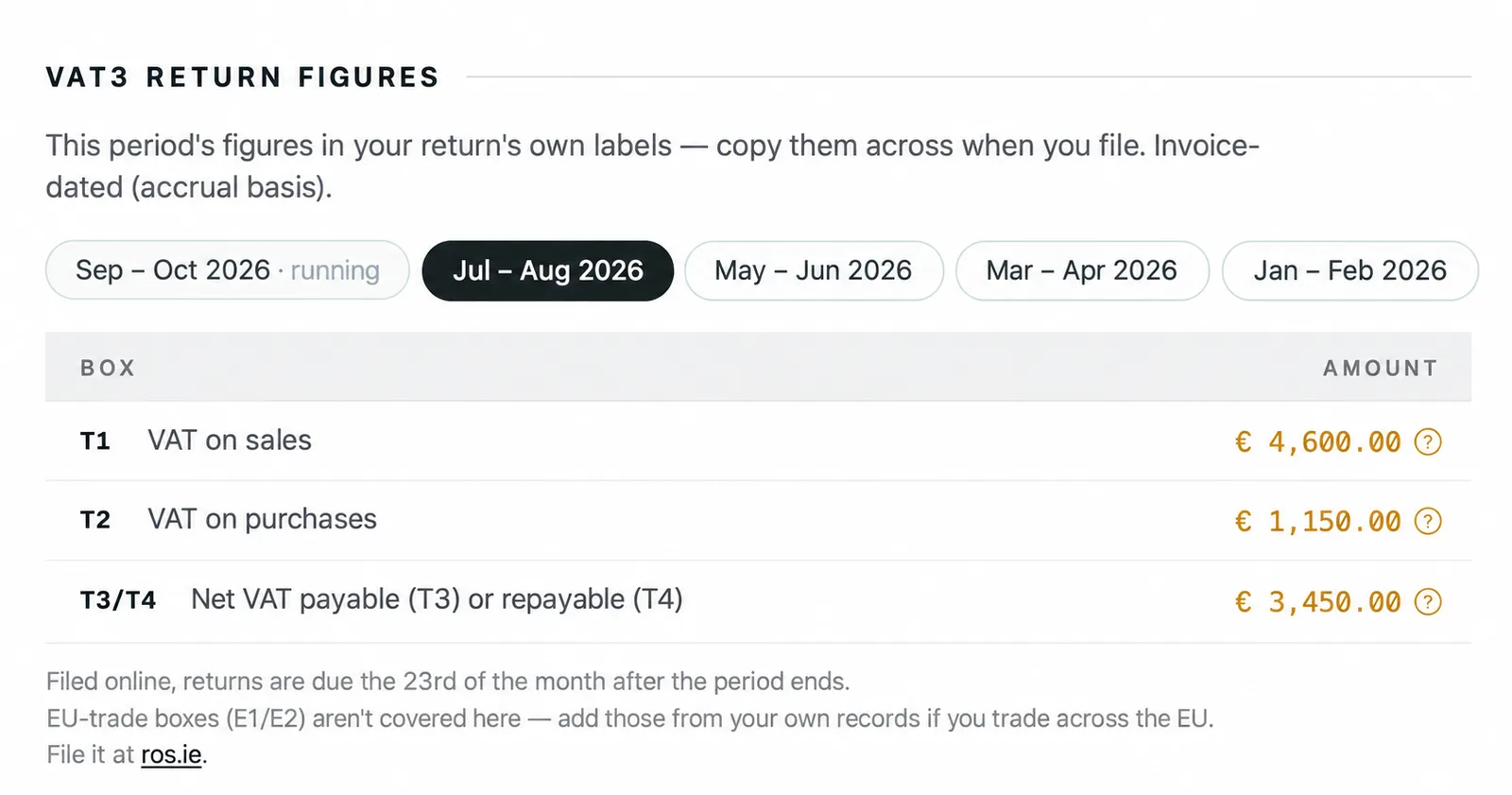
If the date range you're looking at doesn't line up with your filing periods, the report says so and points you back to the right one, which catches one of the easiest mistakes to make on a bi-monthly cycle.
Before you file, it runs pre-filing checks and flags anything in the period that would make the figures incomplete: draft invoices and bills, expenses waiting for approval, and bank lines with no record behind them. Each one links straight to the fix. After you've filed, it prompts you to lock the period, so nothing can change underneath a return you've already submitted. And Paper-Ai, the assistant built into Papertools, knows the return by name, so you can ask how your VAT3 is looking and get an answer from your own figures.
Papertools doesn't file with Revenue. It prepares the figures and links you to ROS, where you enter them and submit. Unlike the UK, where Making Tax Digital requires figures to travel by digital link, Ireland lets you type them into ROS yourself. If your accountant files for you, export the Tax summary as a PDF or CSV and send it to them, with the period printed on it.
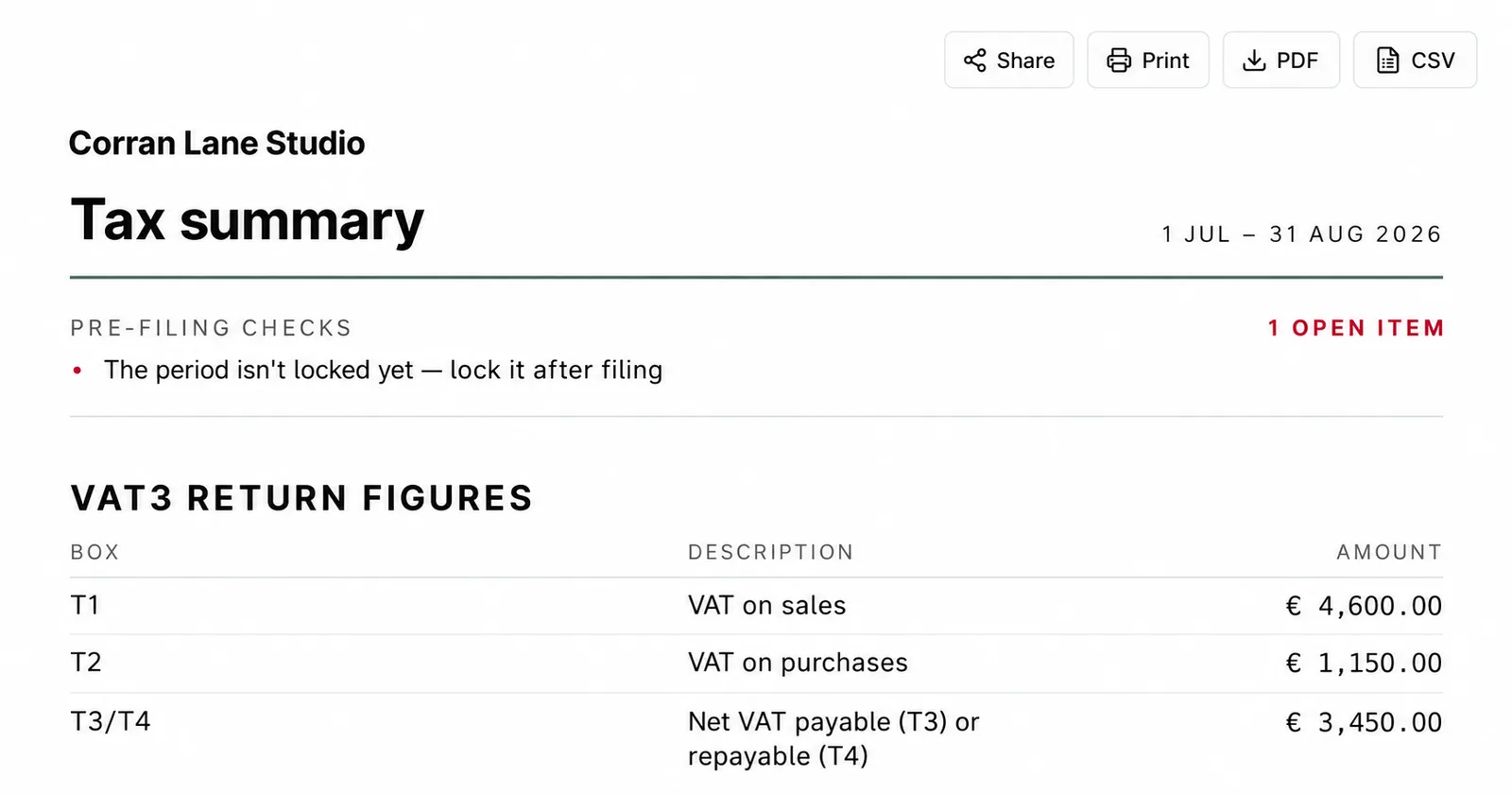
Two settings in Settings → Tax matter here. We're registered to charge tax should be on, and for most VAT-registered businesses, so should We can claim back the tax our vendors charge us. The Help Center guide to the Tax summary walks through the rest of the report.
What this won't fix
Papertools doesn't file your VAT3 or pay Revenue. You'll still do that through ROS, or your accountant will.
The figures are invoice-dated, which matches the invoice basis. If you're on the moneys received basis, T1 won't match what you report, though T2 will.
E1, E2, ES1, ES2 and PA1 aren't computed. If you trade goods or services across EU borders, or import under postponed accounting, work those out from your own records. The same goes for reverse-charge purchases, which change what goes in T1 and T2 together: check those before you file.
And the figures are only as good as the records behind them. A purchase recorded without its VAT, or a VAT invoice missing required details, affects T2 directly. What a valid invoice needs to carry is covered in How to Write an Invoice. When a treatment is genuinely unclear, that's a question for Revenue or your accountant, not your software.
Quick answers
When is the VAT3 due? The 19th of the month after the period ends, or the 23rd if you file and pay through ROS.
What if I had no sales or purchases? You still file, with 0 in T1, T2, T3 and T4. Never write "nil".
Can I type my figures into ROS myself? Yes. Ireland has no digital-link rule like the UK's Making Tax Digital.
Do I have to register for VAT? Once your turnover exceeds €42,500 for services or €85,000 for goods, yes. Below that, you can register voluntarily.
Can I file less often than every two months? Revenue can authorise four-monthly, six-monthly or annual returns for smaller VAT liabilities, or annual returns with monthly direct debit payments.
Where to go next
- Accounting software for Ireland — how Papertools handles Irish VAT periods, VAT3 boxes and filing windows
- The Tax summary guide — the step-by-step guide to the report, its periods and its checks
- How to Write an Invoice — what a valid invoice needs to carry
- Completing the VAT3 return at Revenue — Revenue's official guide to each box
- Making Tax Digital for VAT — how the UK's VAT Return works, if you also trade in Britain
- Simpler BAS Explained — the same idea for Australian GST
This article is general information about how tax rules work, not tax, accounting or legal advice. Rules and thresholds change, and how they apply depends on your business. Check the official guidance linked above, or speak to a qualified adviser, before acting on anything here. Papertools gives you the figures; the decisions and the filing stay with you.