GST/HST Return Explained: What Goes on Lines 101, 105, 108 and 109
Canada's GST/HST return, line by line. What goes on 101 to 109, which rate you charge, a real quarter worked through to the dollar, and when it's due.
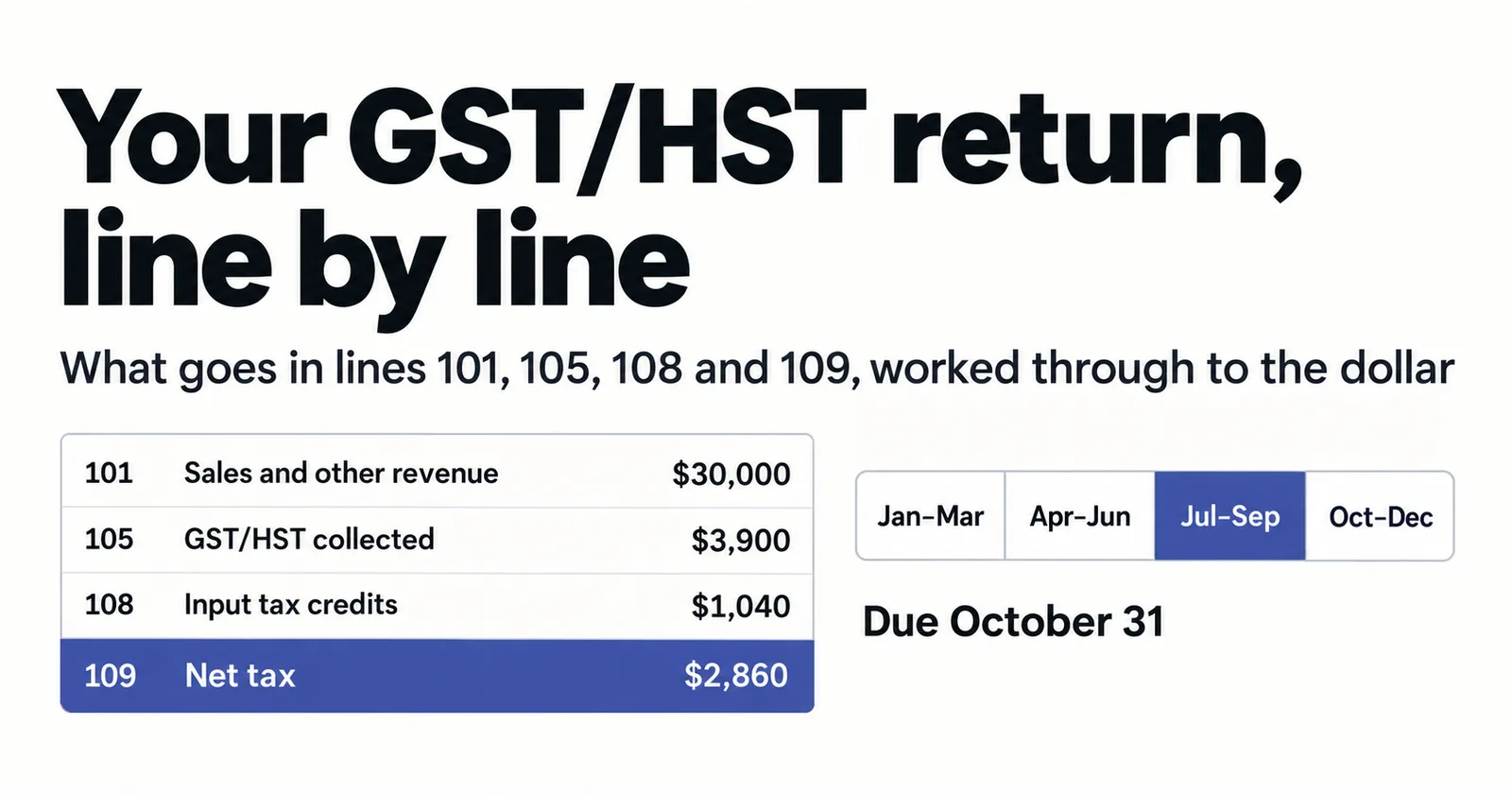
If you're registered for GST/HST in Canada, your return comes down to a handful of numbered lines: 101, 103, 105, 106, 108 and 109. Most small businesses fill in the same few every time, and once you know what each one holds, the return takes minutes. This guide explains each line, works through a real quarter to the dollar, and covers which rate you charge, when the return is due, and the Quick Method that changes the whole calculation.
Which GST/HST rate you charge
Canada has one federal sales tax, but how it shows up depends on the province. Five provinces combine it with their own sales tax into a single Harmonized Sales Tax (HST); everywhere else, you charge the 5% GST on its own.
HST provinces: Ontario 13%, Nova Scotia 14%, and New Brunswick, Newfoundland and Labrador and Prince Edward Island 15%.
GST-only: Alberta, British Columbia, Manitoba, Saskatchewan, Quebec and the three territories charge 5% GST. Where those provinces have their own sales tax, such as PST in British Columbia or QST in Quebec, it's separate and doesn't go on your GST/HST return.
The rate generally follows where your customer is, not where you are. An Ontario business selling services to a client in Alberta usually charges 5% GST, not 13% HST. If you sell across provinces, you can charge several rates in one period, and all of them land on the same return.
The lines that do the work
Line 101: Sales and other revenue. Your total sales and other revenue for the period, before GST/HST.
Line 103: GST/HST collected or collectible. The GST/HST you charged on your sales in the period, at every rate you charged.
Line 104: Adjustments. Amounts that increase your net tax, such as GST/HST on bad debts you later recovered. Most small businesses leave this at zero.
Line 105: Total GST/HST and adjustments. Line 103 plus line 104.
Line 106: Input tax credits (ITCs). The GST/HST you paid on business purchases and can claim back, backed by proper receipts and invoices.
Line 107: Adjustments. Amounts that reduce your net tax, such as GST/HST on bad debts you've written off. Usually zero.
Line 108: Total ITCs and adjustments. Line 106 plus line 107.
Line 109: Net tax. Line 105 minus line 108. A positive number is what you owe the CRA; a negative number is a refund.
One quarter, worked through
Take an IT services business in Toronto over July to September. It invoices $30,000 of work in the quarter to clients in Ontario, all at 13% HST, so it charges $3,900. It buys laptops and docking stations, a year's remote-monitoring software and a coworking desk, $8,000 in total from registered suppliers with proper invoices, and pays $1,040 of HST on them.
Its return reads:
Line 101: $30,000 Line 103: $3,900 Line 105: $3,900 Line 106: $1,040 Line 108: $1,040 Line 109: $2,860
Lines 104 and 107 are zero. The business owes the CRA $2,860 for the quarter.
Those figures follow the dates on the invoices, not the dates the clients paid. If a client hasn't paid by 30 September, the HST on that invoice is still in line 103 for this quarter. GST/HST works on what's charged and payable, so the business can owe the CRA before its client has paid it.
The Quick Method changes the calculation
Everything above is the regular method: you add up the tax you charged, subtract the tax you paid, and the difference is your net tax.
Many small businesses use the Quick Method instead. If your annual taxable supplies, including GST/HST, are $400,000 or less, you can elect to remit a fixed percentage of your GST/HST-included sales and generally skip claiming ITCs on everyday expenses. An Ontario service business, for example, remits 8.8% of its HST-included revenue. For service businesses with low costs, it often means paying less than the regular method.
The Quick Method is an election you file with the CRA, and once you're on it, line 109 is worked out differently. If you're not sure which method you're on, your CRA business account or your accountant will tell you.
When it's due
Your reporting period is assigned by the CRA based on your revenue. Most small businesses with annual taxable supplies up to $1.5 million are assigned an annual period, but they can choose to file quarterly or monthly instead. Larger businesses file quarterly or monthly.
Monthly and quarterly filers: the return and payment are due one month after the period ends. For July–September, that's 31 October. In 2026 that falls on a Saturday, and the CRA treats a return and payment made on the next business day as on time.
Annual filers: the return is generally due three months after your fiscal year ends. If you're a sole proprietor with a December year-end, it's due 15 June, but the payment is due 30 April. Annual filers whose net tax was more than $3,000 in the previous year also pay quarterly installments.
Every registrant except charities and certain financial institutions has to file electronically: through My Business Account, GST/HST NETFILE, or a representative. A paper return can bring a penalty of $100 the first time and $250 after that. Even a period with no sales needs a return, filed as a nil return.
Filing late costs 1% of the amount owing, plus a quarter of a percent for each full month it's late, for up to 12 months, with interest on top. If you can't pay, file on time anyway: the late-filing penalty is avoidable even when the payment isn't.
How Papertools fits in
Papertools keeps real double-entry books. When your workspace's country is Canada, the Tax summary report computes your GST/HST return figures by line number: 101, 105, 108 and 109, built from the invoices, bills and expenses you've recorded. Set How often you file in Settings → Tax to match the reporting period on your CRA account, choose the months your periods end in, and the report gives you a ready-made chip for each period, so the figures on screen are for exactly the period you're about to file.
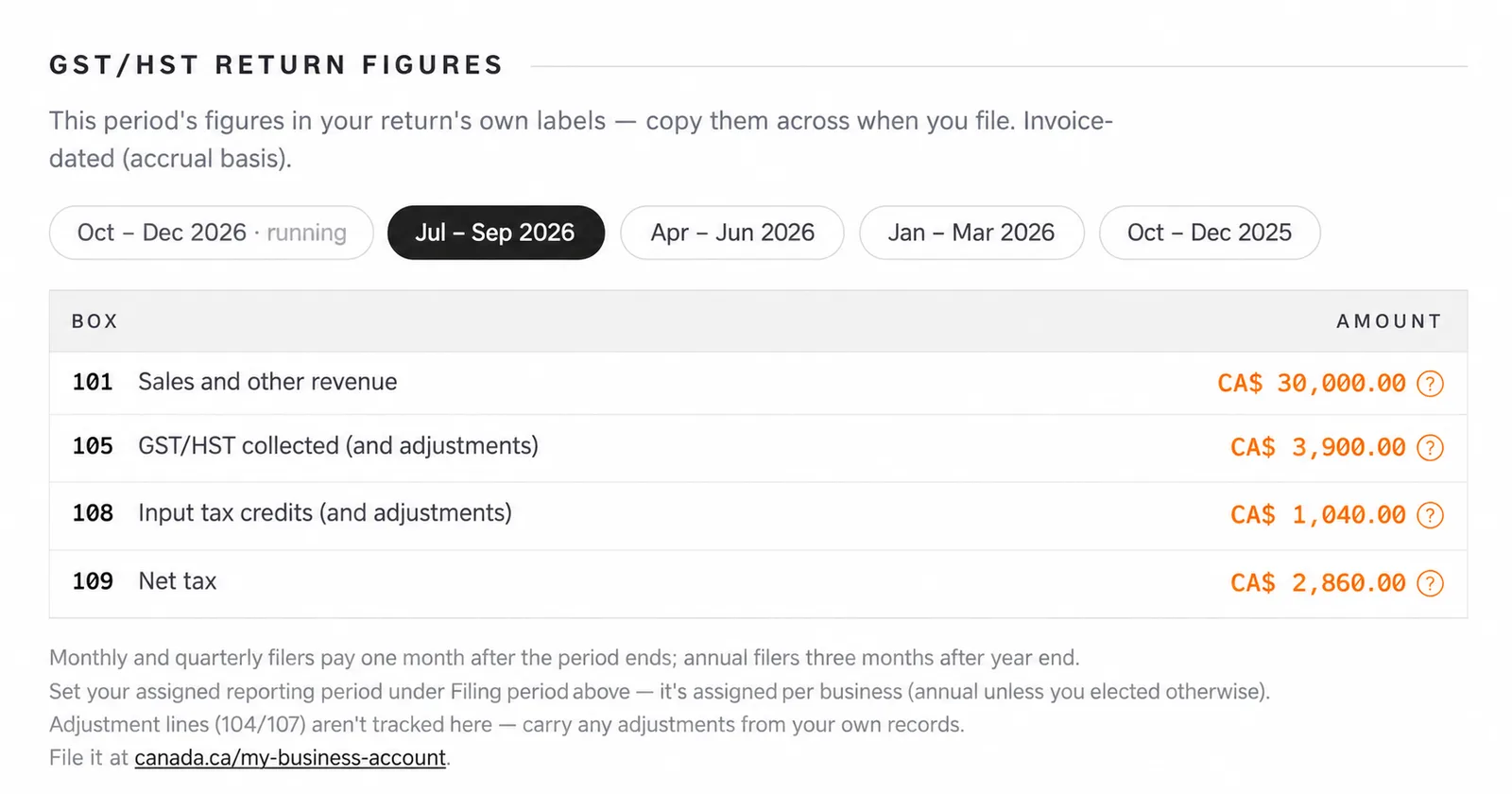
If you charge more than one rate, because you sell into several provinces, the report breaks the tax you collected and paid down by rate, so you can see where each dollar of line 105 came from.
If the date range you're looking at doesn't line up with your filing periods, the report says so and points you back to the right one. Before you file, it runs pre-filing checks and flags anything in the period that would make the figures incomplete: draft invoices and bills, expenses waiting for approval, and bank lines with no record behind them. Each one links straight to the fix. After you've filed, it prompts you to lock the period, so nothing can change underneath a return you've already submitted. And Paper-Ai, the assistant built into Papertools, knows the return by name, so you can ask how your GST/HST return is looking and get an answer from your own figures.
Papertools doesn't file with the CRA. It prepares the figures and links you to My Business Account, where you enter them and submit. If your accountant files for you, export the Tax summary as a PDF or CSV and send it to them, with the period printed on it.
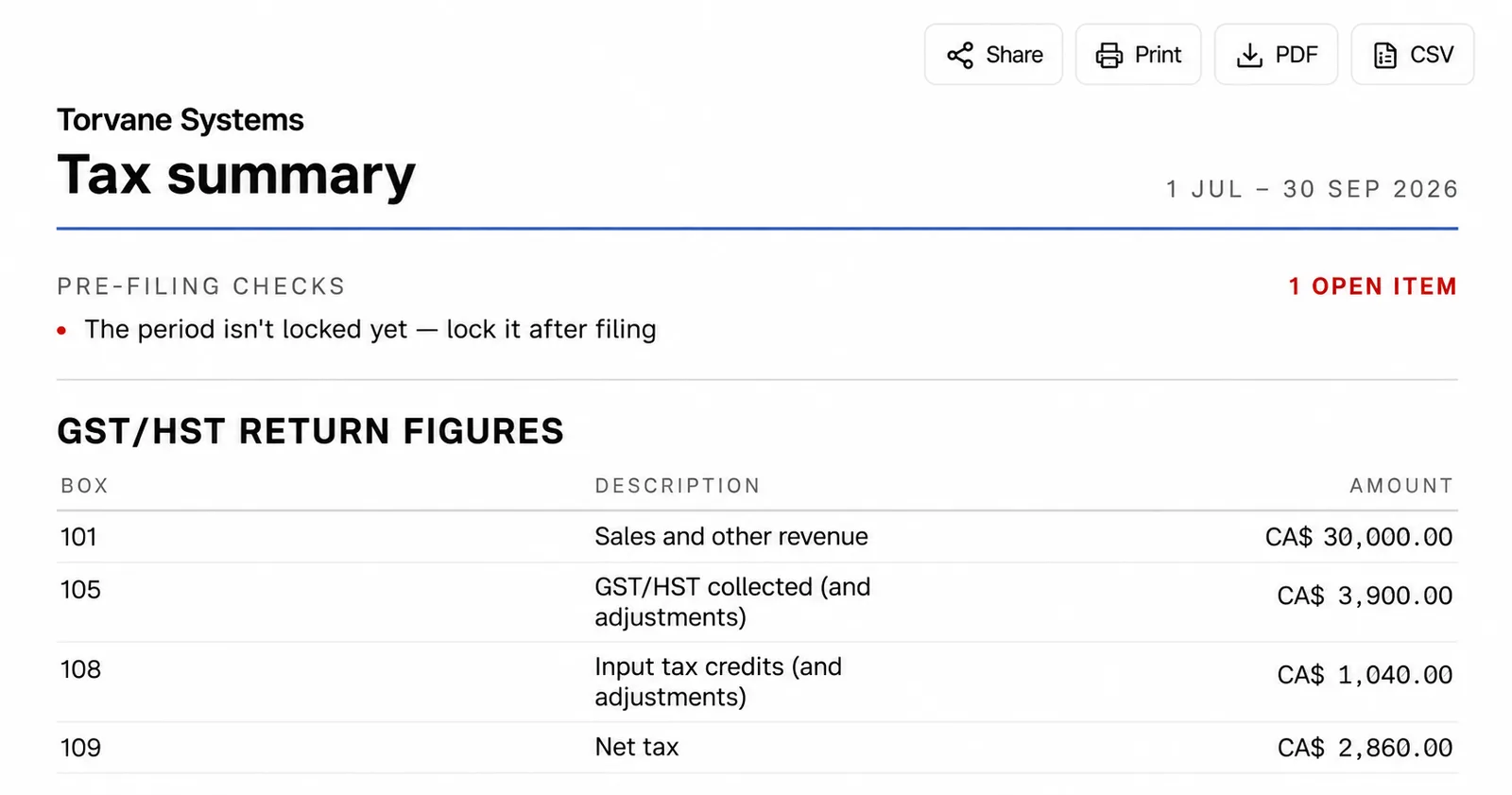
Two settings in Settings → Tax matter here. We're registered to charge tax should be on, and for most registrants on the regular method, so should We can claim back the tax our vendors charge us. The Help Center guide to the Tax summary walks through the rest of the report.
What this won't fix
Papertools doesn't file your return or pay the CRA. You'll still do that through My Business Account or NETFILE, or your accountant will.
The figures follow the regular method. If you've elected the Quick Method, line 109 is calculated differently and the computed figures won't apply.
Adjustment lines 104 and 107 aren't tracked. Bad-debt adjustments, ITC recaptures and similar amounts need adding from your own records. The same goes for the separate PST in British Columbia, Saskatchewan and Manitoba, and QST in Quebec, which have their own returns.
And the figures are only as good as the records behind them. A purchase recorded without its GST/HST, or an ITC claimed without the supplier's details on the invoice, affects line 108 directly. What a valid invoice needs to carry is covered in How to Write an Invoice. When a treatment is genuinely unclear, that's a question for the CRA or your accountant, not your software.
Quick answers
When is my GST/HST return due? One month after the period ends if you file monthly or quarterly. Annual filers generally have three months after their fiscal year-end, or 15 June for a sole proprietor with a December year-end, with payment due 30 April.
Do I have to file if I had no sales? Yes. File a nil return for the period.
Can I file on paper? Not anymore, for almost all businesses. Every registrant except charities and certain financial institutions must file electronically.
Do I have to register for GST/HST? Once your taxable supplies go over $30,000 in a single calendar quarter or over four consecutive quarters, yes. Below that, you're a small supplier and can register voluntarily.
My client is in another province. Which rate do I charge? Generally the rate where your client is: 13% HST for a client in Ontario, 5% GST for a client in Alberta.
Where to go next
- Accounting software for Canada — how Papertools handles GST/HST reporting periods, return lines and filing windows
- The Tax summary guide — the step-by-step guide to the report, its periods and its checks
- How to Write an Invoice — what a valid invoice needs to carry
- Reporting requirements and deadlines at the CRA — the official source for reporting periods, due dates and electronic filing
- VAT3 Return Explained — the same idea for Irish VAT
- Making Tax Digital for VAT — how the UK's VAT Return works
- Simpler BAS Explained — the same idea for Australian GST
This article is general information about how tax rules work, not tax, accounting or legal advice. Rules and thresholds change, and how they apply depends on your business. Check the official guidance linked above, or speak to a qualified adviser, before acting on anything here. Papertools gives you the figures; the decisions and the filing stay with you.