How to Follow Up on a Quote or Estimate Without Being Pushy
Sent a quote or estimate and heard nothing? When to follow up, how many times, and four short templates that don’t sound desperate — plus how to make saying yes easy.
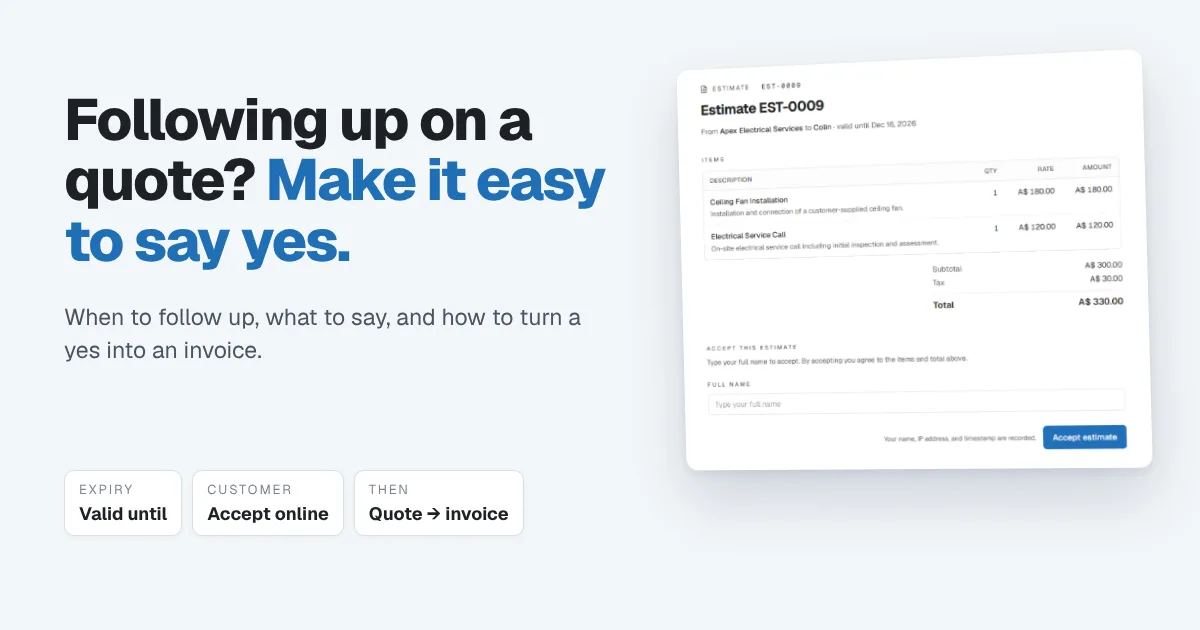
You measured up, priced the job carefully, sent the quote the same evening, and then heard nothing. No yes, no no, just silence. Most service businesses know the feeling, and most respond in one of two ways: they never follow up because they don't want to seem desperate, or they follow up so often that the customer starts avoiding them.
There's a better middle path. This guide covers when to follow up on a quote or estimate, how many times, exactly what to say, and how to make saying yes so easy that you need fewer follow-ups in the first place. Some trades say quote and others say estimate; the advice is the same either way, and in Papertools the document is called an estimate.
The short answer: Send the quote quickly, with a clear "valid until" date and a way to accept it online. Follow up two or three days after sending, again about a week later, and once more shortly before the quote expires. Make every message short, specific and easy to answer, and give the customer a polite way to say no. After three follow-ups, close the loop and move on.
Why customers go quiet after a quote
Silence rarely means no. Usually it means one of these:
- They're busy. Your quote is one of twenty things on their list.
- They're comparing. They asked for two or three quotes and haven't sat down with them yet.
- Someone else decides. A partner, a landlord, a manager or a body corporate has to agree.
- Something's unclear. They're not sure what's included, or whether the price covers what they think it covers.
- The price surprised them. They're working out whether they can afford it, or what they could drop.
Every one of those is a reason to follow up, not a reason to give up. A good follow-up helps them over whichever hurdle they're stuck on.
Make the quote easy to say yes to
The best follow-up strategy starts before you send anything. A quote that's easy to understand and easy to accept needs far less chasing.
- Send it fast. The day of the visit if you can. A quote that arrives while the visit is fresh in the customer's mind tends to win more often.
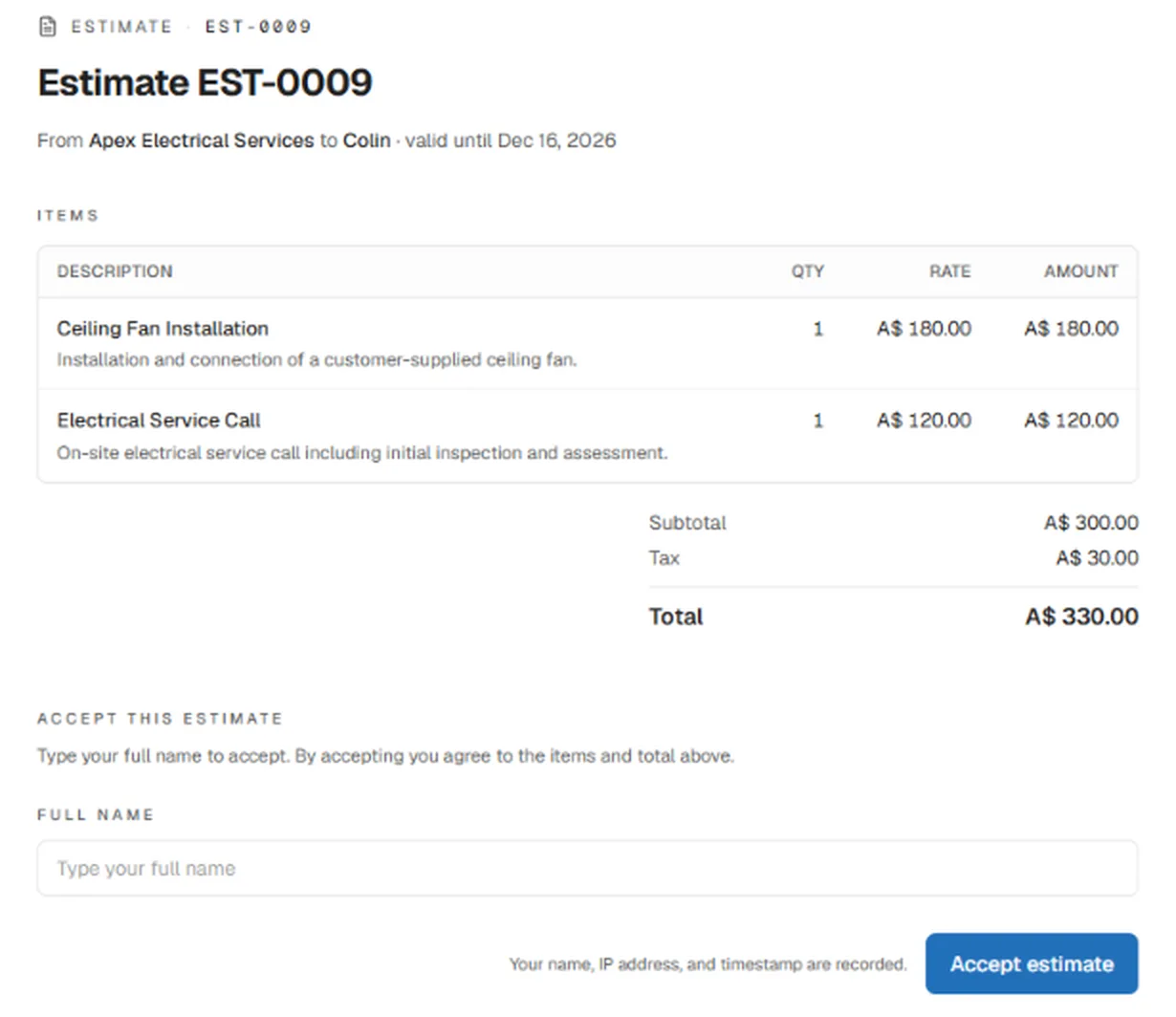
- Describe each line. "Ceiling fan installation: install and connect a customer-supplied fan" answers questions before they're asked. A single line saying "Electrical work – $330" invites them to compare you on price alone.
- Show the total, with tax. No one should have to work out what they'll actually pay.
- Set a "valid until" date. It gives the customer a natural deadline and gives you a natural reason to follow up. Thirty days is common. Shorter suits jobs where material prices move.
- Give them one way to say yes. If accepting means printing, signing and scanning, many people put it off. A link they can tap from their phone removes that excuse.
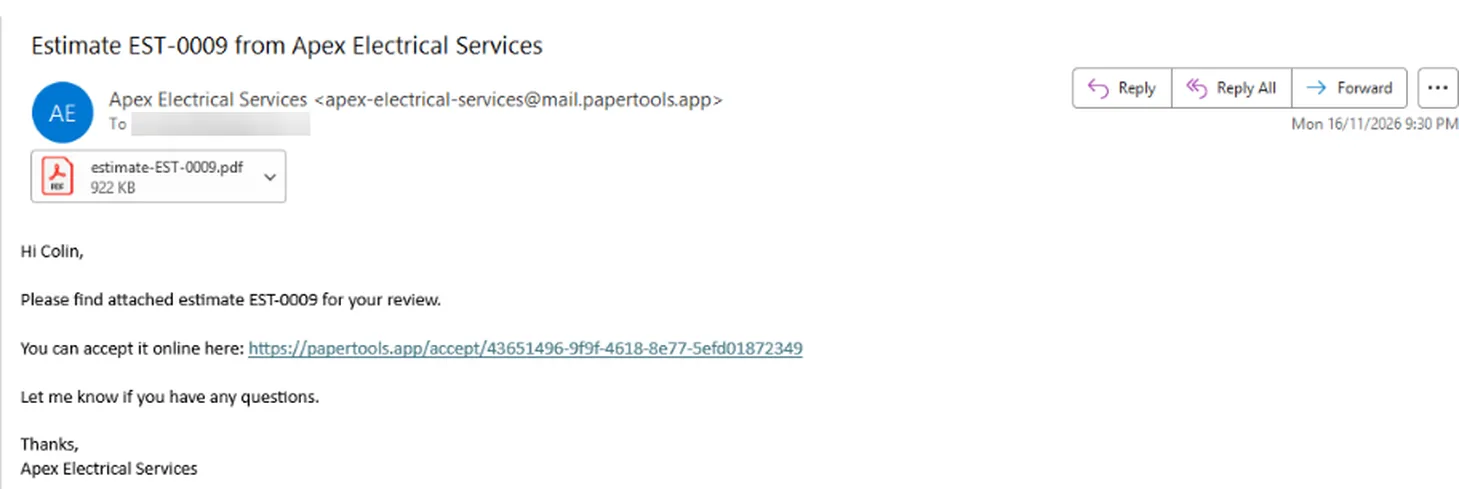
In Papertools, every estimate you email goes out with the PDF attached and a link to accept it online. Replies go straight to your business email.
The customer opens a clean page showing the items, the total and the valid-until date. To accept, they type their full name and press Accept estimate. Their name, IP address and the time are recorded, so you both have a clear record of what was agreed.
When to follow up on a quote
A simple schedule that works for most service businesses:
- Day 2 or 3 after sending: a quick check that they received it, with an offer to answer questions.
- About a week after sending: add something useful, like an answer to a likely question, a scheduling option or a small detail about the job.
- A few days before the quote expires: a friendly heads-up about the valid-until date.
- After it expires: one last message that closes the loop and leaves the door open.
That's three or four touches over a month. It's enough to show you want the work without crowding anyone. Adjust it to the job: a small repair might run on a faster timeline, and a large renovation on a slower one.
Quote follow-up templates
Each of these is short on purpose. Swap in your own details, and keep the tone you'd use if you bumped into the customer in person.
1. The quick check-in (day 2 or 3)
Hi [Name], just checking the quote for [job] came through okay. Happy to answer any questions or walk you through any of the items. You can accept it online from the link in the email whenever you're ready.
2. The helpful follow-up (about a week later)
Hi [Name], following up on the quote for [job]. A couple of people have asked whether [common question, e.g. the price includes removing the old fittings], so just to confirm: [answer]. I've got availability [day/week] if you'd like to lock it in.
3. The expiry heads-up (a few days before)
Hi [Name], a quick heads-up that the quote for [job] is valid until [date]. After that I'll need to re-check material prices before confirming. If you'd like to go ahead, you can accept it from the link in the original email. If the timing's changed, just let me know.
4. Closing the loop (after it expires)
Hi [Name], I haven't heard back about [job], so I'll assume the timing isn't right and close this off for now. If anything changes, reply here and I'll put together an updated quote. Thanks for considering us.
The last one works better than people expect. Giving someone permission to say no often gets a reply, and sometimes it's a yes.
A text message version for customers who never read email:
Hi [Name], it's [your name] from [business]. Just checking you got the quote for [job]? Happy to answer any questions.
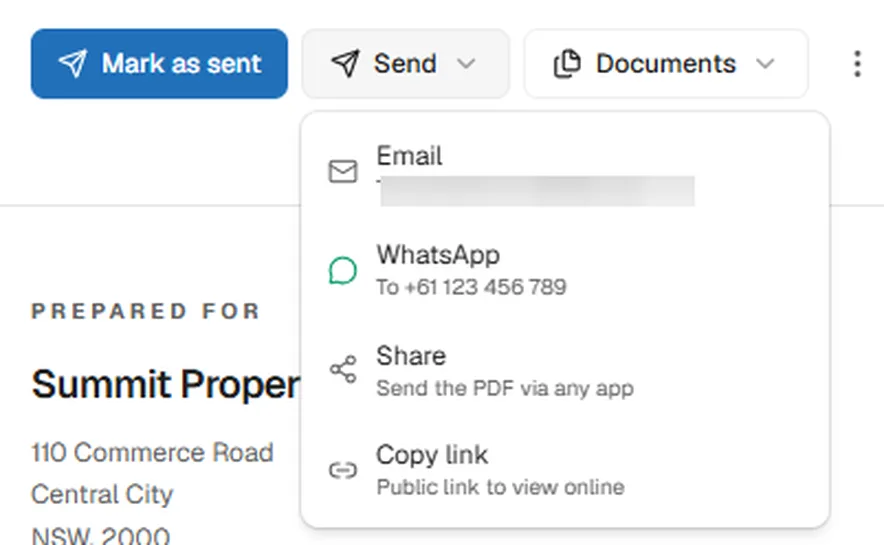
Send the follow-up on whichever channel the customer actually uses. In Papertools, the Send menu on an estimate can resend it by email, send it by WhatsApp, share the PDF through any app on your phone, or copy a public link you can paste into a text. Wherever the message lands, the customer is one tap from viewing and accepting the quote.
What not to do
- Don't send "just following up" with nothing else. Every message should make replying easier: an answer, a date, a choice.
- Don't discount in the first follow-up. It teaches customers that silence lowers your price. If price is the problem, offer options instead, such as a smaller scope, staged work or a different material.
- Don't guilt-trip. "I spent two hours on this quote" makes people avoid you.
- Don't follow up forever. Three or four touches, then close the loop. Endless chasing costs you time you could spend on customers who are ready.
When the customer says yes, turn the quote into an invoice
This is where many small businesses lose time, and sometimes money: retyping an accepted quote as an invoice, and getting a line or a price wrong along the way.
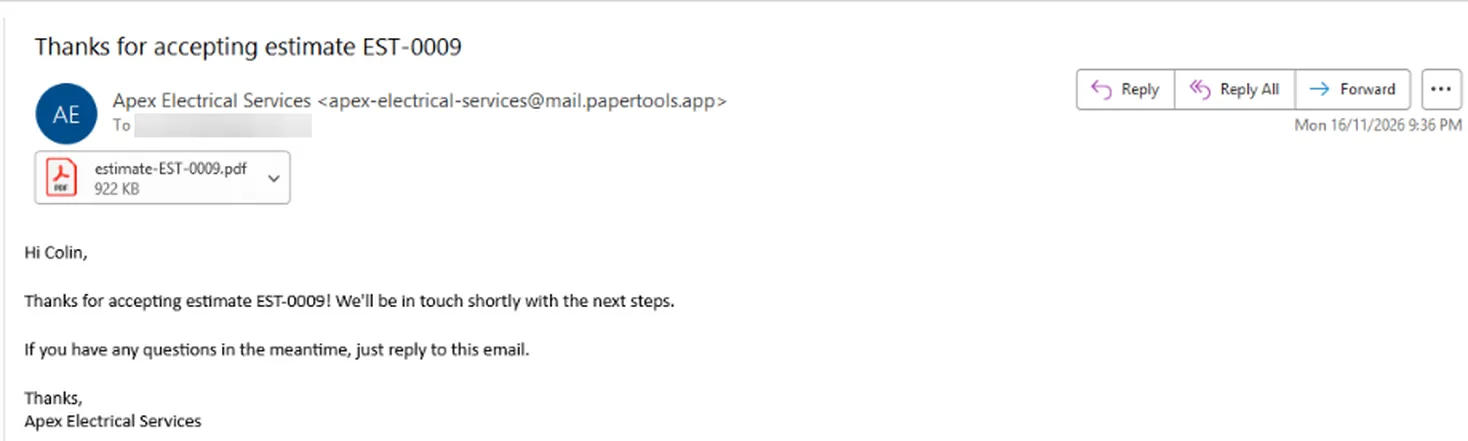
When a customer accepts online in Papertools, they get a thank-you email straight away with a copy of the estimate attached. They know their yes landed, and they have the agreed price on file.
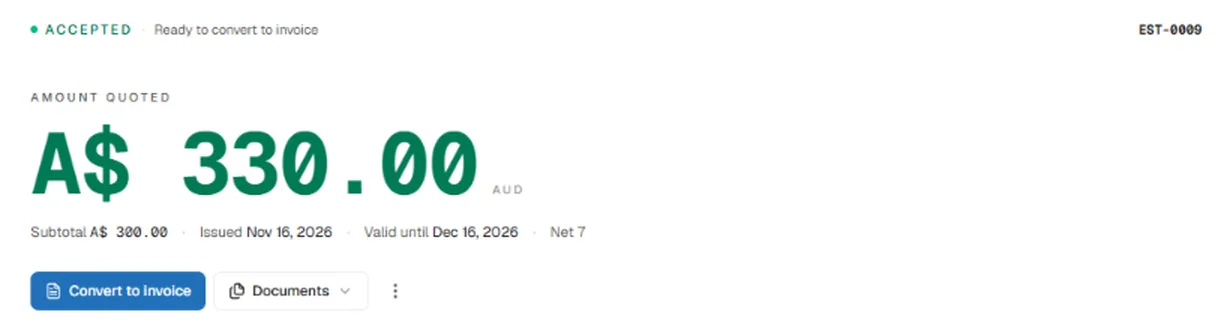
At the same moment, you get a notification, and the estimate shows as Accepted, ready to convert to an invoice.
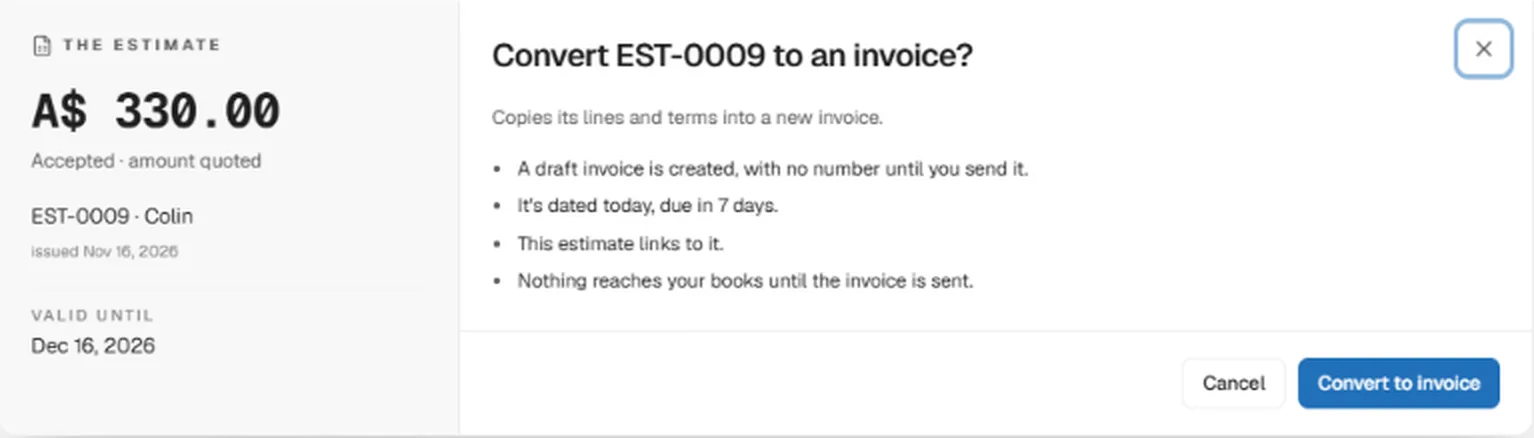
One click copies its lines and terms into a new invoice. The draft gets no number until you send it, and nothing reaches your books until it's sent, so you can adjust it first if the job changed.
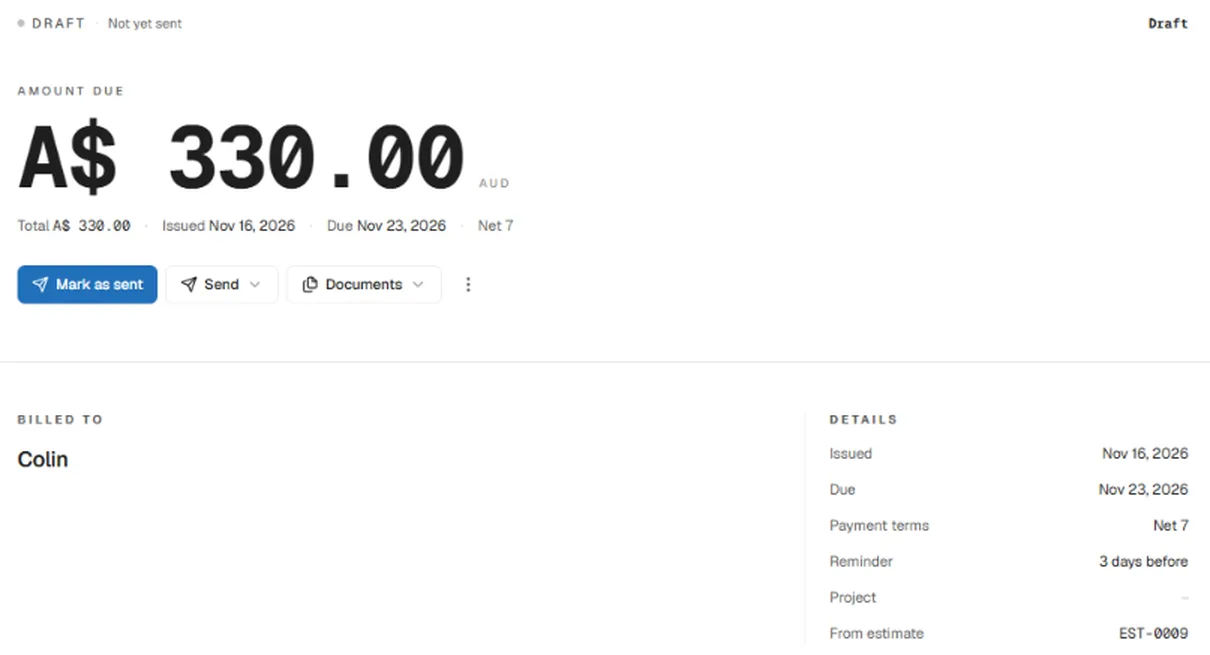
The draft invoice keeps a link back to the estimate it came from, so anyone checking later can see exactly what the customer agreed to.
When the work's done, send the invoice. If you take a deposit before starting, record it when it arrives so the final invoice shows the right balance.
Keep track of every quote
Follow-ups only work if you remember to send them. Keep every quote in one list with its status, so you can see at a glance which ones are waiting and which are about to expire.
In Papertools, sending an estimate moves it from Draft to Awaiting response. From there it can be marked accepted, rejected or expired, so your estimates list doubles as a follow-up list.
Papertools sends automatic reminders for unpaid invoices, but deliberately not for estimates. A customer who owes you money can take a scheduled nudge. A customer still deciding whether to hire you is easily put off by one. The valid-until date does the job of creating urgency, and the follow-ups stay personal and in your hands. When it's time to follow up, resend the estimate or send its link by WhatsApp or text, with one of the templates above in your own words.
Put a weekly reminder in your calendar to go through the estimates still awaiting a response.
Over a few months, you'll also see your real win rate: how many quotes turn into work. That number tells you more about your pricing and your quoting than any single job.
Common questions
How long should I wait before following up on a quote or estimate? Two or three days is a good first follow-up for most service jobs. That's long enough for the customer to read it, and soon enough that you're still fresh in their mind.
How many times should I follow up on a quote? Three or four times over the life of the quote, then send one message that closes the loop. More than that rarely changes the answer.
Should I follow up by email, text or phone? Use whichever the customer used to contact you. Email works well for the details and the accept link. A short text or WhatsApp message with the link often gets a faster reply.
What should I say if they think the price is too high? Ask what they'd like to adjust rather than dropping the price straight away. A smaller scope, staged work or a different material keeps the job profitable and gives them a way to say yes.
Is an accepted quote legally binding? It depends on where you work and what the quote says. An online acceptance with the customer's name and a timestamp gives you a clear record of what was agreed. Check with a legal adviser if a job is large or unusual.
Can I send estimates on the Papertools free plan? Yes. Estimates are unlimited on the free plan, and customers can accept them online. See the pricing page for what each plan includes.
Where to go next
- Estimate, invoice or receipt: what's the difference? — which document to send at each stage of a job
- When a client pays before the invoice is ready — recording deposits so the final invoice is right
- How to write an invoice — what to include once the quote is accepted
- How to get clients to pay invoices on time — the next follow-up, once the work is done
- How to invoice from your phone on site — once the job's done, invoice it on the spot
This article is general information about how bookkeeping works, not tax, accounting or legal advice. Rules differ by country and business. Check with a qualified adviser before acting on anything here. Papertools gives you the figures; the decisions stay with you.