How to Stop Losing 3% of Every Invoice to Payment Fees
Card and PayPal fees can take 3% of every invoice. When it's worth paying them, when to switch clients to bank transfer, and how to track every payment either way.
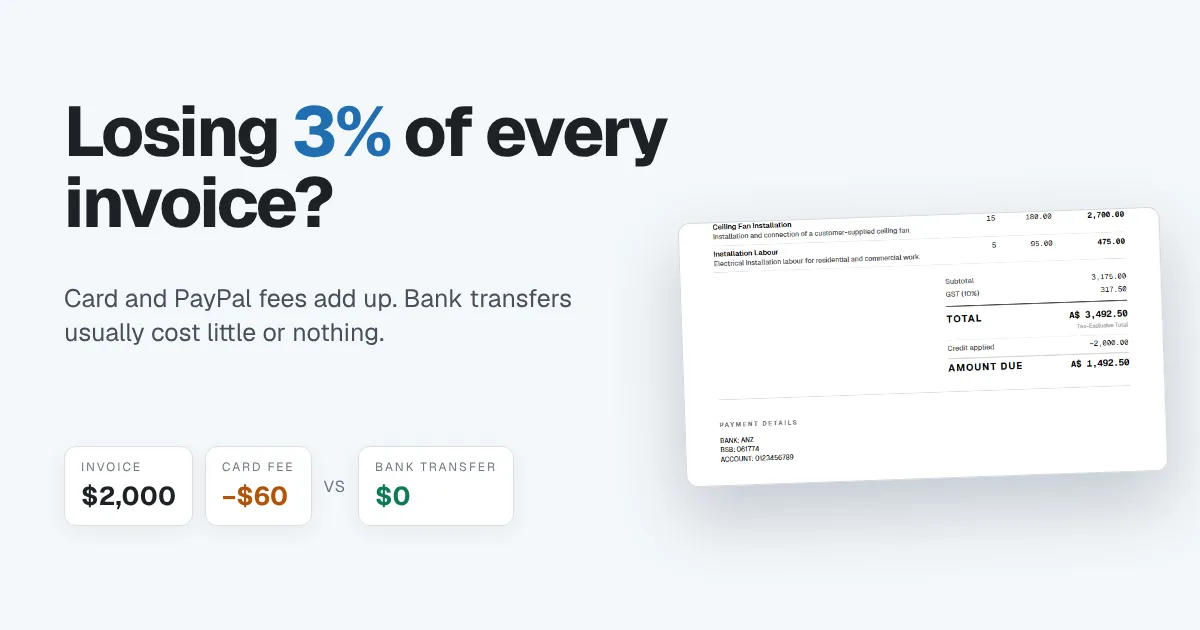
If clients pay your invoices through PayPal or by card, a slice of every payment never reaches you. On a single invoice it looks small. Across a year of invoices, it can add up to a week or more of your earnings.
You don't have to stop taking cards. Card payments get you paid faster and suit some clients better. The aim is to choose on purpose: steer large, regular invoices to the cheapest way to pay, keep cards and PayPal for when speed matters, and still track every payment and chase every late one. This guide shows how.
What payment fees actually cost you
Card processors and PayPal usually charge a percentage of each payment, often around 2% to 3.5%, plus a small fixed fee. The exact rate depends on the provider, your country, the type of card and whether the payment crosses a border. Check your provider's current pricing page for your real rate.
Here's what roughly 3% does to a steady flow of invoices:
| Per invoice | Per month (8 invoices) | Per year | |
|---|---|---|---|
| Invoice value | $2,000 | $16,000 | $192,000 |
| Fee at 3% | $60 | $480 | $5,760 |
That $5,760 isn't a cost of doing the work. It's a cost of being paid for it, and most of it can be avoided.
The cheaper option: direct bank transfer
A direct transfer from your client's bank account to yours usually costs much less, and often nothing at all for local payments. It goes by different names depending on where you are: ACH in the United States, BSB and account transfers or PayID in Australia, Faster Payments or BACS in the UK, SEPA in Europe, and EFT in Canada and South Africa.
The trade-off is that a bank transfer needs a little more effort from the client, and you have to record the payment yourself instead of it arriving already matched. Both are easy to solve.
How to get clients to pay by bank transfer
- Put your bank details on every invoice. Account name, bank, and the account numbers your clients need. If the details aren't on the invoice, the client reaches for the card.
- Ask them to use the invoice number as the reference. That's how you match the payment when it lands.
- Start with your biggest regular clients. Ask whoever sends you the largest payments whether they can switch to bank transfer. One conversation can save most of your fees.
- Keep cards as a backup, not the default. Some clients will always prefer cards. Keep that option for them instead of making it the first thing everyone sees.
- Check before you add a surcharge. Some places allow you to pass card fees on to the customer and some limit or ban it. Check the rules where you and your clients are before you do.
When the card fee is worth paying
Card and PayPal fees aren't always money wasted. Sometimes they buy you something worth more than the fee:
- Getting paid today instead of in 30 days. A client who can pay in one tap from the invoice often pays the day it arrives. If late payments hurt your cash flow, that speed can be worth 3%.
- One-off and small invoices. On a $150 job, the fee is a few dollars. Making the client set up a bank transfer for a single small payment isn't worth the friction.
- Clients who simply won't pay any other way. Some businesses pay suppliers by card for their own reasons. Accepting it beats chasing them.
The goal isn't to refuse cards. It's to choose on purpose: bank transfer for large, regular invoices where the fee adds up, and card or PayPal where speed and convenience matter more.
Tracking payments when the money goes straight to your bank
The reason many people stay with PayPal is that it tracks payments for them. When a client pays straight into your bank, you need two things to replace that:
- A way to record the payment against the invoice, including part payments. If a client sends $1,500 of a $2,000 invoice, you need to see the $500 still owed.
- Reminders that stop when the invoice is paid. Automatic overdue reminders should keep chasing the $500, and stop as soon as it arrives.
Matching the payment with your bank statement closes the loop, so nothing is counted twice and nothing slips through.
How Papertools handles bank transfer payments
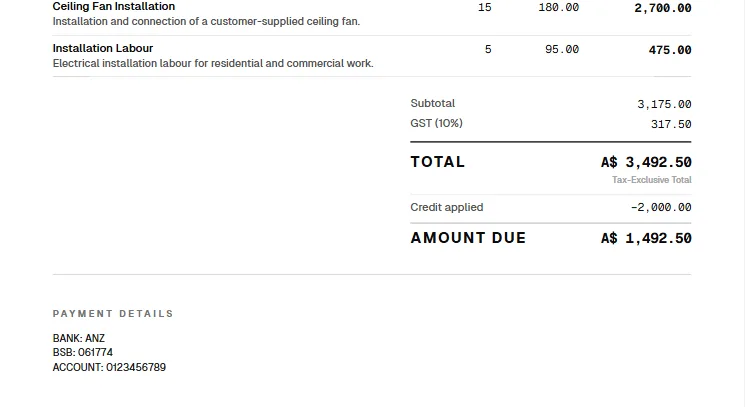
In Papertools, the bank details you set once print in the Payment details section of every invoice, under the total and amount due. Clients see exactly where to pay and how much is left.
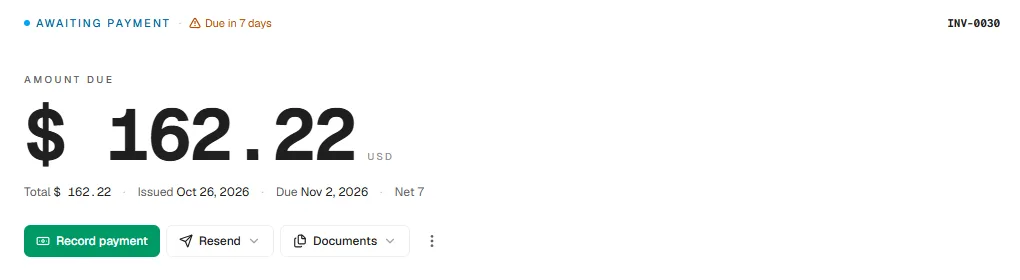
When the money arrives, open the invoice and choose Record payment. Enter the amount and the date it landed. If it's a part payment, the invoice is marked Partial and shows the balance still owed.
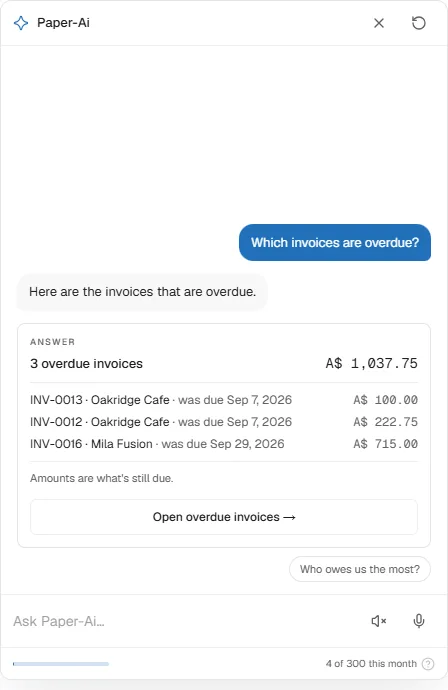
Overdue reminders are set once for the whole workspace and repeat until the invoice is paid, then stop on their own. You can pause them for one client if they've promised to pay on a set date. To see who still owes you, ask Paper-Ai in plain words.
For clients who'd rather pay by card, you can connect your own Stripe account so they can pay online straight from the invoice. The payment is recorded against the invoice automatically. Stripe charges its normal fee, and Papertools adds no fee of its own on top, so you can offer both bank transfer and card and let each client choose. Online card payments are available on the Business plan and above. Bank transfers, recording payments and overdue reminders work on every plan, including the free Essential plan. See the pricing page for details.
You can start free with Papertools, with no credit card.
What this won't fix
- Clients who insist on cards. Some will, and that's their choice. Keep the card option for them.
- International payments. Cross-border transfers can carry bank or exchange fees of their own. Compare them with your card fees before switching.
- Your bank's own charges. Some banks charge to receive certain payments. Check your account's fee schedule.
- Surcharge rules. Whether you can add card fees to an invoice depends on where you are. Check before you do.
Quick answers
How much does PayPal or a card payment cost me? Usually around 2% to 3.5% plus a small fixed fee, depending on the provider, country and card type. Check your provider's current rates.
Is a bank transfer really free? Local transfers are often free or close to it, but some banks charge to send or receive. International transfers usually cost more.
What should I put on my invoice so clients pay by bank transfer? Your account name, bank, account numbers, and a request to use the invoice number as the payment reference.
Can I charge clients the card fee? In some places yes, within limits, and in others no. Check the rules for your country before adding a surcharge.
How do I keep track of payments that go straight to my bank? Record each payment against its invoice, including part payments, and match it against your bank statement.
Where to go next
- How to Get Clients to Pay Invoices on Time — the habits that get invoices paid faster
- Invoice Payment Terms: Should You Use Net 7, 15, or 30? — choosing when payment is due
- How to Write an Invoice (What to Include and What to Leave Off) — where payment details belong on the invoice
- Record a manual or partial payment — the Help guide for recording bank transfers
- Let customers pay online — adding card payments through your own Stripe account
This article is general information about how bookkeeping works, not tax, accounting or legal advice. Rules differ by country and business. Check with a qualified adviser before acting on anything here. Papertools gives you the figures; the decisions stay with you.