How to Track and Pay Supplier Bills Without a Spreadsheet (or Enterprise Software)
Lost track of which supplier bills are approved, due or paid? A simple order-bill-approve-pay process for small businesses, with a worked example.
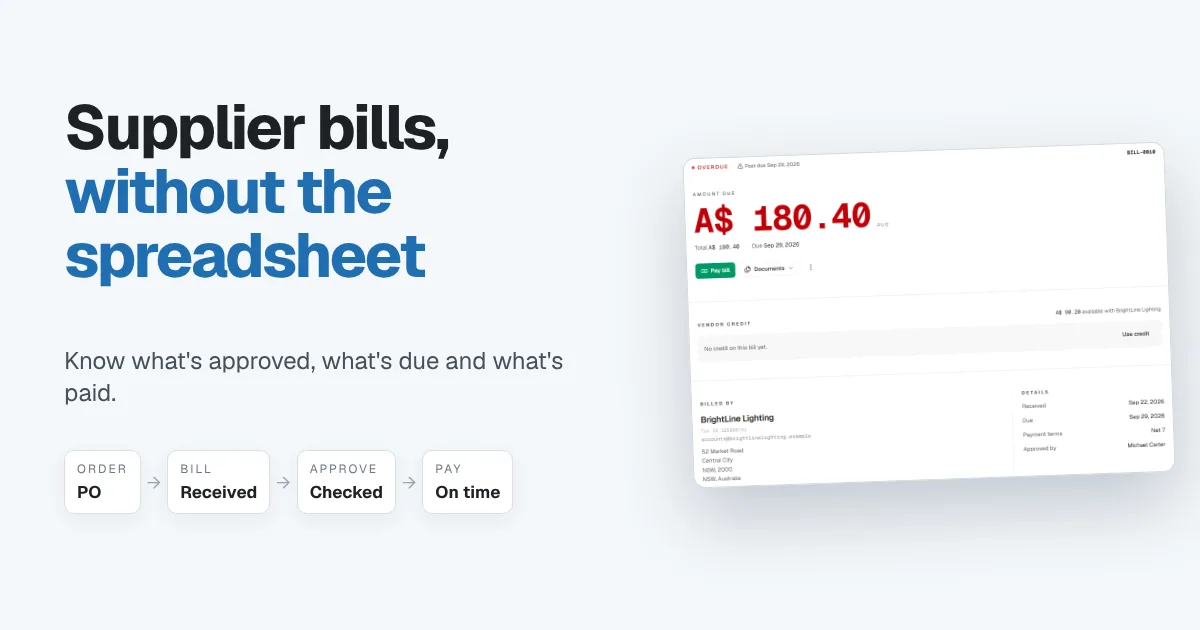
Most small businesses track supplier bills the same way at first: a spreadsheet with one row per invoice, a due date column and a "paid?" column someone updates when they remember. It works with three suppliers. With fifteen, it falls apart. Nobody's sure which bills were approved, which were paid last week, and which are quietly about to go overdue.
You don't need enterprise accounts payable software to fix this. You need a simple, reliable process for every bill, from the order to the payment, and one place where everyone can see where each bill stands. This guide covers both.
Why the bills spreadsheet stops working
A bills spreadsheet usually fails in the same few places:
- Approval lives in someone's inbox. The sheet says a bill is there. It doesn't say who checked it, or whether the price matched what was ordered.
- "Paid" is a guess. Someone marks a bill paid when they send the transfer, but nobody confirms it actually cleared.
- Due dates are only seen when someone looks. A bill due Friday is invisible until someone scrolls to it on Monday.
- Credits get lost. A supplier issues a credit for a damaged delivery, and it sits forgotten while you pay the next bill in full.
- It sits outside your books. What you owe suppliers never reaches your reports, so your cash flow picture is always missing a piece.
The cost isn't just late fees. It's paying a bill twice, paying a price you never agreed, and losing goodwill with suppliers you rely on.
The simple process: order, bill, approve, pay
Small teams don't need complicated workflows. They need the same four steps, every time.
1. Order. For anything more than a small purchase, raise a purchase order first. It records what you agreed to buy, at what price, from whom. It's your reference when the bill arrives.
2. Record the bill when it arrives. Enter it the day it lands, with the supplier's invoice number, the bill date and the due date. Match it against the purchase order: quantities, prices and anything extra.
3. Approve it. One person confirms the bill is correct before it's paid. In a small business that might be the owner. What matters is that every bill has a named approver and nothing gets paid unchecked.
4. Pay it, and record the payment. Pay by the due date, record the payment against the bill, and match it to your bank statement so you know it cleared. Apply any supplier credit before you pay, not after.
What your bill tracking needs to show you
Whatever tool you use, it should answer these questions at a glance:
- How much you owe suppliers right now, and how much of it is overdue.
- What's due this week, so payments are planned, not rushed.
- The status of every bill: draft, received, approved, partly paid, paid or voided.
- Who approved each bill, and against which order.
- Which suppliers owe you credit, and how much.
- How long you've owed each bill, which is what an aged payables report shows.
A worked example
A small electrical contractor buys circuit breakers from a lighting wholesaler.
| Step | What happens | Amount |
|---|---|---|
| Order | Purchase order for 10 circuit breakers | $164.00 + tax |
| Bill | Supplier invoice received Sep 22, due Sep 29 on Net 7 terms | $180.40 |
| Approve | Owner checks the bill against the order and approves it | $180.40 |
| Credit | Supplier already holds $90.20 credit from a damaged earlier delivery | −$90.20 |
| Pay | Credit applied, balance paid and matched to the bank | $90.20 |
Without the purchase order, nobody could check the price. Without the credit tracked against the supplier, the business would pay $180.40 and forget the $90.20 it was owed. The process catches both.
How Papertools handles supplier bills
Papertools keeps supplier bills in the same books as your invoices, so what you owe sits right beside what you're owed, and both flow into your reports.
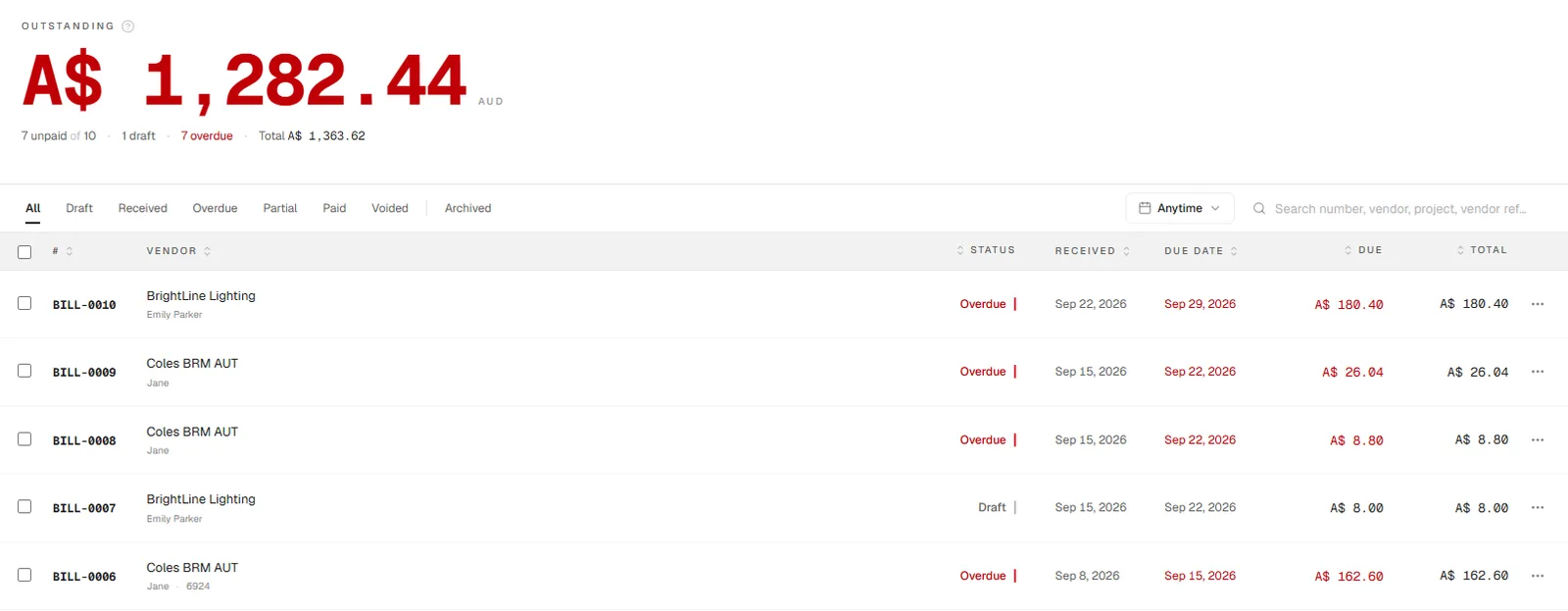
The Bills list shows how much you owe in total, how many bills are unpaid and how many are overdue. Each bill shows its status, supplier, received date, due date and the amount still owing. Filter by draft, received, overdue, partial or paid, and search by bill number, supplier, project or the supplier's own reference.
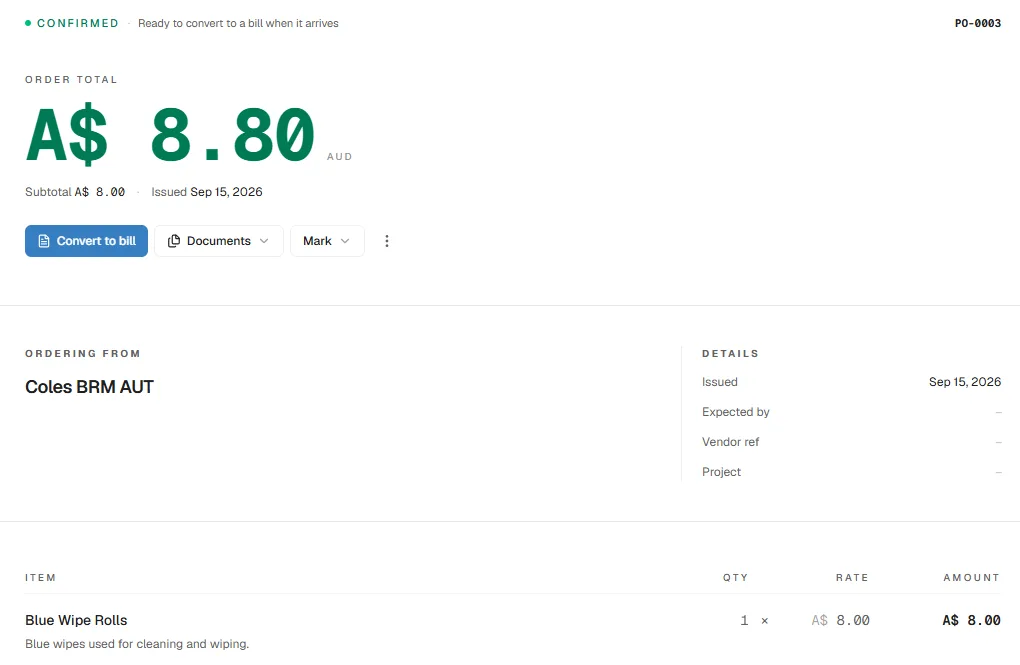
For bigger purchases, start with a purchase order. When the supplier's invoice arrives, choose Convert to bill and the order's lines become a draft bill, ready to check against what was delivered before you post it.
When a bill arrives without an order, create it directly. Attach the supplier's invoice or a photo of it, so the original is always one click away. On the Business plan and above, you can scan a paper bill with your phone camera to start it. Each line gets a category, split between cost of sales (materials, subcontractors, shipping) and running costs (rent, utilities, software), so your profit and loss shows where the money really went. If a line is a product you track as stock, recording the bill adds it to your inventory at the price you paid. Tag the bill to a project and its cost counts toward that job's margin.
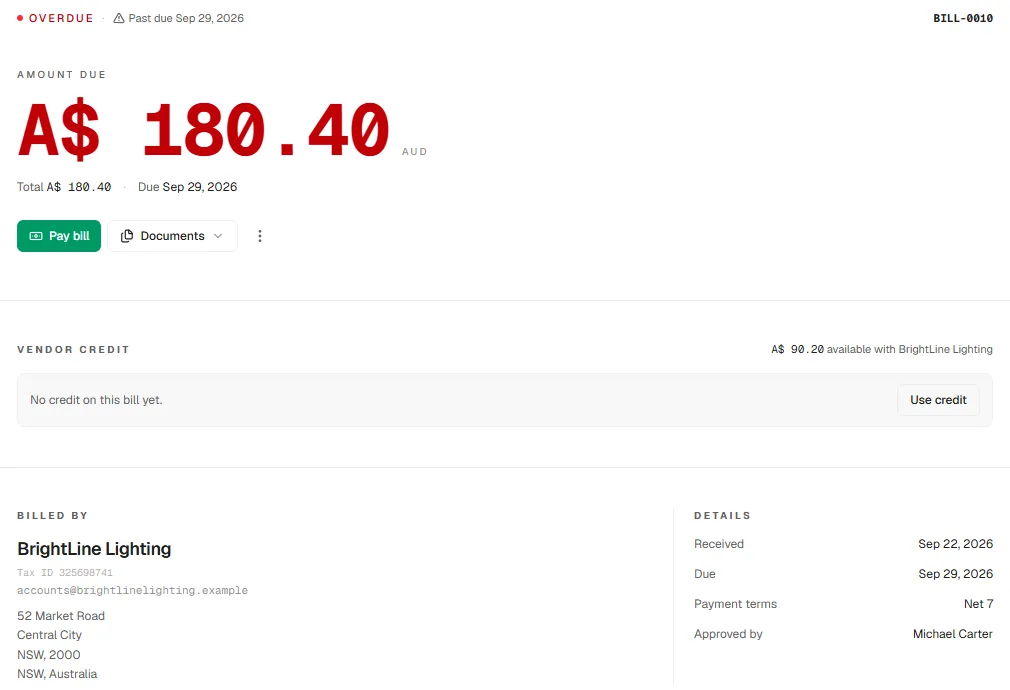
Every bill shows what's due and when, the supplier's details, the payment terms and who approved it. If the supplier holds credit for you, the bill shows it, and Use credit applies it before you pay.
When you choose Pay bill, Papertools shows the supplier's other open bills and any credit they hold, so you see the whole picture before paying. Record the amount, which account it was paid from, and how: bank transfer, card, check or cash. One payment can cover several bills from the same supplier. Add the bank reference and a note for the payment voucher, then match the payment against your bank statement so you know it cleared. You can import your bank statement as a PDF on every plan, including the free one.
Spending your team does day to day goes through Expenses. A staff member records what they spent, uploads the receipt and chooses Submit for approval. They also say who paid: the business, or someone out of their own pocket who the business now owes. What each person can do depends on the access you give them when you invite them to the workspace, so the people who approve spending aren't the same people who submit it.
Because bills live in your books, you can see exactly how long you've owed each one in the aged payables report, and your profit and cash flow reports always include what you owe suppliers. Bills can be tagged to a project, so supplier costs count toward that job's margin. Payment vouchers, expense claims and mileage sit in the same place.
Bills are unlimited on every plan, including the free Essential plan, so tracking your suppliers costs nothing. For bills that arrive on a cycle, such as rent or subscriptions, Recurring Bills creates them for you on the Business plan and above. See the pricing page for the full comparison.
You can start free with Papertools, with no credit card.
What this won't fix
- Paying the money itself. Papertools records the payment. You still send it from your bank.
- A supplier who bills the wrong price. A purchase order makes the mismatch obvious, but you still need to raise it with the supplier.
- Cash you don't have. Seeing every due date helps you plan. It doesn't create money to pay with.
- Multi-level approval chains. If your business needs several sign-offs at different spending limits, dedicated approval software may suit you better.
Quick answers
What's the difference between a purchase order and a bill? A purchase order is what you agree to buy before it arrives. A bill is the supplier's invoice after delivery. Matching the two catches wrong prices and missing items.
Do small businesses need accounts payable software? Once you have more than a handful of suppliers, a simple bills system saves time and mistakes. You don't need enterprise software, just one place that tracks every bill from order to payment.
How do I avoid paying a supplier bill twice? Record every bill the day it arrives, mark it paid only against a recorded payment, and match payments to your bank statement.
What is vendor credit? Money a supplier owes you, usually from a return, a damaged delivery or an overpayment. Apply it to your next bill from that supplier before paying.
How do I handle staff who pay for things themselves? Record it as an expense paid out of pocket, attach the receipt and submit it for approval. Once it's approved, the business owes that person and pays them back.
What is an aged payables report? A list of what you owe suppliers, grouped by how long each bill has been outstanding. It's the quickest way to see what's overdue.
Where to go next
- How to Read an Aging Report — the same buckets work for what you owe suppliers
- Moving Inventory and Invoicing Out of Excel (Without Losing the Count) — when supplier bills add stock to the shelf
- Proper Books Without Becoming a Bookkeeper — why bills belong in the same books as invoices
- What a Free Accounting Plan Should Include (and When It's a Dead End) — what you get without paying
This article is general information about how bookkeeping works, not tax, accounting or legal advice. Rules differ by country and business. Check with a qualified adviser before acting on anything here. Papertools gives you the figures; the decisions stay with you.