Behind on Bookkeeping? How to Catch Up Without Panicking
Behind on bookkeeping? Start with your bank statements, not the receipts pile. A step-by-step way to catch up: set a start date, import statements, match or record each line, separate personal spending, then keep it current weekly.
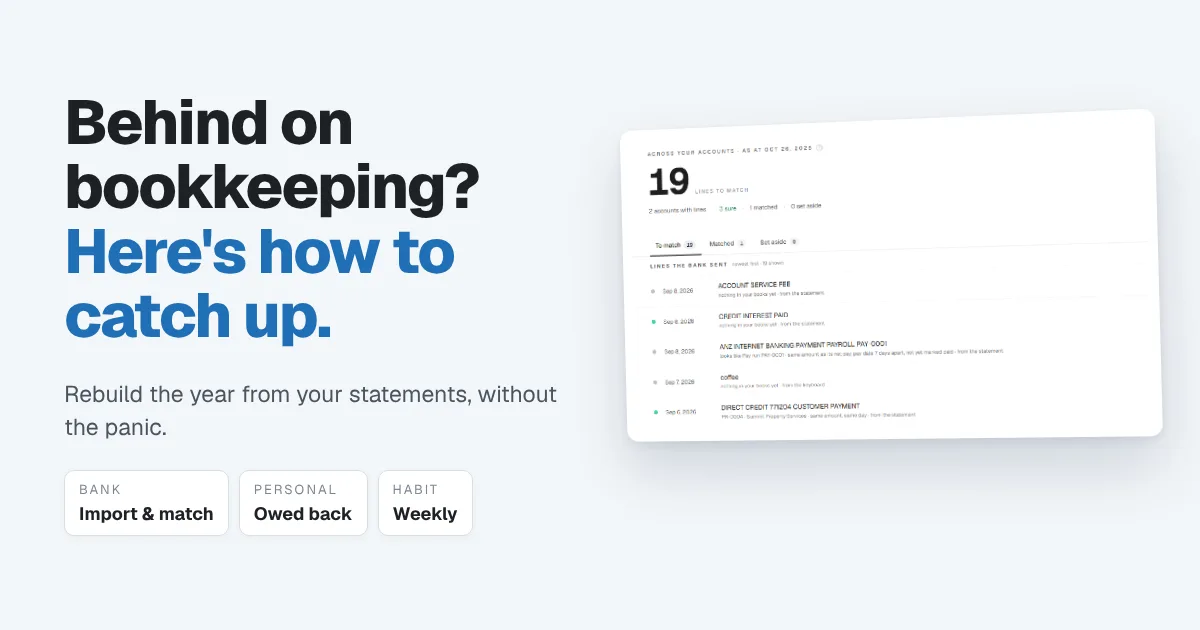
You meant to keep the books as you went. Then the business got busy, personal and business spending ended up on the same card, sales came in through three different platforms, and now it's months later and tax time is coming. If that sounds familiar, you're not unusual. Being behind on bookkeeping is one of the most common problems in a small business, and it's very fixable.
This guide walks through how to catch up on bookkeeping in a sensible order, so you rebuild the year once instead of going in circles.
The short answer: Don't start with the receipts pile. Start with your bank statements. Pick a start date, enter what you had on that day, import every statement since, then work through the lines one at a time: match what's already recorded, record what isn't, and separate anything personal. Rebuild sales from your platform reports, record anything you paid personally as money the business owes you, then keep it current with a short weekly session.
Why catching up feels harder than it is
Most people stall because they try to start from memory and paper. They pick up a receipt, can't remember what it was for, and give up. The receipts and the memory aren't the record. Your bank is.
Every sale that reached you and every cost you paid left a line on a statement somewhere. Catching up is mostly a matter of going through those lines and giving each one a name. Receipts come in afterwards, as the evidence behind the lines.
Two more things make it easier than it feels:
- You don't need perfect. You need complete and consistent. A year of correctly labelled bank lines is far more useful to your accountant than three perfect months and nine missing ones.
- You only do it once. Done in the right order, catching up turns into a 15-minute weekly habit, and you never have a backlog again.
Step 1: Pick a start date and record your starting position
Choose the date your books will begin. For most businesses that's the first day of the financial year you need to file for, or the day the business started trading if that was more recent.
Then write down what existed on that date: the balance of each bank account, any cash, any loans, and money you'd put in or taken out personally. This is your starting position. Without it, your reports assume the business began with nothing, and every balance after that is off.
In Papertools this is a dedicated setup step called Starting position. You enter what was true on your start date, and every report builds from there instead of from zero.
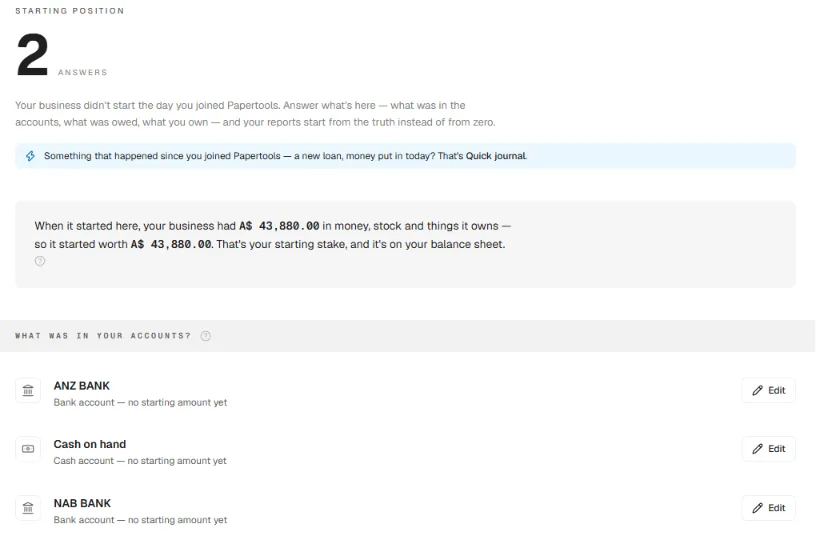
If you're unsure about a balance, the bank statement for that date has it. Ask your accountant about loans or assets you're unsure how to value.
Step 2: Import every bank statement since that date
Download your statements from the start date to today, for every account the business used. That includes the personal card if business costs went on it.
Import them into your bookkeeping software rather than typing them. In Papertools you can import a CSV export from your bank or upload the PDF statement itself. Papertools reads the lines, and you check them before anything is added. Lines already imported are skipped, so overlapping date ranges won't create duplicates. For supported banks, a live bank connection brings new lines in automatically from then on.
Bank import and expenses are both on the Papertools free plan, so you can start catching up before you decide anything else.
Step 3: Work through the lines: match, record or set aside
Now go through the statement lines in order. Every line needs one of three decisions:
- Match it to something already in your books, like a customer payment against an invoice you sent.
- Record it if nothing exists yet, like a bank fee, a supplier you paid by card or a fuel purchase.
- Set it aside if you genuinely don't know what it is yet, so you can ask about it rather than guess.
This is where most of the catching up happens, and where good software saves the most time. The Papertools Match screen shows how many lines you have left, and every line says why it was suggested: "same amount, same day", or "nothing in your books yet". Confident matches are marked so you can accept them together with Match all sure. Lines with nothing behind them get a Record button, and lines with more than one possible match let you choose.
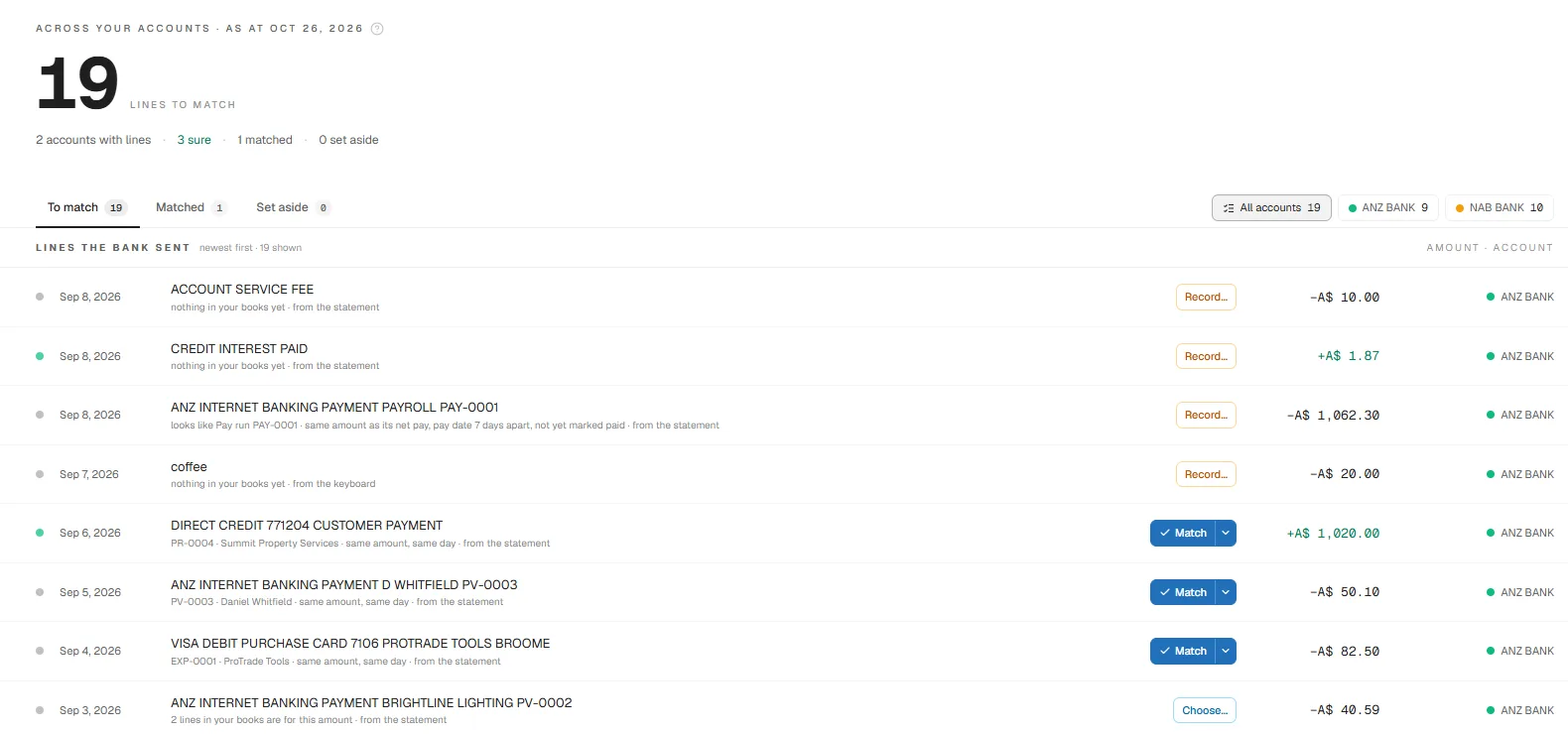
Nothing is posted to your books until you choose. That matters when you're catching up, because the shortcut that guesses wrong on hundreds of lines is far more expensive to fix than doing it properly once.
A good rhythm: work through one month at a time, oldest first. Each finished month is a small win, and the "set aside" pile stays short enough to take to your accountant in one list.
Step 4: Rebuild your sales from platform reports
If you sell through marketplaces, delivery apps, a card reader or an online store, the deposit in your bank usually isn't your sale. It's your sale minus the platform's fees, sometimes bundled across several days.
Don't record the deposit as the sale. Download each platform's sales or payout report, then record:
- The full sale amount as income.
- The platform fees as an expense.
Sale minus fees should equal what landed in the bank, which makes the deposit easy to match. In Papertools, record platform sales as sales receipts. Many small businesses record one per platform per month, using the platform's monthly report, rather than every single order. Ask your accountant whether monthly totals are acceptable where you're registered.
Step 5: Untangle personal and business spending
Mixed spending is the part people dread most, but there are only two directions it can go:
Business money spent on personal things. If the business account paid for your groceries or a family dinner, that's not a business expense. It's money you took out of the business, usually called owner drawings. Record it that way, not as an expense, and your profit stays honest. In Papertools, Quick journal has a "took money out" card that writes the entry for you.
Personal money spent on business things. If you bought ingredients or packaging on your personal card, the business owes you that money back. Record it as an expense like any other, but say who paid. In Papertools, choose "Someone out of pocket" under Who paid?. The cost lands in the right category and the amount shows as owed back to that person.
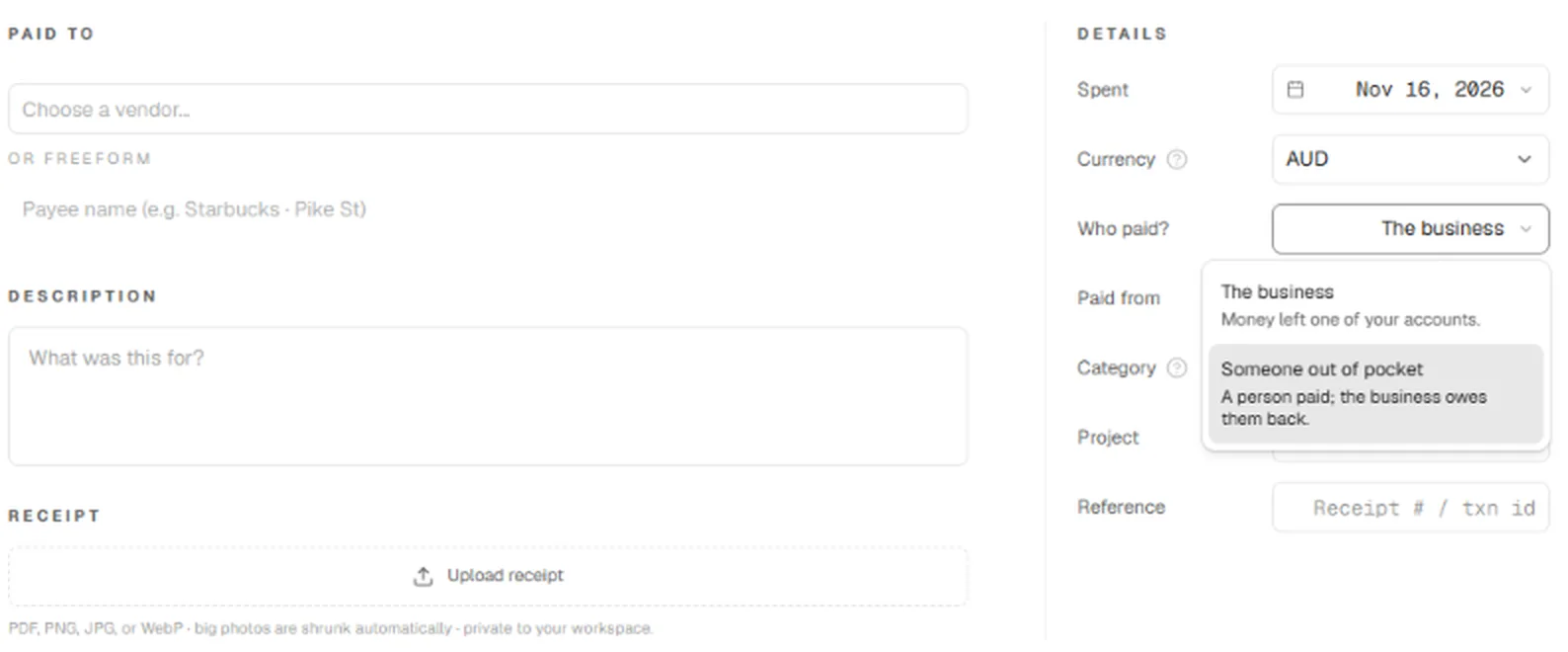
The same works when a team member paid. A manager can submit the expense on their behalf, even for staff who don't have a login, and it waits for approval before anything is owed.
Once those expenses are approved, you can pay yourself back from the business account with a payment voucher, and that bank line then matches cleanly. Some owners would rather treat the amount as money put into the business instead of repaying it. Both are legitimate. Ask your accountant which suits your setup.
Then fix the cause: open a separate business account if you haven't, and use it for everything business from now on.
Step 6: Attach receipts where you have them
With every bank line named, go back for the evidence. Attach a receipt or invoice to each expense where you have one: a photo, a PDF or a forwarded email. In Papertools you upload it straight onto the expense, and it stays private to your workspace.
You'll probably find gaps. Many suppliers can resend invoices, and card statements show who you paid and when. What counts as enough evidence differs by country, so check with your accountant before you rely on a bank line alone.
Step 7: Keep stock simple
A small product business, such as one making food, crafts or cosmetics, often worries about inventory. For most, the simplest approach that holds up is to record ingredients and packaging as expenses when you buy them. If you hold significant stock at year end, your accountant may want a count on that date. Ask before you build anything more complicated.
A worked example
Say you make and sell snacks through two online platforms and a weekend market, and you're six months behind.
- Sales rebuilt from platform and card reader reports: $5,400
- Ingredients and packaging: $1,850 (of which $620 went on your personal card)
- Platform fees: $160
- A new mixer: $300
Profit for the period is $3,090 ($5,400 − $1,850 − $160 − $300). Your accountant may treat the mixer as equipment rather than an everyday expense, which would change that figure slightly.
The business also owes you $620 for the ingredients you paid personally. You can repay that to yourself from the business account, separately from any profit you take.
That last point is why the out-of-pocket step matters. Skip it, and you either understate your costs and pay tax on profit you didn't make, or you lose track of money the business owes you.
Step 8: Keep it current with a weekly habit
Catching up once is the hard part. Staying caught up takes about 15 minutes a week:
- Import the week's statement lines, or let a live bank connection bring them in.
- Clear the Match queue: match, record or set aside.
- Snap and attach the week's receipts.
- Check who owes you money.
Once the books are current, you can ask questions instead of digging. Paper-Ai, the assistant inside Papertools, answers "how is profit this year?" or "who owes us the most?" straight from your own records. How AI fits into small business bookkeeping covers where it helps and where you still decide.
Common questions
How long does it take to catch up on bookkeeping? It depends on how many transactions you have, not how many months. A small business with a few hundred bank lines a year can usually catch up in a few focused sessions, working one month at a time.
Should I catch up myself or hire a bookkeeper? If you're very far behind or a deadline is close, a bookkeeper can be worth it. Doing it yourself once teaches you your own numbers, though, and makes the weekly habit easy afterwards. Many owners do the bank lines themselves and hand the set-aside list to an accountant.
What if I can't find a receipt? Record the line from the bank statement and note what it was. Ask the supplier for a copy if you can. Rules on what evidence is acceptable differ by country, so check with your accountant.
Can I just start fresh from today? You can start new books from today, but you'll still need the earlier months for your tax return. Use today as the start of the weekly habit, and catch up the past period separately.
Can I catch up for free in Papertools? Bank import, matching, expenses and receipts are on the free plan. Sales receipts and invoices have a monthly allowance on free. See the pricing page for current limits.
Where to go next
- How to switch accounting software — moving your records over and setting a clean starting position
- How to track and pay supplier bills — keeping the money going out under control once you're caught up
- Moving inventory and invoicing out of Excel — when your spreadsheet has become the bookkeeping system
- Proper Books Without Becoming a Bookkeeper — why the books underneath still matter
This article is general information about how bookkeeping works, not tax, accounting or legal advice. Rules differ by country and business. Check with a qualified adviser before acting on anything here. Papertools gives you the figures; the decisions stay with you.