Forgot to Invoice a Client for Months? How to Fix It and Stop It Happening Again
Forgot to invoice a regular client for months? How to raise the missed invoices without losing the client, and set up recurring invoices so it never happens again.
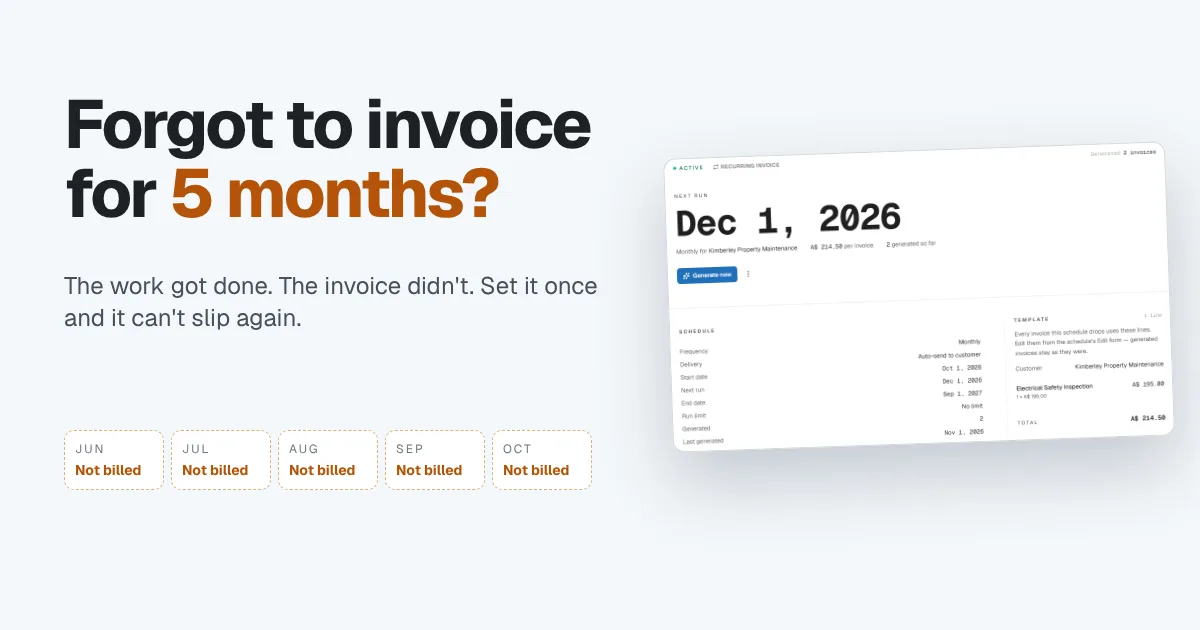
It happens more often than anyone admits. A client is on a monthly arrangement, the first invoice goes out by hand, and the automatic billing that was meant to follow never gets switched on. Months later you're reviewing your accounts and realize you've been doing the work the whole time without sending a single invoice.
The good news is that most clients will pay once you explain, and the fix that stops it happening again takes about five minutes. This guide covers both: how to raise the missed invoices without damaging the relationship, and how to set up recurring invoices so a regular client can never slip through again.
Why monthly clients get missed
Forgotten invoices are rarely about forgetting the client. They come from the gaps in a manual process:
- The first invoice is sent by hand, and the schedule is never set up. You meant to automate it after the first month. Nobody went back.
- A paused or changed arrangement never restarts. The client skips a month, the price changes, or the scope grows, and the old setup quietly stops.
- Billing lives in someone's head. If invoicing depends on remembering, a busy month is all it takes.
- Nothing tells you an invoice is missing. Overdue reminders chase invoices you've sent. They can't chase an invoice that was never created.
That last point is the real problem. A late payment shows up in your reports. A missing invoice shows up nowhere, so it can run for months.
How to raise the missed invoices with your client
Before you send anything, decide how you'll present it. Five months of invoices landing at once can feel like an ambush, even when every one is fair.
- Check your records first. Confirm exactly which months were worked and not billed, what was agreed and at what price. Have it ready before you make contact.
- Talk before you send. Call or write a short message explaining what happened, that it was your mistake, and what the total is. Clients respond far better to a heads-up than to a stack of invoices.
- Offer a way to pay that works for them. One combined invoice, or one invoice per month spread over a few months. A short payment plan often turns an awkward conversation into an easy yes.
- Bill each month as its own line or invoice. Clear dates and descriptions make it easy for their accounts team to check and approve.
- Check your terms. If your agreement sets a deadline for raising invoices, or your country limits how far back you can claim, look at that before you send. When in doubt, ask your accountant.
Then fix the process, so this is the last time you have that conversation.
What recurring invoices fix
A recurring invoice is a schedule, not a reminder. You set the customer, the lines, the amount and how often, and the invoice is created for you on the date. Nothing depends on anyone remembering.
A good recurring setup lets you:
- Choose the frequency and the start date, and whether the schedule runs forever, until a set date or for a set number of invoices.
- Decide what happens on each run: save the invoice as a draft for you to check, or email it to the client automatically.
- Pause and restart a schedule when a client takes a break, without rebuilding it.
- Change the price for future invoices without touching the ones already sent.
- See every invoice the schedule has created, so you can prove what was billed and when.
A worked example
A small electrical contractor looks after a property management company on a monthly maintenance contract: one electrical safety inspection a month at $195 plus 10% tax, so $214.50 an invoice.
They set up one recurring schedule:
| Setting | Choice |
|---|---|
| Customer | The property management company |
| Each invoice | Electrical safety inspection, $195.00 + tax = $214.50 |
| Frequency | Monthly, starting Oct 1 |
| Ends | Sep 1 next year, after the contract term |
| On each run | Email to the customer automatically |
| Payment terms | Net 15 |
On the first of every month the invoice is created, numbered and sent. If the client misses the due date, the normal overdue reminders take over. Five forgotten months would have been $1,072.50 sitting unbilled. With the schedule running, that money is invoiced on the day it's earned.
How Papertools handles recurring invoices
In Papertools, recurring invoices live under Automation → Recurring Invoices. Choose New recurring invoice, name the schedule, add the lines and pick the customer. Then set the cadence: frequency, start date, when it ends, payment terms, and whether each run is saved as a draft or emailed to the customer automatically.
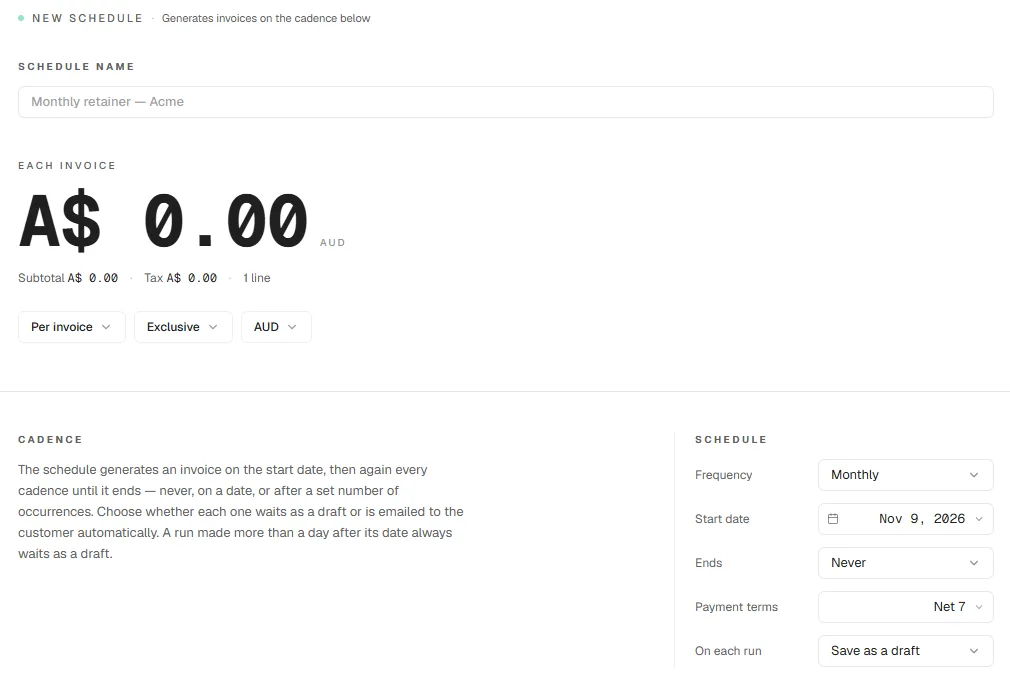
There's one safety net built in. If a run is made more than a day after its scheduled date, for example after a pause, the invoice waits as a draft for you to check instead of going straight to the client. You can also link a schedule to a project, so every invoice it creates counts toward that job's revenue and margin.
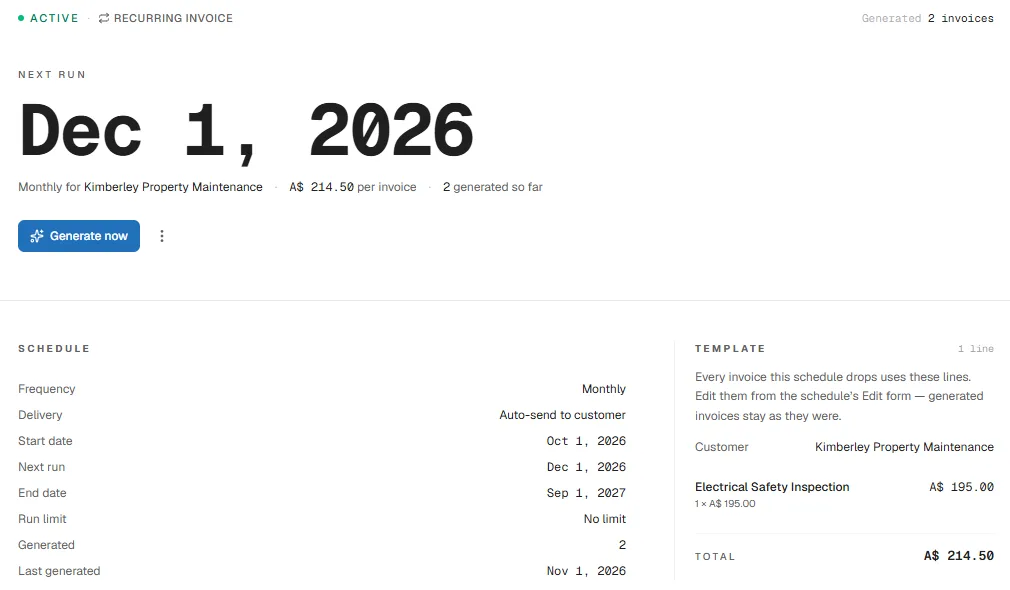
Each schedule shows the date of the next run, the amount per invoice, how many invoices it has created so far, and the template lines it uses. Changing the template only affects future invoices; ones already sent stay exactly as they were. Need an invoice early? Choose Generate now.
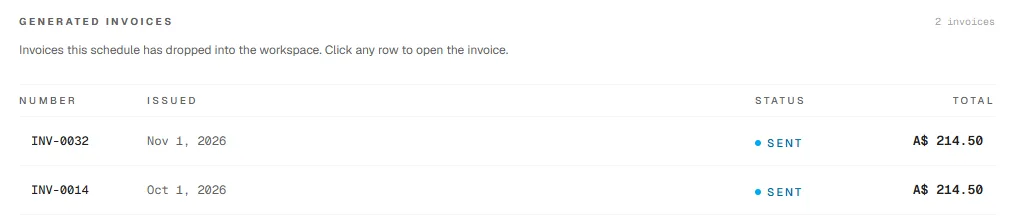
Every invoice the schedule creates is listed on the schedule itself, numbered and dated, with its status. If a client ever asks what was billed and when, the answer is one click away.
The Recurring Invoices list shows every schedule with its status, frequency, amount and next run, with tabs for active, paused and completed schedules. The same approach works for regular costs too: Recurring Bills handles rent, subscriptions and other supplier bills that arrive on a cycle.
Recurring invoices and recurring bills are part of the Business plan and above. On the free Essential plan you can still send every invoice by hand, track payments and use automatic overdue reminders. See the pricing page for the full comparison.
You can start free with Papertools, with no credit card, and upgrade when your regular clients make it worthwhile.
What this won't fix
- Invoices already missed. A schedule only covers the future. Raise the missed months yourself, using the steps above.
- Arrangements that were never written down. A schedule bills what you set up. If the price or scope was never agreed in writing, sort that out first.
- Clients who don't pay. A recurring invoice gets the bill out on time. Getting it paid is the job of your payment terms and reminders.
- Changes nobody tells you about. If the client cancels or changes the scope, update or pause the schedule straight away.
Quick answers
Can I still invoice a client for work I forgot to bill months ago? Usually, yes. Talk to the client first, check your agreement for any deadline on raising invoices, and consider a short payment plan if the total is large.
What's the difference between a recurring invoice and a reminder? A reminder chases an invoice you've already sent. A recurring invoice creates the invoice in the first place, so there's nothing to forget.
Should recurring invoices send automatically or wait as drafts? Send automatically when the amount never changes. Save as drafts when you need to check hours, quantities or extras before each one goes out.
What happens if I change the price on a recurring invoice? The new price applies to future invoices. Invoices already created keep their original amount.
Can I pause a recurring invoice? Yes. Pausing stops new invoices until you restart it, without losing the schedule or its history.
Where to go next
- How to Get Clients to Pay Invoices on Time — what to do once the invoice is out
- How to Write a Late Payment Reminder Email (4 Templates) — wording for the follow-up
- Invoice Payment Terms: Should You Use Net 7, 15, or 30? — choosing terms for a monthly client
- How to Stop Losing 3% of Every Invoice to Payment Fees — getting regular payments in for less
- Send payment reminders — the Help guide to automatic overdue reminders
This article is general information about how bookkeeping works, not tax, accounting or legal advice. Rules differ by country and business. Check with a qualified adviser before acting on anything here. Papertools gives you the figures; the decisions stay with you.